Maintenance and service Maintenance and service32 33
Cleaning
NOTICE
XDo not put your remote control
in water!
XDo not clean your remote control
with alcohol or benzine.
XClean the remote control and the neckloop as necessary
with a dry or slightly damp soft cloth.
Use only distilled water to dampen the cloth.
XAvoid any cleaning agents.
Unpairing
You can unpair all devices except our specific transmitters.
XPress and simultaneously until the blue
and orange LED start flashing
. This takes
approximately 10 seconds.
Smart Connect unpairs the hearing instruments and all
Bluetooth devices except our specific transmitters.
Smart Connect searches for hearing instruments and
Bluetooth devices nearby
. Turn your hearing
instruments off and on again to pair them with
Smart Connect. In order to pair other devices, refer to
"Pairing Bluetooth devices".
Maintenance and service
To unpair our specific transmitters, you have to use
the Smart Connect App.
Resetting
In case of a system crash or if Smart Connect does not
respond when you press a button, you can reset the
Smart Connect. The reset does not affect the pairing
status. All paired devices remain paired.
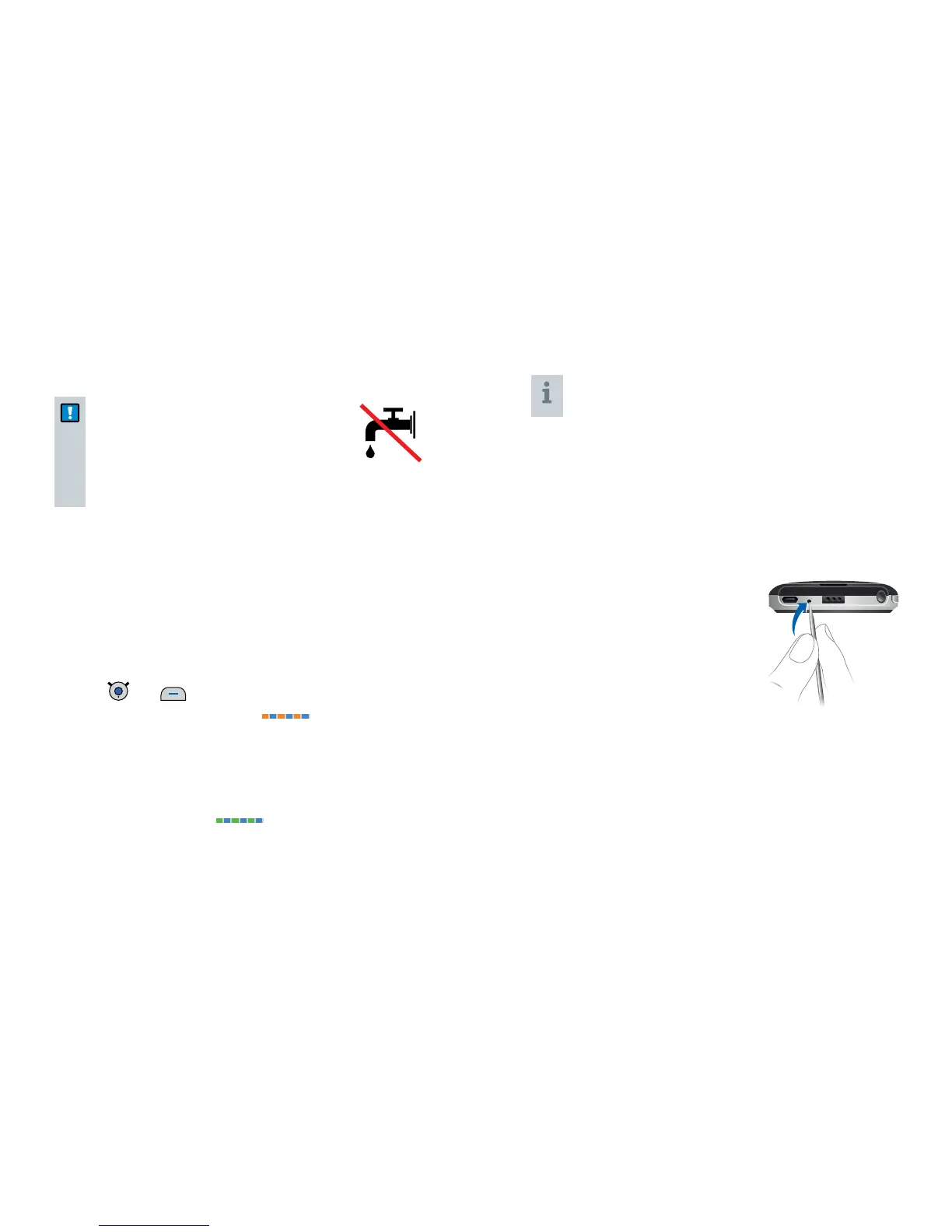
XUse a long thin tool, for
example, a wooden or plastic
toothpick, and press the
reset button.


 To Next Page