Getting started Getting started10 11
Follow the instructions in this chapter to make
Smart Connect ready for operation.
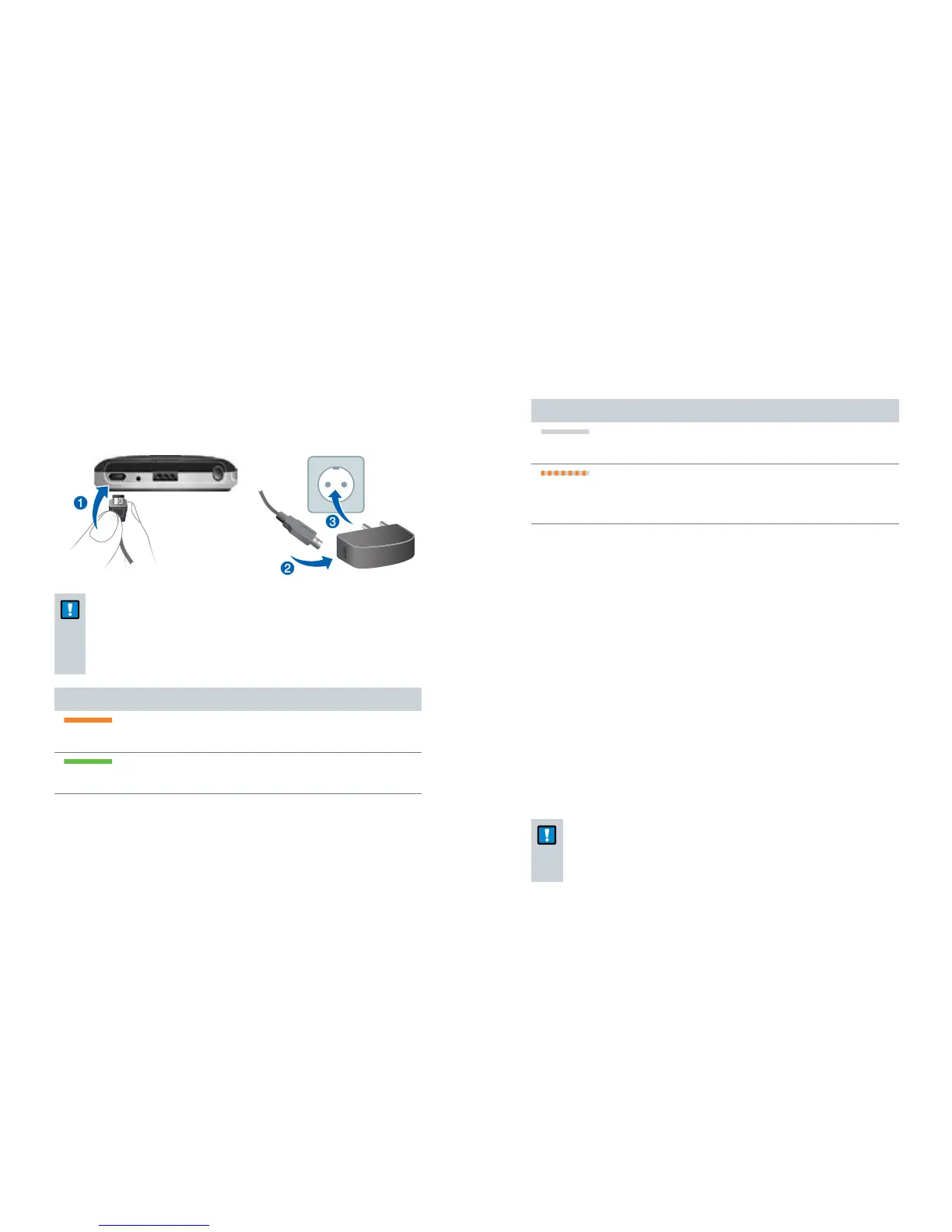
Charging
NOTICE
Please make sure that the power plug is easily
accessible to remove it from power supply if
necessary.
Battery status while charging
steady orange light
➊
Charging.
steady green light
➊
Charging is completed.
Getting started
The orange LED indicates the battery status:
Battery status
orange LED off
➊
Battery is sufficiently charged.
flashing fast for 5 seconds when a button is
pressed
➊
Battery is low.
Further information:
Only use the USB cable and power adapter that came
with the device.
Select the adapter that is used in your country.
When charging via computer:
Smart Connect switches off automatically.
Your computer must be turned on and not in sleep
or standby mode. Otherwise, the battery may drain
instead of charge.
Typically, fully charging takes 2 hours.
A special tool is needed to replace the rechargeable
battery. Contact your Hearing Care Professional if the
battery has to be replaced.
NOTICE
Do not open the housing. This might damage the
device.


 To Next Page