Beijing RuiZhitianhong technology Co.Ltd.
ADD.:A308 jiahua building, 9 Shangdi 3rd Street, Haidian District, Beijing. P.C.:100085.
Dell:+86-10-62970368/82923063 Fax:+86-10-82920078 URL:www.richnc.com.cn 7
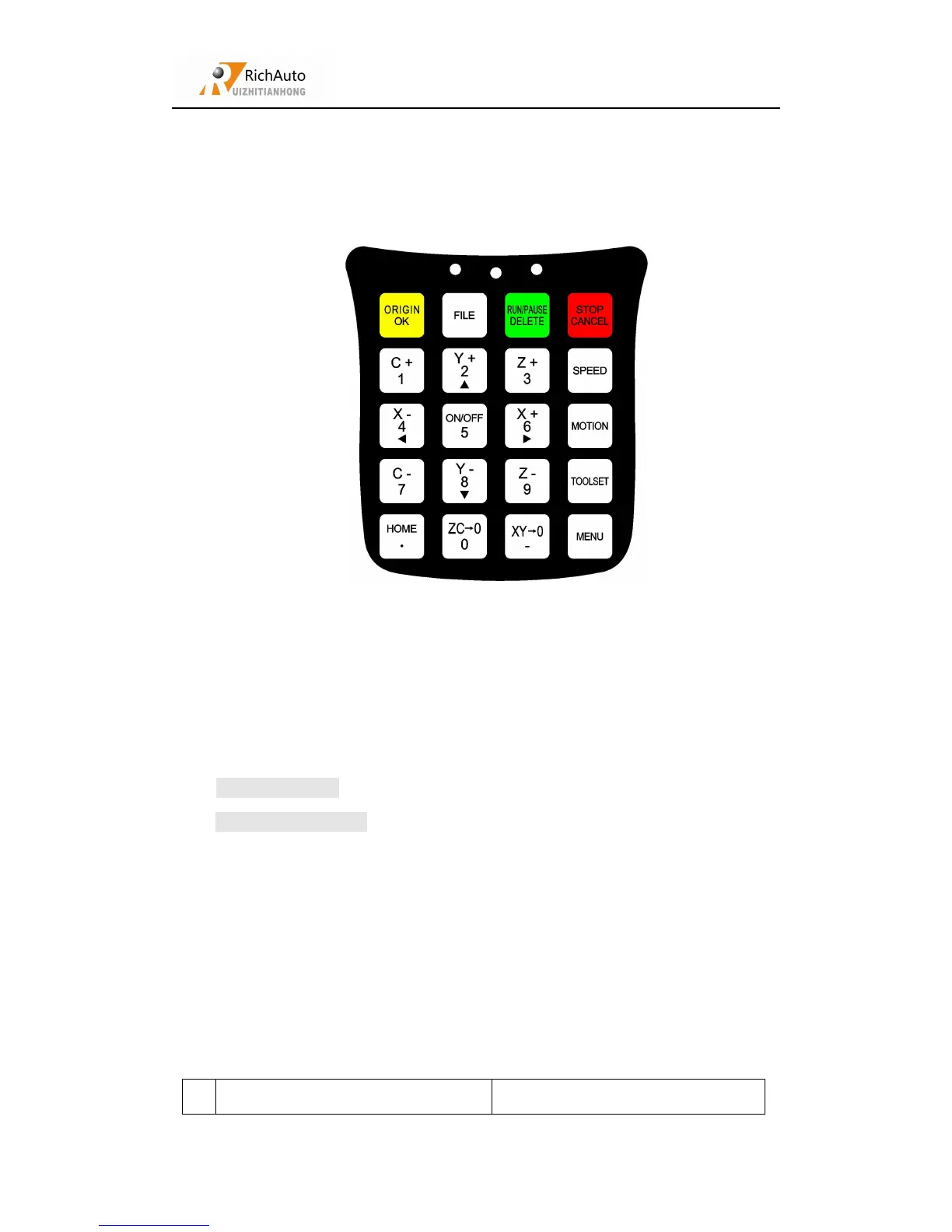
RichAuto motion control system defines 16 buttons according to functional
requirements. Each button has one or more functions under different work status:
Buttons picture
RichAuto motion control system provide two modes of buttons’ operations,
including one-touch button & Combination button.
One-touch button:Press one button on handle.
Combination button : Press two buttons at the same time to achieve the
operation;the operation step: press one main function button and meanwhile press a
second accessibility button, and then release the two buttons at the same time to
realize the combination button operation.
List of Combination buttons:
Combination key Function



 To Next Page