Beijing RuiZhitianhong technology Co.Ltd.
ADD.:A308 jiahua building, 9 Shangdi 3rd Street, Haidian District, Beijing. P.C.:100085.
Dell:+86-10-62970368/82923063 Fax:+86-10-82920078 URL:www.richnc.com.cn 59
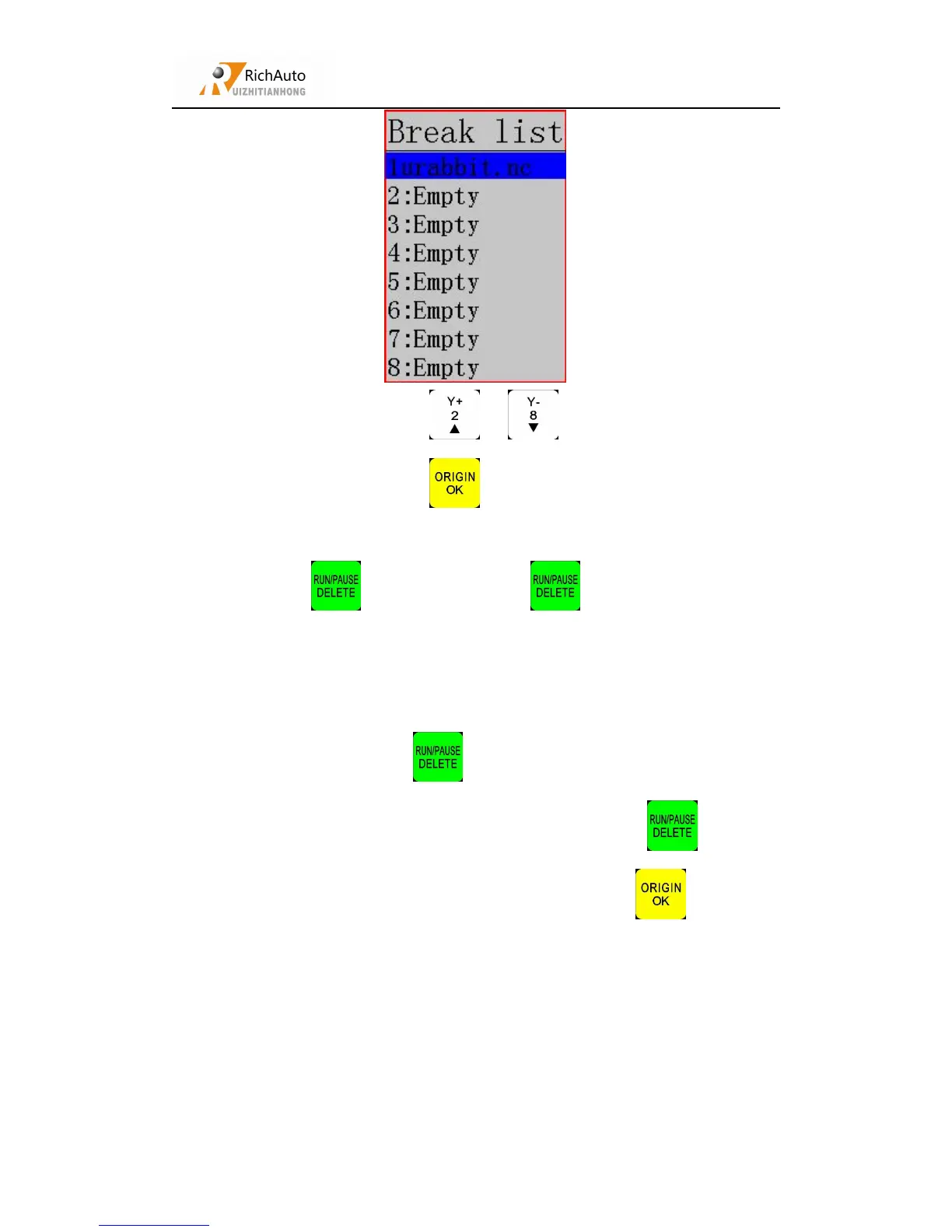
Totally 8 breakpoints, press “ ”、“ ”, choose a breakpoint position
by moving cursor, and then press “ ”to save, system automatic return to zero.
If we want to continue processing from the breakpoint, we can choose the
combination key “ ”+ “1-8”. First press “ ” not release it, at the same
time press number key(1-8), then release together, the system will start processing
from the breakpoint.
For example: You want to start processing from the breakpoint 1, then you
should use the combination key“ ”+ “1”, system will restore processing from
breakpoint 1. If user doesn’t want to save current breakpoint, pres“ ”next input
the line number which is required return back, and then press “ ”the system
will start processing from the new line number.
When there is a sudden power failure during processing, system will save
current coordinate and parameters, while power restart, process continue. Before that,
system must have a home motion. Shown as below:



 To Next Page