Beijing RuiZhitianhong technology Co.Ltd.
ADD.:A308 jiahua building, 9 Shangdi 3rd Street, Haidian District, Beijing. P.C.:100085.
Dell:+86-10-62970368/82923063 Fax:+86-10-82920078 URL:www.richnc.com.cn 67
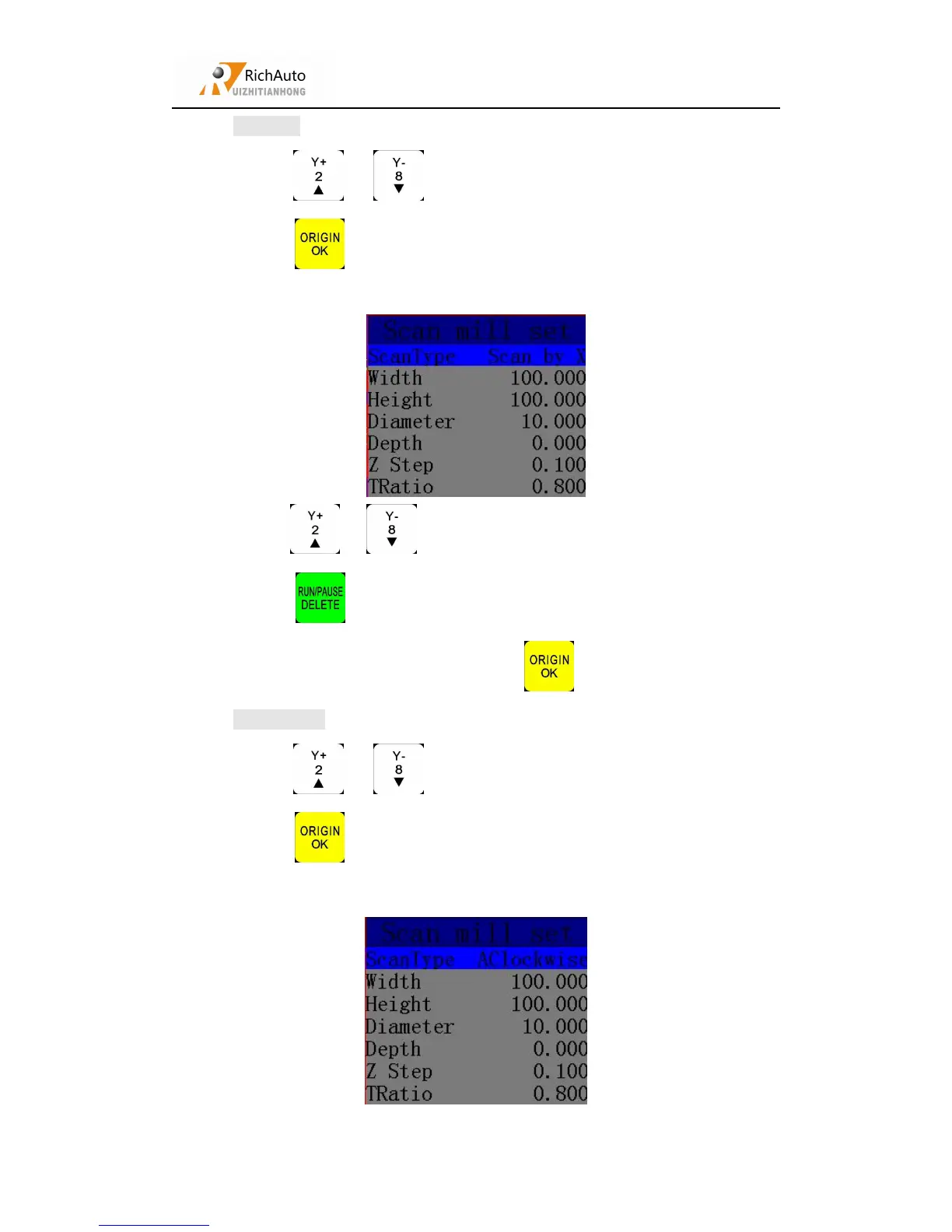
1) Press “ ”、“ ” to move cursr to choose the mill type.
2) Press “ ” to enter the scan mill settings, it includes: Scan type, Scan
Width, Scan Height, Tool Diameter, Scan Depth, Z Step T Ratio.
3) Press “ ”、“ ” to move cursor on the option which need modify,
press “ ” to choose mill type (X Scan or Y Scan), also press this
button to modify the parameters. Press “ ” to save them.
1) Press “ ”、“ ” to move cursr to choose the mill type.
2) Press “ ” to enter the scan mill settings, it includes: Scan type, Scan
Width, Scan Height, Tool Diameter, Scan Depth, Z Step T Ratio.



 To Next Page