Other Print Operations
104
4
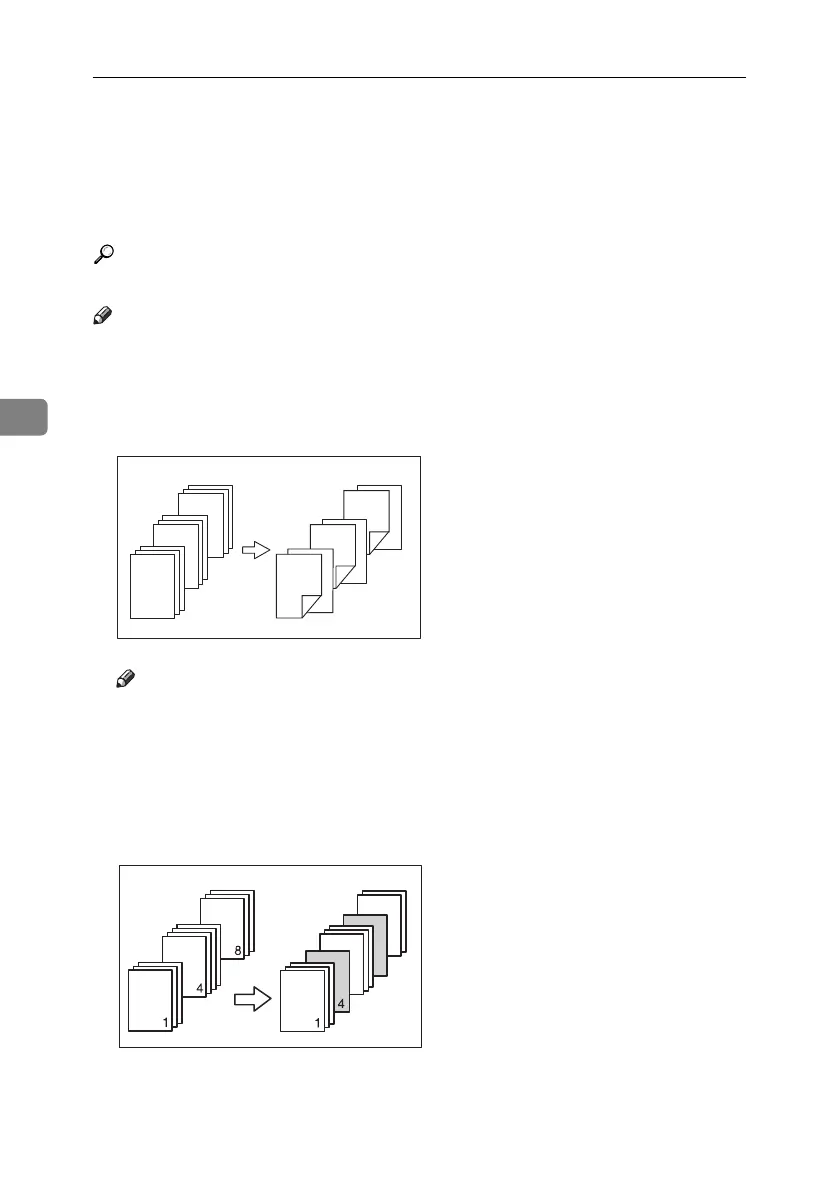
Chaptering
The specified page is printed on the same side as the first page, like a book. Also,
you can insert chapter slip sheets before specified pages, and select whether or
not to print on the slip sheets.
Reference
For printing methods, see the printer driver Help.
Note
❒ Up to 20 pages can be specified as the front pages of chapters using the printer
driver.
❖
❖❖
❖ No slip sheets
Note
❒ This function is only valid with duplex printing.
❒ This function can be used together with combine (layout) printing.
❖
❖❖
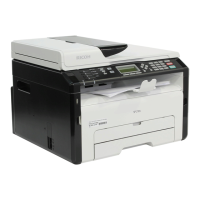
❖ Inserting chapter slip sheets
• Print
Prints on the chapter slip sheets. When duplex printing is selected, both
sides of the slip sheets are printed on.
7
6
5
4
4
1
2
1
3
GCPY024E
7
8
9
GCPY026E
8
MartiniC25-GB-Pref-F7_FM.book Page 104 Tuesday, November 9, 2004 3:46 PM


 To Next Page