Connecting the Machine
11
1
C
CC
C
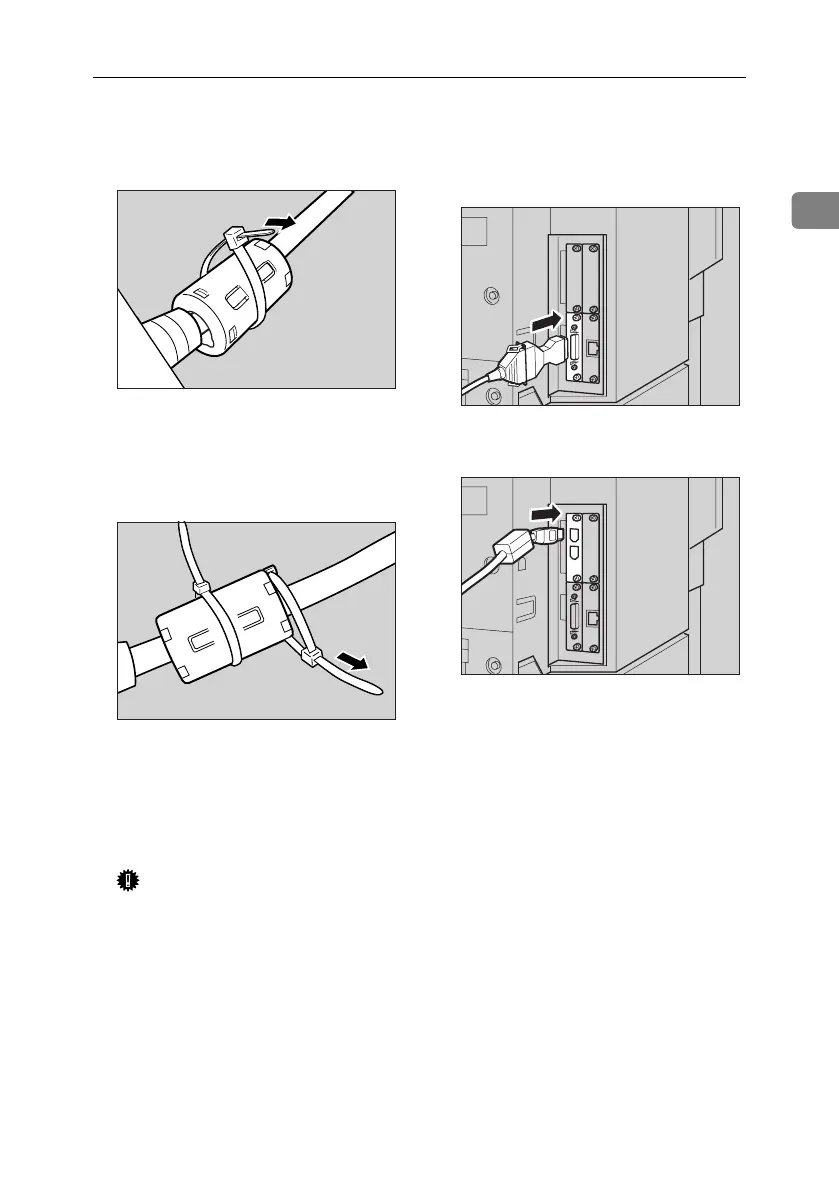
Fit one tie wrap snugly around
the center of the ferrite core to
prevent the core coming loose.
D
DD
D
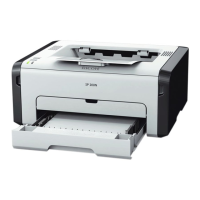
Fit the other tie wrap snugly
around the end of the ferrite core
to prevent the core moving along
the cable.
E
EE
E
Cut off excess tie wrap using scis-
sors.
F
FF
F
Turn off the main power switches
of the machine and computer.
Important
❒ Before turning off the main pow-
er switch, see “Turning Off the
Power”, General Settings Guide.
G
GG
G
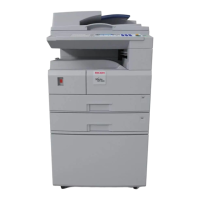
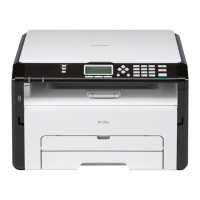
Plug the cable into the connector
on the machine’s interface.
❖
❖❖
❖ Parallel Connection
❖
❖❖
❖ IEEE 1394 (SCSI print) Connection
H
HH
H
Plug the other end of the cable into
the connector on the computer’s
interface.
I
II
I
Turn on the machine's main pow-
er switch.
AEW023S
AEW020S
ACA021S1
ACA022S1
MartiniC25-GB-Pref-F7_FM.book Page 11 Tuesday, November 9, 2004 3:46 PM


 To Next Page