Adjustment after Replacing the ADF
CIS RGB Adjustment
Enter the four-digit numeric values for RGB that are listed on the paper that comes with the ADF into the
following SP.
R: SP4-712-001 (CIS GB Adj Value: R)
G: SP4-713-001 (CIS GB Adj Value: G)
B: SP4-714-001 (CIS GB Adj Value: B)
Checking the vertical registration
SP6-006-001 (ADF Adjustment Side-to-Side Regist: Front)
SP6-006-002 (ADF Adjustment Side-to-Side Regist: Rear)
1.
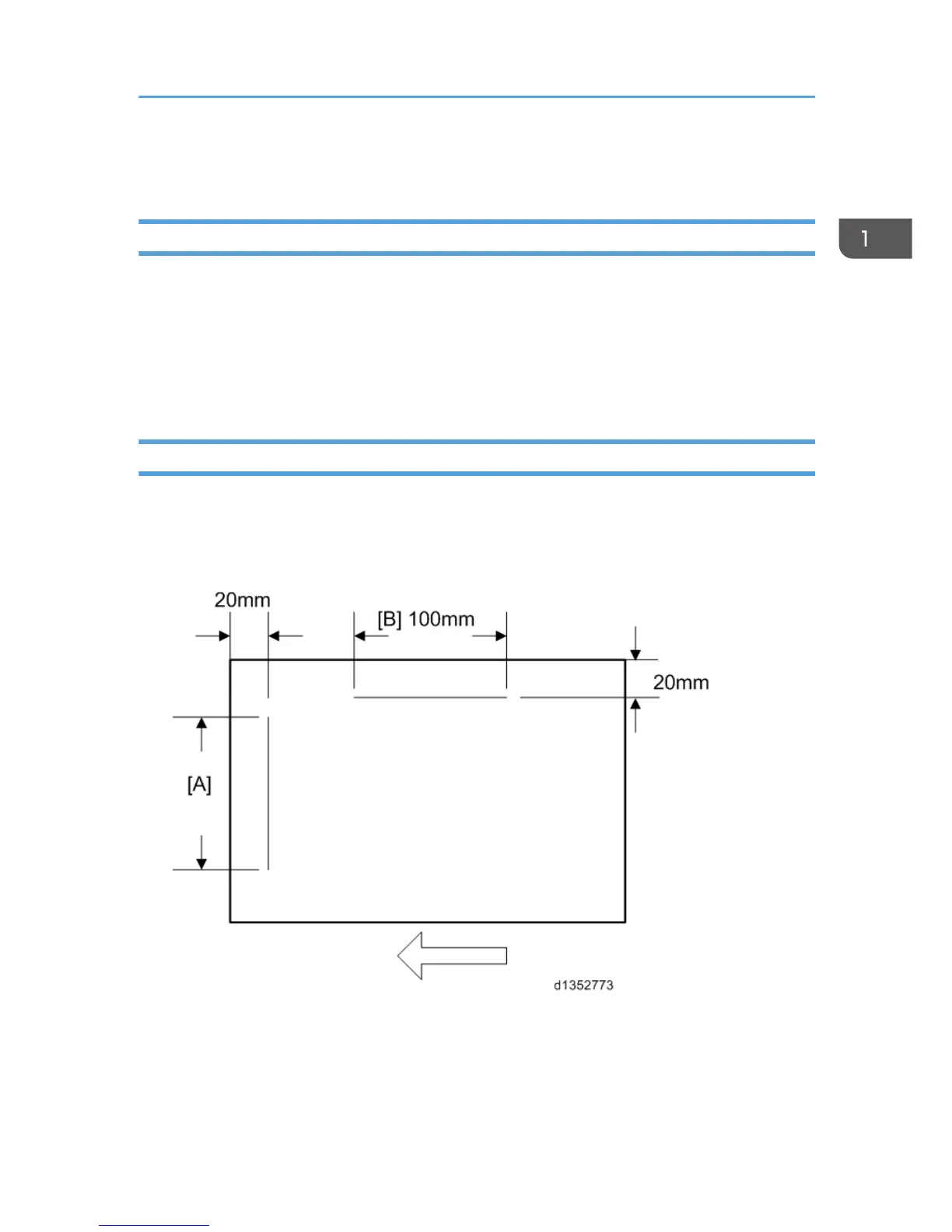
Create an original as shown in the following picture.
*The arrows indicate the direction of feed.
2.
Copy the original and make sure that the position of the line [A] is within 0±1mm
3. If not within the standard, adjust with the SP modes.
Adjustment after Replacing the ADF
11



 To Next Page