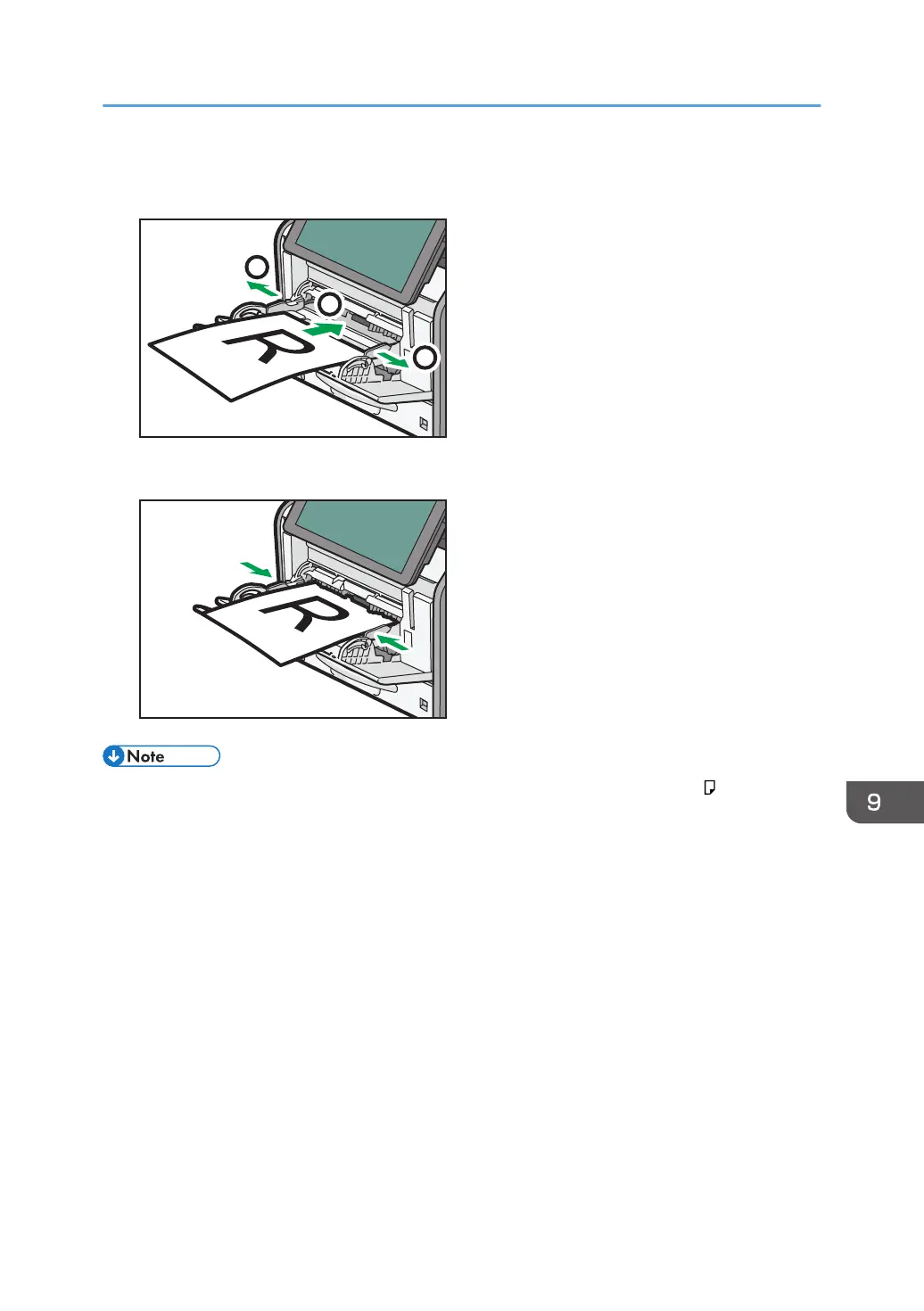
2. Slide both sides of the paper guide outward, and then load paper print side up until it
stops.
3. Adjust both sides of the paper guide to match the paper width.
• When using the bypass tray, it is recommended that you set the paper direction to .
• When loading thick paper, thin paper, or OHP transparencies, specify the paper size and the
paper type.
• Letterhead paper must be loaded in a specific orientation. For details, see page 128 "Loading
Orientation-fixed Paper or Two-sided Paper".
• You can load envelopes into the bypass tray. For details about loading envelopes, see "Loading
Envelopes", Paper Specifications and Adding Paper.
• When copying from the bypass tray, see "Copying from the Bypass Tray", Copy/ Document
Server. When printing from a computer, see page 126 "Printing from the Bypass Tray Using the
Printer Function".
• When the [Notification Sound] is set to [No Sound], it does not sound if you load paper into the
bypass tray. For details about [Notification Sound], see "Screen Features", Connecting the
Machine/ System Settings.
Loading Paper
125



 To Next Page