4. [Job Reset]
Press to cancel the current print job.
If you press it when the Hex Dump is selected, Hex Dump is canceled.
5. [Job Operation]
Press to suspend a job being processed.
6. [Form Feed]
Press to print all the data left in the machine's input buffer.
7. [Spooling Job List]
Press to display spooled jobs.
8. [Error Log]
Press to display the error logs of print jobs sent from a computer.
9. [Print Jobs]
Press to display print jobs sent from a computer.
• The estimated time to complete printing after receiving all data from the computer is displayed on
the top of the screen.
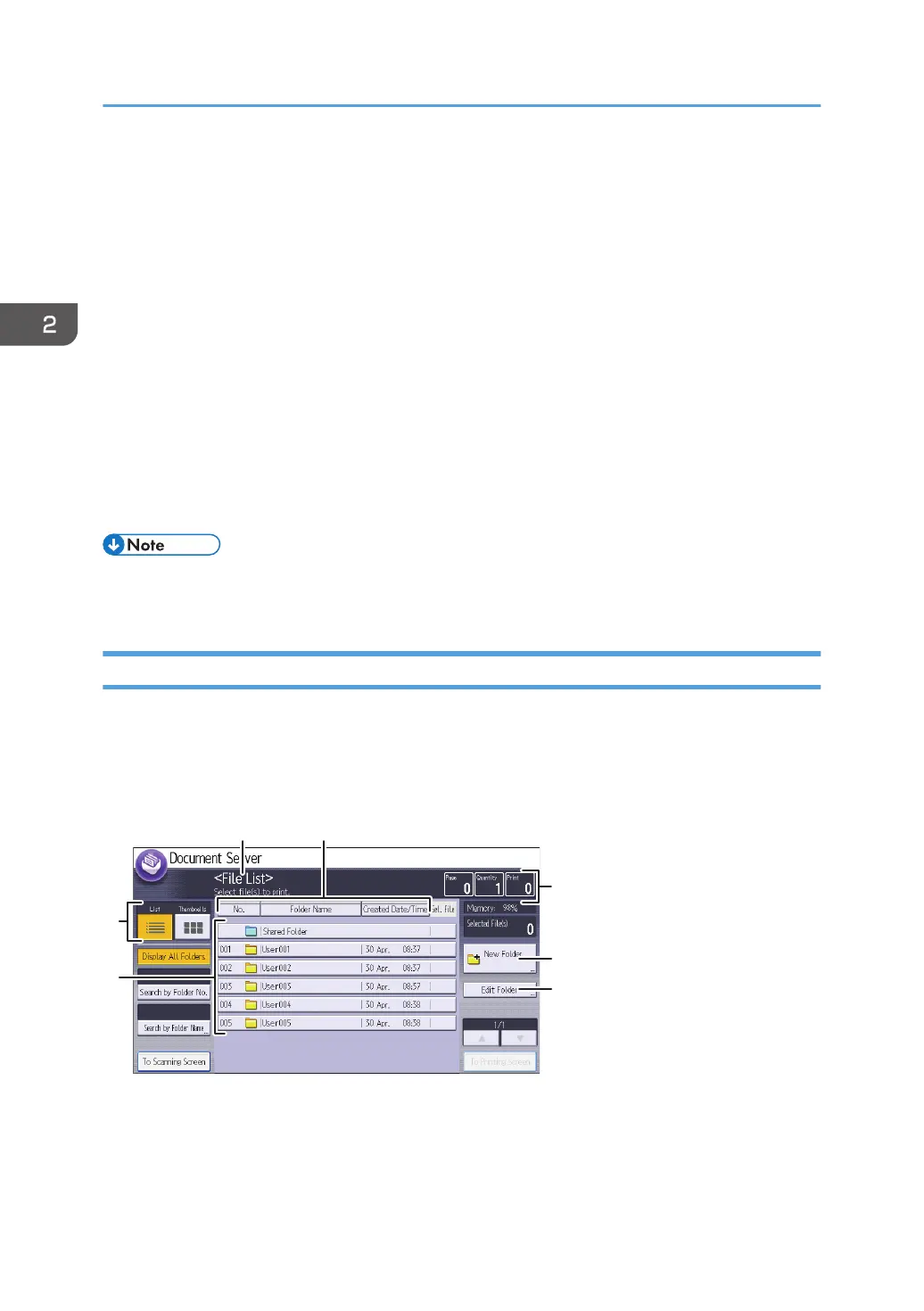
[Document Server] Screen
You can organize documents stored in the Document Server in folders.
You can view a list of the documents in a folder by touching the folder key.
Folder list screen
2. Getting Started
56



 To Next Page