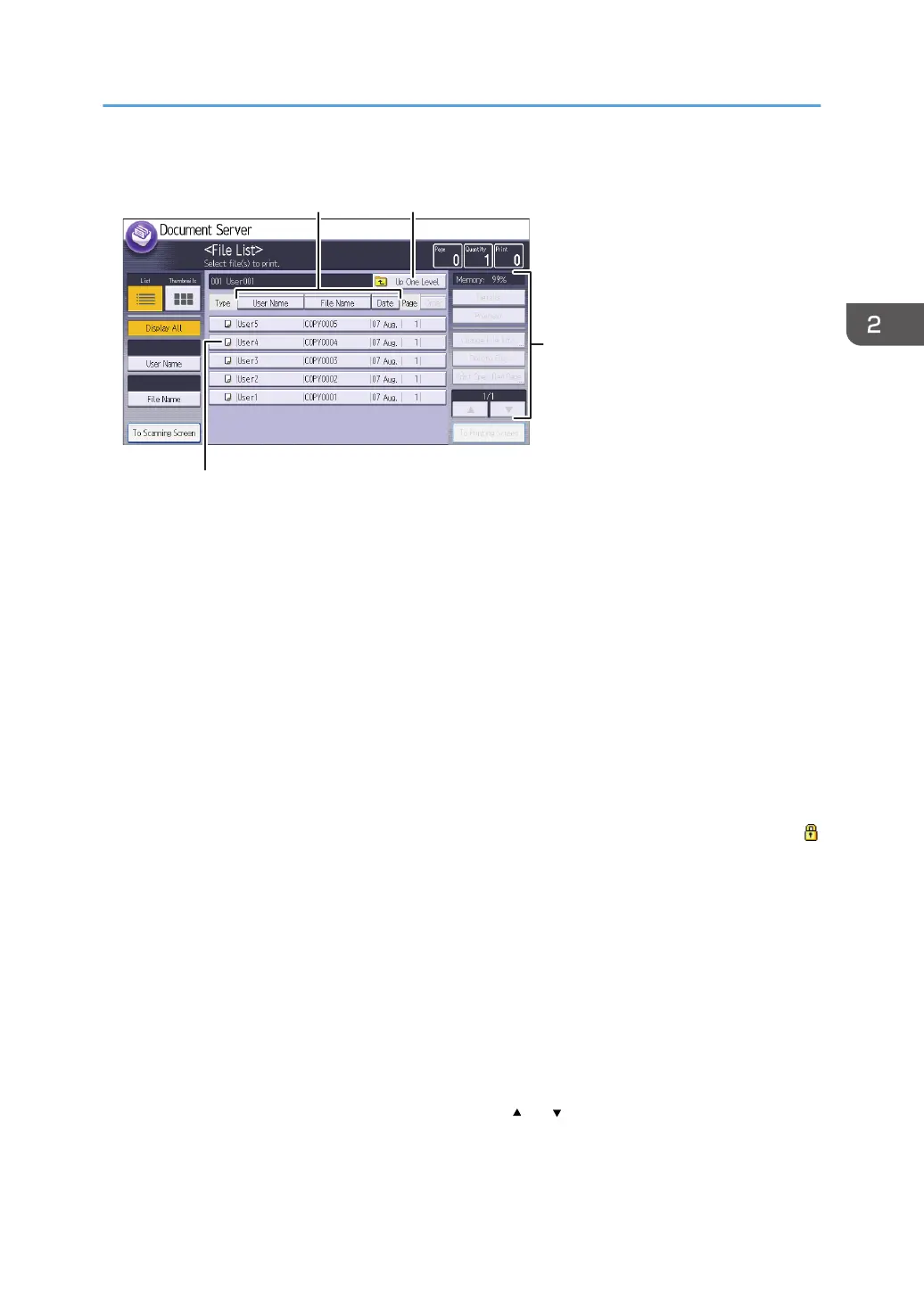
File list screen
1. Operational status and messages
Displays operational status and messages.
2. [No.], [Folder Name], and [Created Date/Time]
Press the item to sort the folders. Select the same item once more for a reverse sort.
3. Page, Quantity, and Print
Displays the number of originals stored in memory, number of sets to be printed, and prints made.
4. [New Folder]
Press to create a new folder.
5. [Edit Folder]
Press to change the folder name or password, or to delete the folder.
6. Folder keys
Press to display the list of stored files in the folder. If a password has been specified for a folder, a lock icon
appears to the left of the folder name.
7. List and Thumbnails
Displays keys for switching the display between list and thumbnails.
8. [User Name], [File Name], and [Date]
Press the item to sort the files. Select the same item once more for a reverse sort.
9. [Up One Level]
Press to display the list of folders.
10. Operation keys
Press to operate stored files.
If the file you want to select is not displayed in the list, press [ ] or [ ] to scroll the screen.
How to Use Each Application
57



 To Next Page