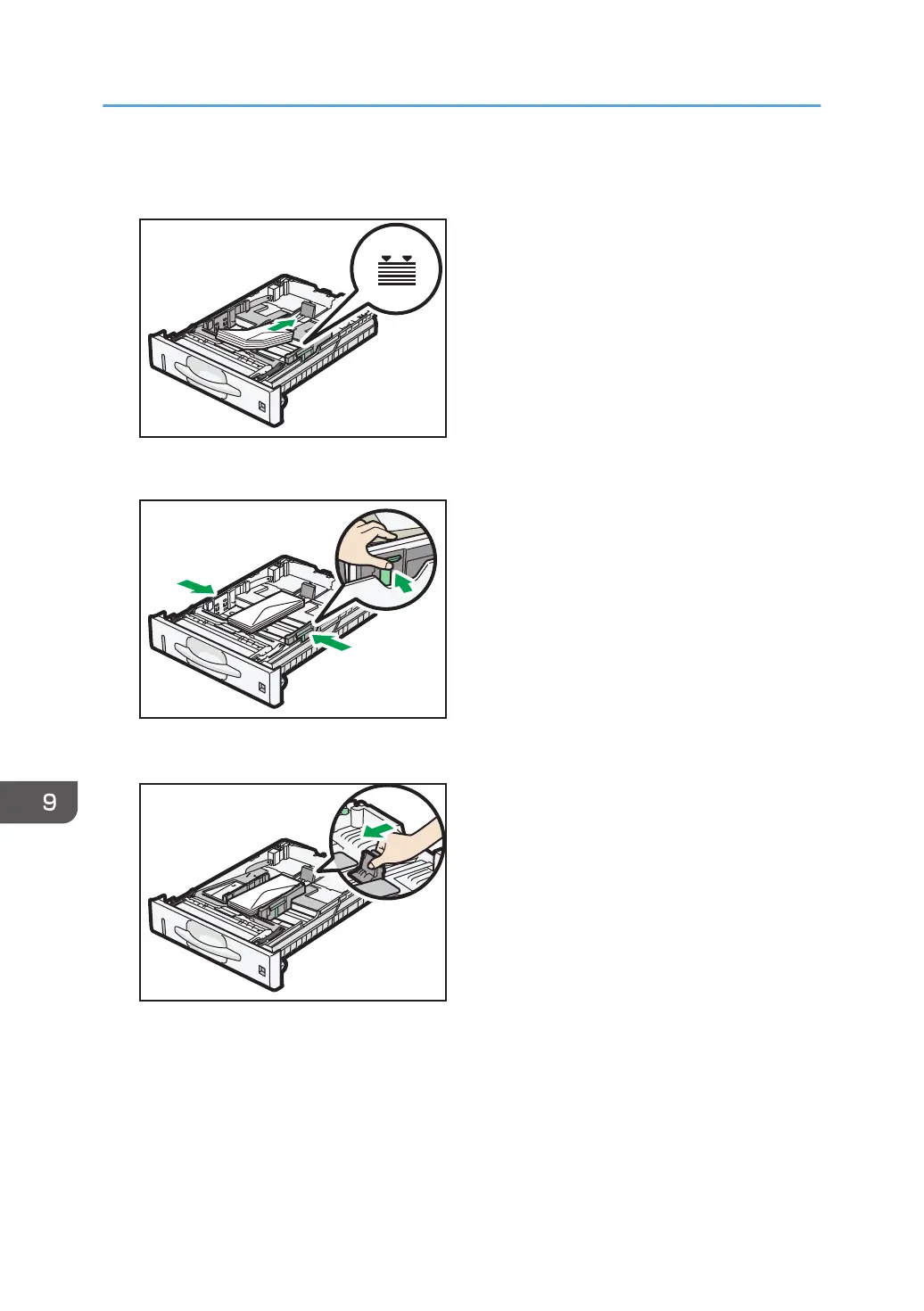
9. Load envelopes into the paper tray, with the print side down and the flap on the right as
shown in the illustration.
10. Pinch the clip on the side paper guide and slide it along the edge of the envelope stack.
11. Pinch the end guide and slide it along the edge of the envelope stack.
9. Adding Paper and Toner
140



 To Next Page