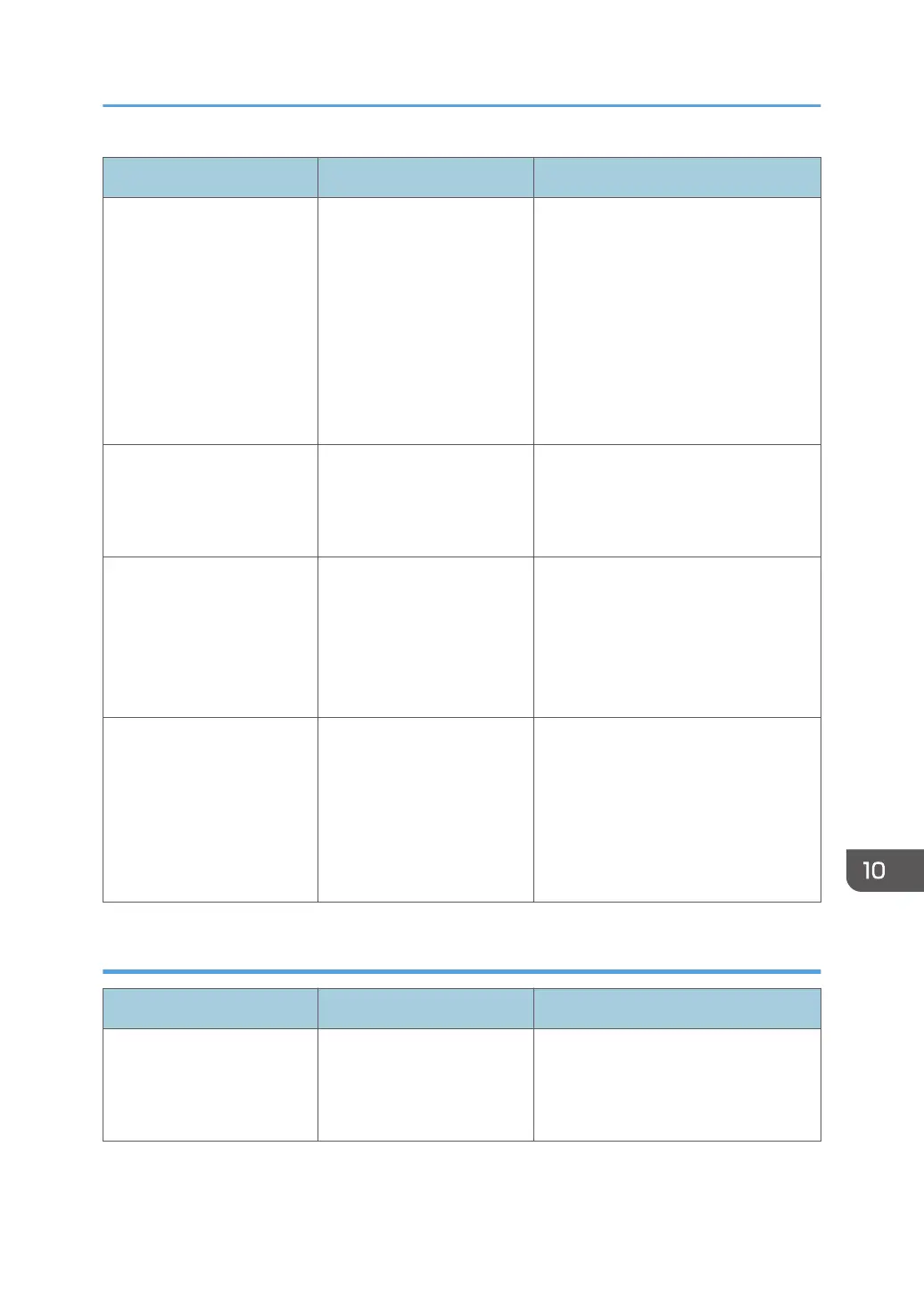
Message Cause Solution
"Exceeded max. email size.
Sending email has been
cancelled. Check [Max.
Email Size] in Scanner
Features."
The file size per page has
reached the maximum e-
mail size specified in
[Scanner Features].
Change the scanner features settings
as follows:
• Increase the e-mail size limit in
[Max. Email Size].
• Change the [Divide & Send
Email] setting to [Yes (per Page)]
or [Yes (per Max. Size)]. For
details about these settings, see
"Send Settings", Scan.
"Sending the data has
failed. The data will be
resent later."
A network error has
occurred and a file was not
sent correctly.
Wait until sending is retried
automatically after the preset interval. If
sending fails again, contact your
administrator.
"Transmission has failed.
Insufficient memory in the
destination hard disk. To
check the current status,
press [Scanned Files
Status]."
Transmission has failed.
There was not enough free
space on the hard disk of the
SMTP server, FTP server, or
client computer at the
destination.
Allocate sufficient space.
"Transmission has failed. To
check the current status,
press [Scanned Files
Status]."
While a file was being sent,
a network error occurred
and the file could not be sent
correctly.
If the same message appears again
after scanning again, the cause could
be a mixed network, or network
settings were changed during WSD
scanner transmission. For details about
network error, contact your
administrator.
When data cannot be sent because there are too many documents or pages
Message Cause Solution
"Exceeded max. number of
stored files. Cannot send the
scanned data as capturing
files is unavailable."
Too many files are waiting to
be sent.
Try again after they have been sent.
Messages Displayed When You Use the Scanner Function
195



 To Next Page