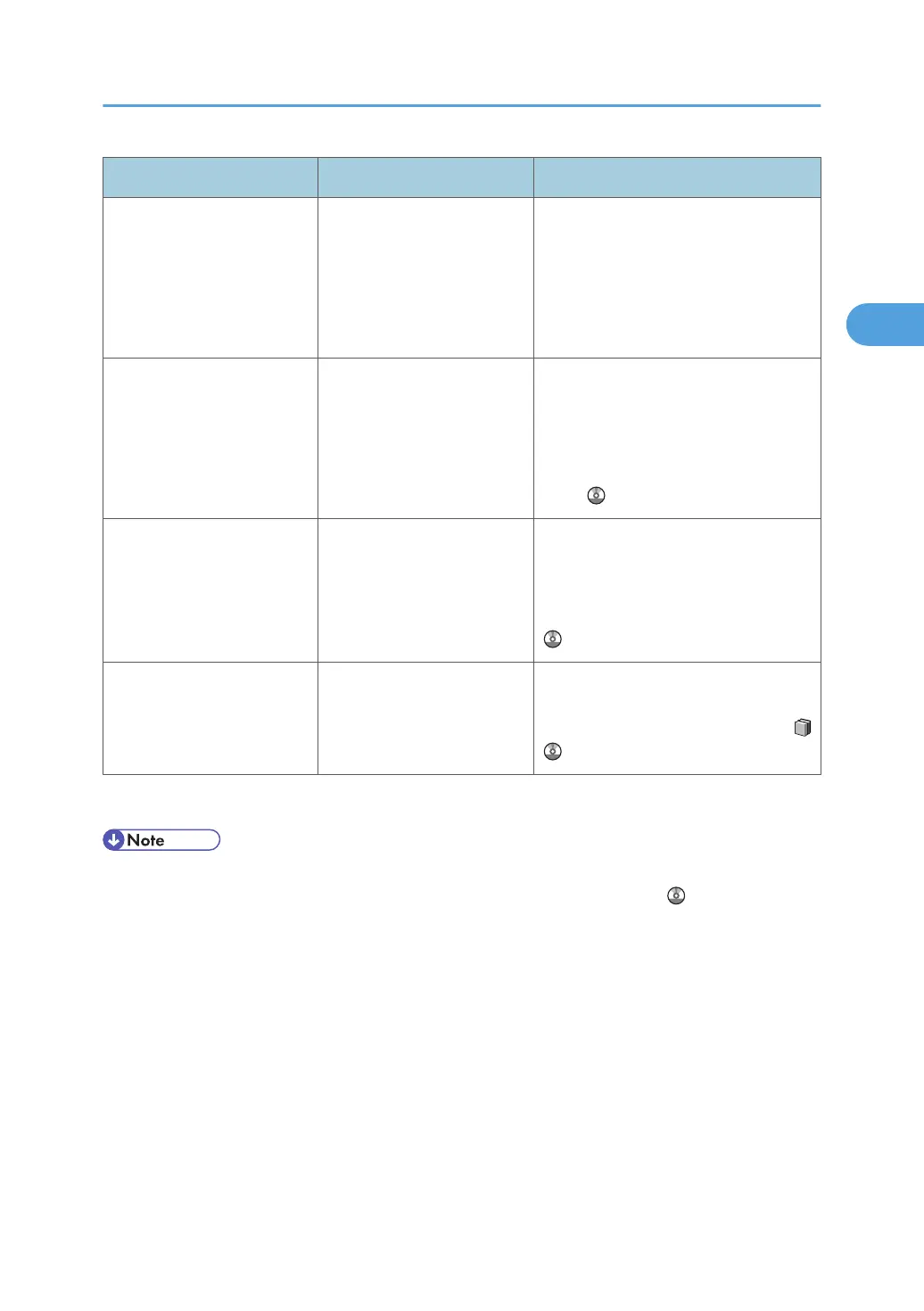
Message Cause Solution
"The Suspend / Resume key
of Finisher has been pressed
to suspend printing. To
resume printing, press the
Suspend / Resume key
again."
Printing has been suspended
because the [Suspend/
Resume] key on the finisher
was pressed.
To resume printing, press the [Suspend/
Resume] key again, and then press
[Online] on the machine's control panel.
For details, see p.77 "Pausing Printing
When Using the Finisher or the Booklet
Finisher".
"This IPv6 address already
exists."
This IPv6 address already
exists.
Check that the system's IPv6 address
specified for the machine is correct, and
change it if necessary. For details about
the system's IP address, see "System
Settings", Network and System Settings
Guide .
"This NetBIOS name is
already in use."
This NetBIOS name is
already in use.
Check that the specified NetBIOS name
is unique, and change it if necessary.
See "Remote Maintenance by telnet",
Network and System Settings Guide
.
"Toner Cartridge is almost
empty. Set the lower toner
cartridge first."
The toner cartridge is almost
empty.
Replace the relevant toner cartridge(s).
Install the lower toner cartridge first. See
"Adding Toner", About This Machine
.
If the printing does not start, contact your service representative.
• In [Print Error Report], you can specify whether or not an error report is printed if a PostScript error
occurs. For details about this function, see "PS/PDF Menu", Printer Reference .
Messages Displayed When Using the Printer Function
31







 To Next Page