EasyManua.ls Logo

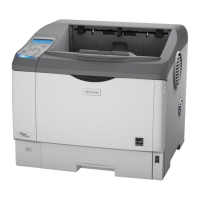
Ricoh SP6330 - User Manual

Ricoh SP6330
228 pages
Print Icon
To Next Page IconTo Next Page
Loading...
Read this manual carefully before you use this machine and keep it handy for future reference. For safe and correct use, be sure to read the Safety
Information before using the machine.
1
Guide to the Printer
2
Installing Options
3
Connecting the Printer Cables
4
Configuration
5
Paper and Other Media
6
Replacing Consumables and Maintenance Kit
7
Cleaning the Printer
8
Adjusting the Printer
9
Troubleshooting
10
Removing Misfed Paper
11
Appendix
Hardware Guide
Operating Instructions

Table of Contents

Questions and Answers

  • D
    Danielle MillerAug 16, 2025
    What to do if Ricoh SP6330 Printer says 'Cover Open. Please close the Front Cover.'?
    • S
      scott72Aug 16, 2025
      If your Ricoh Printer displays 'Cover Open. Please close the Front Cover.', ensure that the front cover is completely closed.
  • P
    Paul HolderAug 19, 2025
    How to fix 'Load paper in (tray name)' error on Ricoh Printer?
    • C
      Christopher MatthewsAug 19, 2025
      If your Ricoh printer displays 'Load paper in (tray name)', it means the specified tray is empty. Load the correct paper into the indicated tray. Then, press the [Job Reset] button to restart the print job, or press [FormFeed] to initiate printing.
  • N
    Natalie WilsonAug 22, 2025
    What to do if Ricoh Printer says 'Cover Open. Please close the Rear Cover.'?
    • E
      Emily SpencerAug 22, 2025
      If your Ricoh Printer displays 'Cover Open. Please close the Rear Cover.', ensure that the rear cover is completely closed.
  • K
    Kevin JohnsonAug 25, 2025
    What to do if Ricoh SP6330 Printer says 'Cover Open. Please close the Paper Exit Cover.'?
    • J
      jason30Aug 26, 2025
      If your Ricoh Printer displays 'Cover Open. Please close the Paper Exit Cover.', ensure that the paper exit cover is completely closed.
  • G
    gpalmerAug 28, 2025
    How to resume printing on Ricoh SP6330 Printer when it's suspended?
    • R
      Renee MillerAug 28, 2025
      To recover from a 'Printing Suspended' state on your Ricoh printer, turn the printer off, and then turn it back on again.
  • M
    Maria ConleyAug 31, 2025
    What to do if Ricoh SP6330 shows 'Paper size/type mismatch'?
    • P
      palmermarkAug 31, 2025
      If your Ricoh printer displays a 'Paper size/type mismatch' error, it means the paper type and size in all trays do not match the configured settings when Auto Paper Select mode is enabled. You can press [Change] to modify the settings, press [Job Reset] to reset the job, or press [FormFeed] to force printing.
  • D
    David WolfeSep 3, 2025
    What to do for 'Ethernet Board Error' on Ricoh SP6330 Printer?
    • S
      Sandra JonesSep 3, 2025
      If your Ricoh printer displays an 'Ethernet Board Error', it means an error on the Ethernet board has been detected. Try pulling out and then reinstalling the controller board.
  • J
    Jodi DavisSep 6, 2025
    What should I do if Ricoh SP6330 shows 'Connect failed:WirelessCard' error?
    • C
      Courtney JohnstonSep 6, 2025
      If your Ricoh printer displays the error 'Connect failed:WirelessCard', check to ensure that a wireless LAN board is installed. Verify that it is a supported board and that it is installed correctly.
  • L
    laura38Sep 9, 2025
    What does 'Current wireless card is not WPA compatible' mean on Ricoh SP6330 Printer?
    • J
      Juan FreemanSep 9, 2025
      If your Ricoh printer displays the error 'Current wireless card is not WPA compatible', it means that the wireless LAN you are using is not compatible with WPA.
  • K
    Karen SimsSep 12, 2025
    Why is PDF Direct Print not working on my Ricoh SP6330 Printer?
    • G
      Gabriela FosterSep 12, 2025
      If PDF Direct Print is not working on your Ricoh printer, it could be because the optional hard disk is not installed, or the set RAM Disk size is too low. You must install the optional hard disk or set the value of [RAM Disk] in the [System] menu to 2 MB or higher.

Ricoh SP6330 Specifications

General IconGeneral
Print TechnologyLaser
Print Resolution1200 x 1200 dpi
Supported Operating SystemsWindows, Mac OS, Linux
Monthly Duty Cycle150000 pages
ConnectivityUSB 2.0, Ethernet
Duplex PrintingAutomatic

Related product manuals