ii
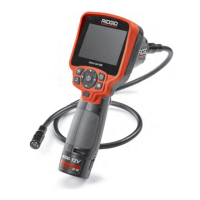
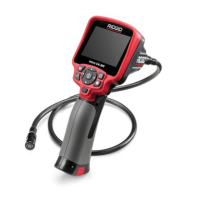
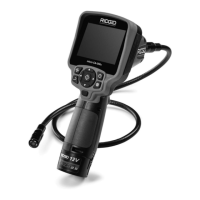
micro CA-350 Inspection Camera
Table of Contents
Safety Symbols.....................................................................................................................2
General Safety Information
Work Area Safety...............................................................................................................2
Electrical Safety.................................................................................................................2
Personal Safety .................................................................................................................2
Equipment Use and Care ..................................................................................................2
Battery Use and Care ........................................................................................................2
Service ..............................................................................................................................3
Specific Safety Information
micro CA-350 Inspection Camera Safety...........................................................................3
Description, Specifications and Standard Equipment
Description ........................................................................................................................4
Specifications ....................................................................................................................4
Standard Equipment..........................................................................................................5
Controls .............................................................................................................................5
FCC Statement......................................................................................................................5
Electromagnetic Compatibility (EMC) ................................................................................6
Icons......................................................................................................................................6
Tool Assembly
Changing/Installing Batteries.............................................................................................7
Powering with the AC Adapter ...........................................................................................7
Installing Imager Head Cable or Extension Cables ...........................................................7
Installing Accessories ........................................................................................................7
Installing SD™ Card ..........................................................................................................8
Pre-Operation Inspection ....................................................................................................8
Tool and Work Area Set-Up..................................................................................................8
Operating Instructions.........................................................................................................9
Live Screen......................................................................................................................10
Image Adjustment............................................................................................................10
Image Capture .................................................................................................................11
Menu................................................................................................................................11
Time Stamp .....................................................................................................................12
Language.........................................................................................................................12
Date/Time ........................................................................................................................12
TV-Out .............................................................................................................................12
Update Firmware .............................................................................................................12
Speaker ...........................................................................................................................12
Auto Power Off.................................................................................................................12
Factory Reset ..................................................................................................................12
About ...............................................................................................................................12
Transferring Images to a Computer .................................................................................12
Connecting to TV .............................................................................................................13
Using with SeeSnake
®
Inspection Equipment ........................................................................13
Maintenance
Reset Function.................................................................................................................14
Optional Equipment ...........................................................................................................14
Storage ................................................................................................................................14
Service and Repair .............................................................................................................14
Disposal ..............................................................................................................................15
Troubleshooting .................................................................................................................16
Lifetime Warranty .................................................................................................Back Cover
*Original Instructions - English


 To Next Page
 Loading...