10
Assembly (continued)
Installing Sanding Sleeves Larger than 1/2"
Diameter
WARNING: To reduce the risk of injury from acci-
dental starting, always turn switch “OFF” and
remove switch key before removing or replacing
the spacer ring inserts, sleeves and drums.
1. Remove the fan and clean sawdust from inside table
recess.
2. Slide the fan onto the shaft (vanes face down). The fan
is used with all drums and sleeves.
3. Install the table insert.
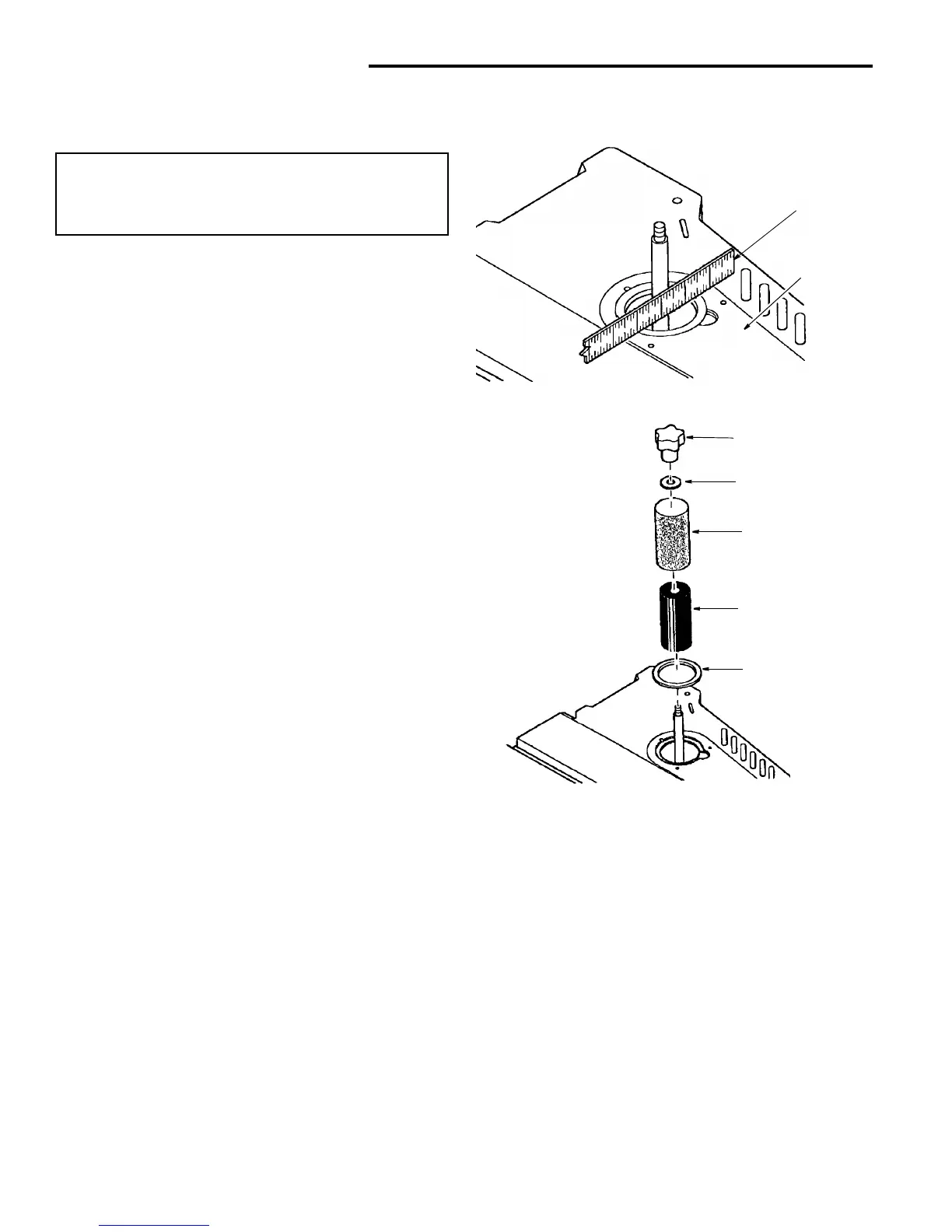
4. Use a straight edge as shown to make sure the table
insert is flush with the table.
If necessary adjust the set screws in the table insert
with the 3/32 hex “L” wrench provided.
5. Slide the sanding sleeve-rubber drum onto the spindle.
NOTE: If the drum is difficult to slide over the spindle,
apply talcum powder to the spindle.
6. Position spacer ring insert in the table recess. (See
recommended spacer ring insert selection area from
table on page 11). Use the smallest spacer ring insert
that will fit over the drum.
7. Place desired sanding sleeve on correct drum. NOTE:
If the sanding sleeve is difficult to slide over the drum,
apply talcum powder to the outside surface of the rub-
ber drum.
8. Install the correct upper spindle washer and tighten the
knob. Do not overtighten. NOTE: Knob turns coun-
terclockwise to tighten.
9. Plug power cord in the power source and install the
key.
Knob
Washer
Sanding Sleeve
Sanding Drum
Spacer Ring
Insert
Straightedge
Table
Insert



 To Next Page