4. Operation
4.1. Main menu
The on-screen menu system of the AA-200/AA-500 Antenna Analyzer provides a
simple but effective way to control the entire device.
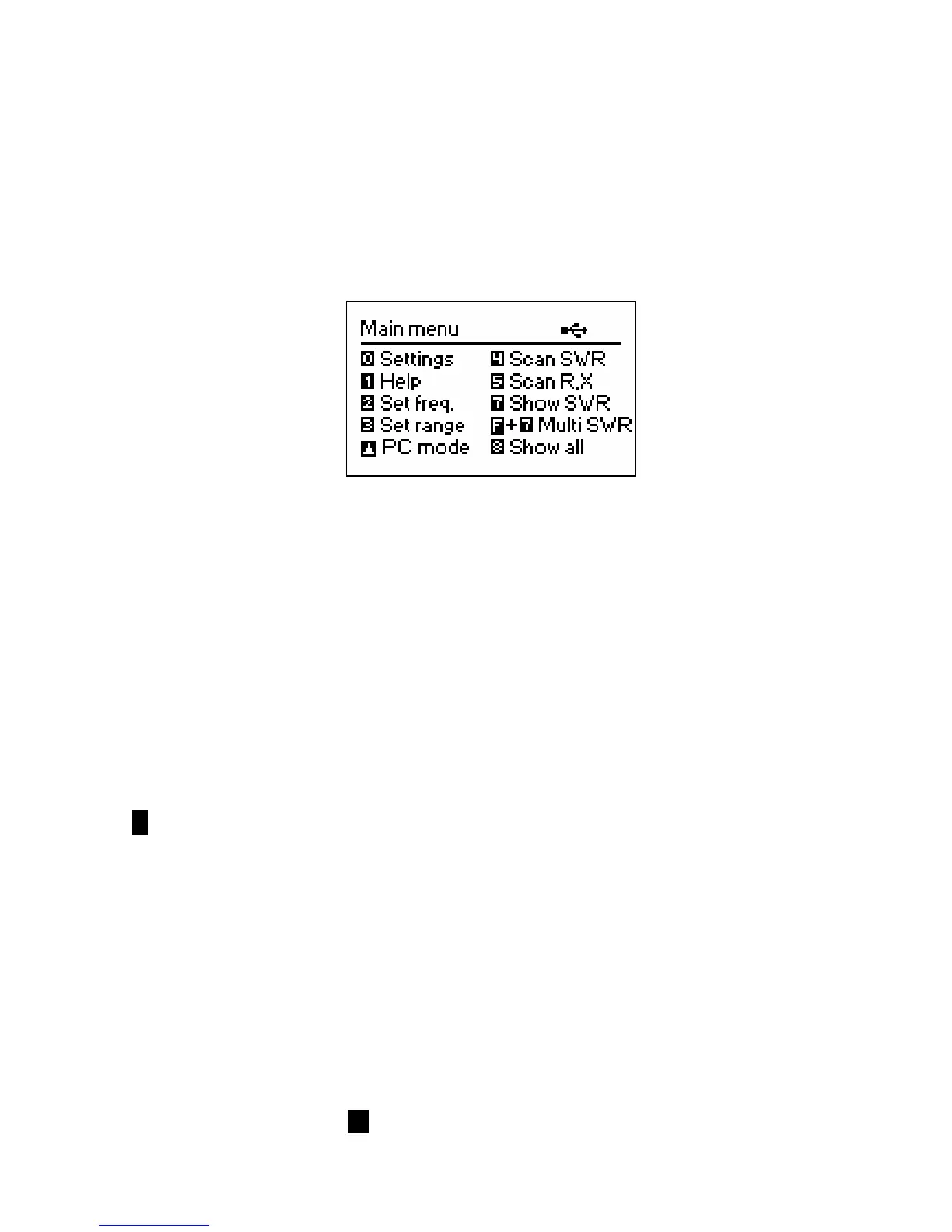
Once the analyzer is turned on, a Main menu appears on the LCD:
The Main menu contains a brief list of available commands. By pressing keys on the
keypad, you may enter corresponding measurement modes, set up additional
parameters, etc.
There are three icons which are displayed in the top-right corner of the Main menu
screen:
• The USB icon is displayed when the analyzer is plugged to a personal computer;
• The charging indicator shows if an external charger is connected to the analyzer;
• The low battery indicator flashed when the accumulator has to be urgently
charged.
AA-200/AA-500 Antenna Analyzers are self-documented: this means that pressing the
1 key will bring a help screen with a list of available keys for the current mode.
4.2. Single- and multi-point measurement modes
In single-point measurement modes, various parameters of antenna or other load are
measured at a given frequency. I multi-point modes, several different frequencies are
used.
4.2.1. SWR mode
The SWR mode (press the 7 key in the Main menu) displays the SWR bar as well as
the numerical value of this parameter:













 To Next Page