RigExpert AA-35 ZOOM
Chart ZOOM
Use the arrow keys to increase or decrease the center frequency or the scanning range.
Watch the chart zooming in or out, or changing its position. Use the (Functional
key) and (Cursor up) or (Cursor down) key combination to zoom the vertical
scale of the chart.
Do not forget to press the (OK) key for the new measurement to start.
SWR chart
Once your antenna is connected to
the analyzer, it is time to measure its
characteristics. Press the (SWR
chart) key to open the SWR chart screen,
then press (OK) to start a new
measurement.
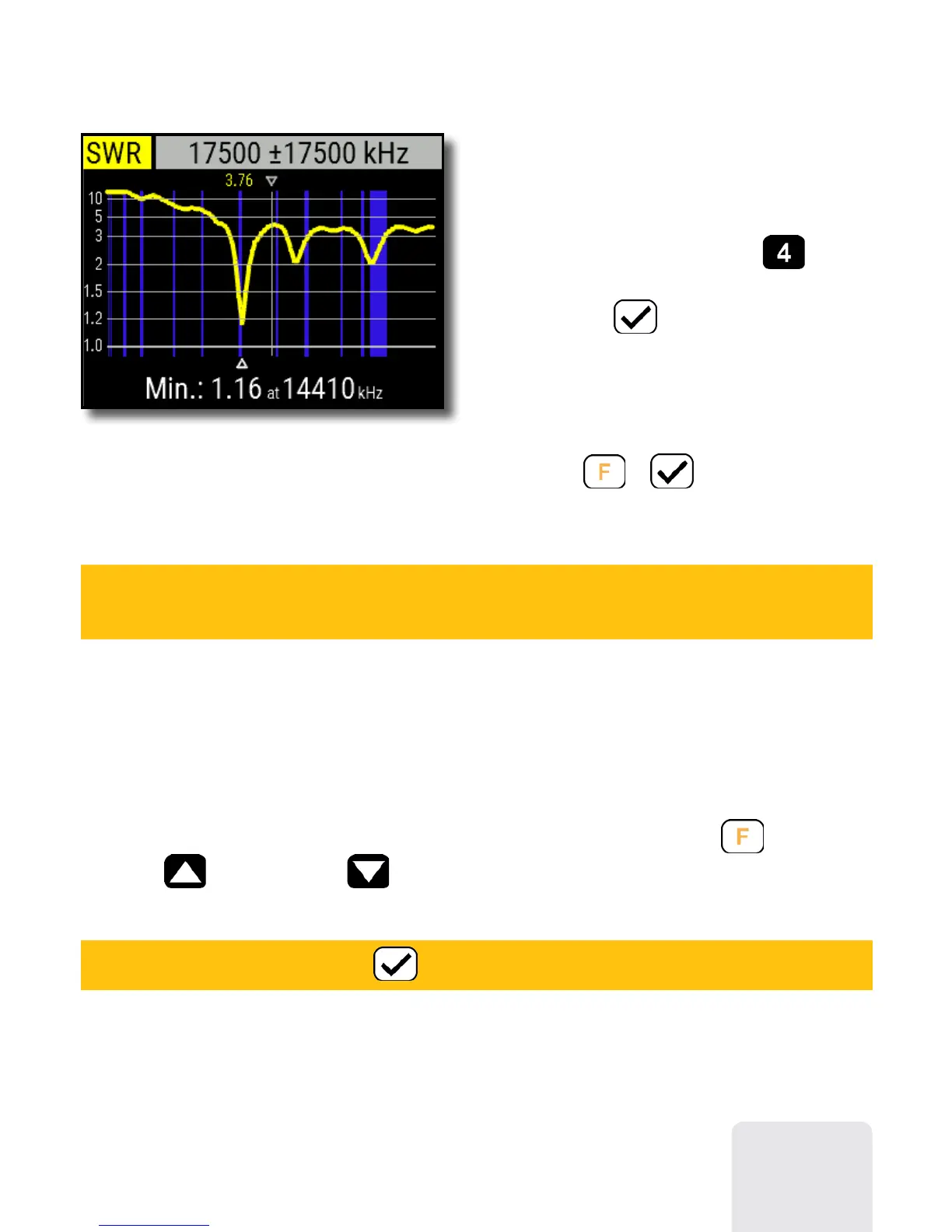
A few moments later, the result will be
displayed on the analyzer’s screen.
Press the
+ key combination to
run a continuous sweep.
A small triangle at the bottom of the chart corresponds to a point at which the SWR
reaches its minimum.
7













 To Next Page