28 di 42
BUTTON
•
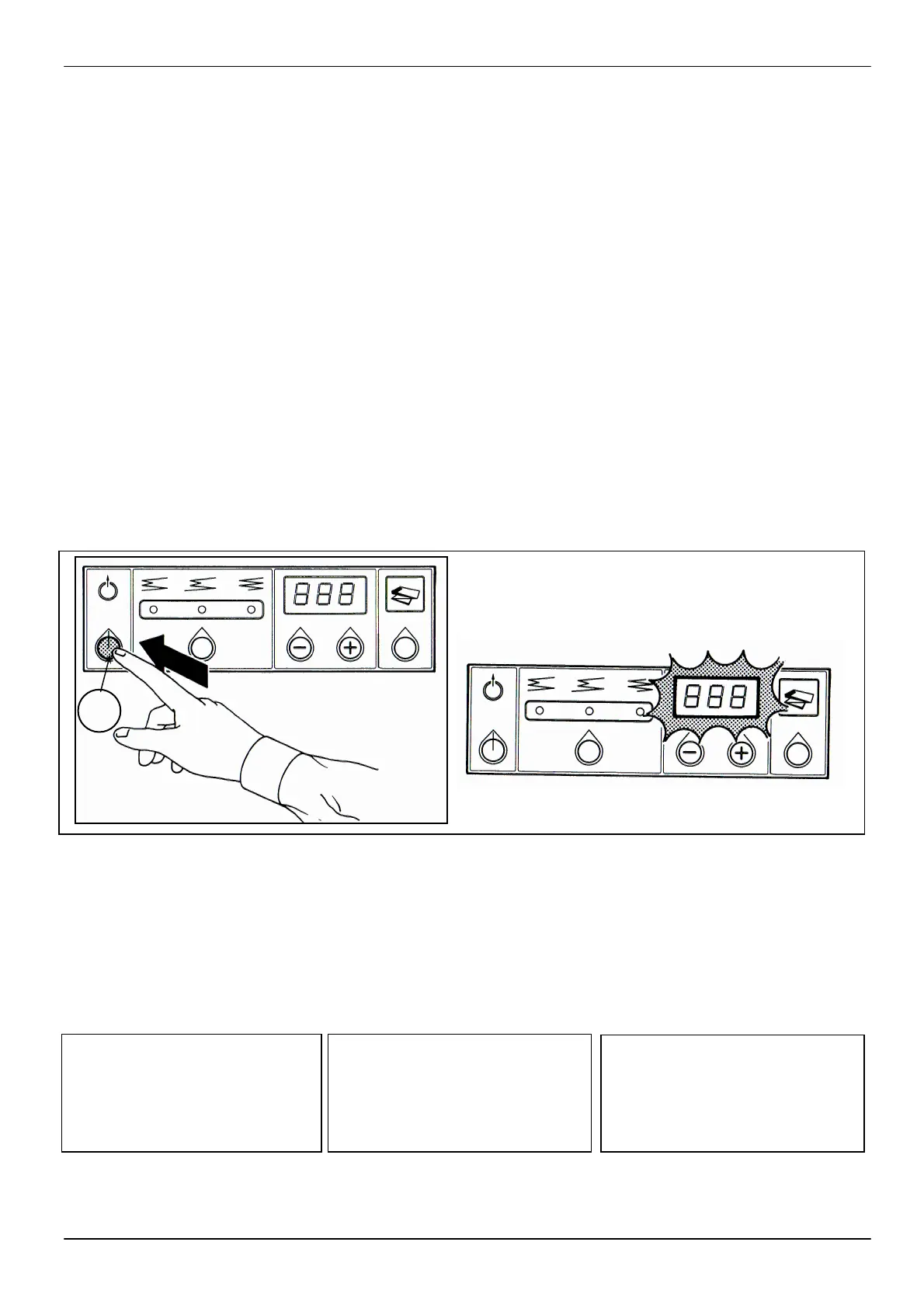
To stop the machine during
the fo
briefly press the Eject/Stop
button (C).
•
allow the remaining paper
button (C) (fig. 26).
•
When the button is released,
the folding machine stops
until a new sheet to fold is
inserted.
8.8 SHEET LENGTH
MEASUREMENT
At the end of folding each single
sheet, the display (B) will
indicate the length in cm of the
sheet folded (fig. 27) to make it
easier to count the copies made.
NOTE
This data remains on the
display for about 15 seconds,
unless a new sheet is
introduced.
8.7
E STOP PIEGA
•
brevemente
Espulsione/Stop (C).
•
della copia in piega e lasciar
scorrere la carta rimanente
senza piegarla, mantenere
Espulsio
(fig.26).
• Rilasc
pie
all’inserimento di un nuovo
foglio da piegare.
8.8 MISURAZIONE
LUNGHEZZA
FOGLIO
A fine piegatura di ogni singolo
foglio sul display (B) viene
vi
sualizzata la lunghezza in cm
del foglio piegato (fig
facilitare l’eventuale conteggio
delle copie eseguite.
NOTA
Questa segnalazione rimane
vi
sualizzata per un tempo di
circa 15 secondi, salvo che non
si introduca un nuovo foglio.
8.7 TASTE AUSWURF UND
FALTENSTOP
•
Die Taste Auswurf/Stop (C)
kurz
anzuhalten.
•
forcieren und das übrig-
bleibende Papier fliessen zu
lassen, ohne es zu falten, die
Taste Auswurf
(Abb. 26) gedrückt halten.
•
hält der Faltautomat bis zur
Einführung eines neuen zu
faltenden Plans an.
8.8 MESSUNG DER
PLANLÄNGE
einzelnen Plans wird die Länge
des gefalteten
angezeigt, um die eventuelle
Zählung der durchgeführten
Kopien zu vereinfachen.
Anmerkung
Diese Meldung bleibt ca. 15
Sekunden angezeigt, ausser
wenn ein neuer Plan eingeführt
wird.
8 MACHINE USE
8 USO DELLA
MACCHINA
8 MASCHINEN
BEDIENUNG
26
C
27


 To Next Page