19 di 42
8.1 NORMAL USE
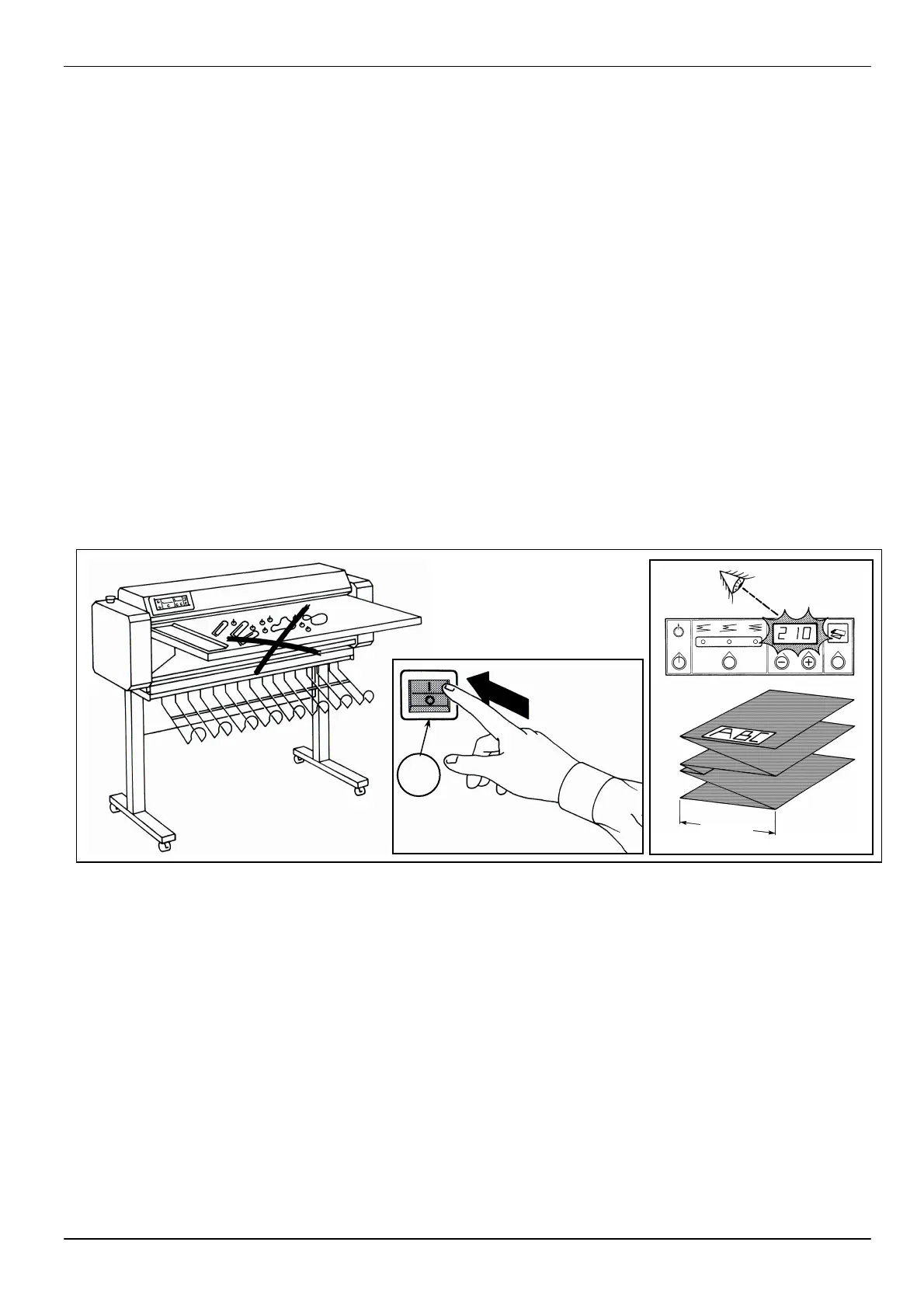
1. Make sure th
foreign objects on the work
table (fig. 1).
2. Press the on-
on the “I” symbol (fig. 2)
turns on.
3. Check that the display on
the keyboard is on and that
it indicates the standard set
folding size. If other
information is displayed,
consult the
“Troubleshooting”
chapter.
4. When turned on, the
machine is set automatically
on the standard
programme: Fold with final
adjustment, fold size 210
mm (fig. 3).
5. Now the machine is ready to
start folding.
6. Place the sheet on the table
with the title block in the
front and with the drawing
facing up.
8.1 REGELMÄSSIGER
EINSATZ
1.
Arbeitstisch vorliegen (Abb.1).
2.
Den Hauptschalter (O) auf “I”
positionieren (Abb.2) und
Kontrollanzeige leuchtet.
3. Überprüfen, dass das Dis
auf der Tastatur eingeschaltet
ist und dass das eingestellte
Standard-
“Fehlersuche und –
beseitigung” lesen.
4.
Beim Einschalten stellt sich
auf
ein: Falte mit berechnetem
mm (Abb.3).
5.
Die Maschine kann nun das
falten starten.
6.
Den Plan auf den Tisch mit
positionieren.
8.1 UTILIZZO NORMALE
1. Verificare che non v
tavolo di lavoro (fig.1)
2.
(fig.2) e verificare che si
accenda la spia luminosa.
3.
Verificare che sia acceso
il display sulla tastiera e
impostata, in
se
capitolo “
soluzione guasti”.
4.
ac
calco
210 mm (fig.3).
5. La macchina or
ad effettuare la piegatura.
6.
Posizionare il foglio sul
ri
volta in avanti (in testa)
verso l’alto.
8 MACHINE USE
8 USO DELLA
MACCHINA
8 MASCHINEN-
BEDIENUNG
1
2
O
3


 To Next Page