Activating the Burnback and Flue Gas Flap
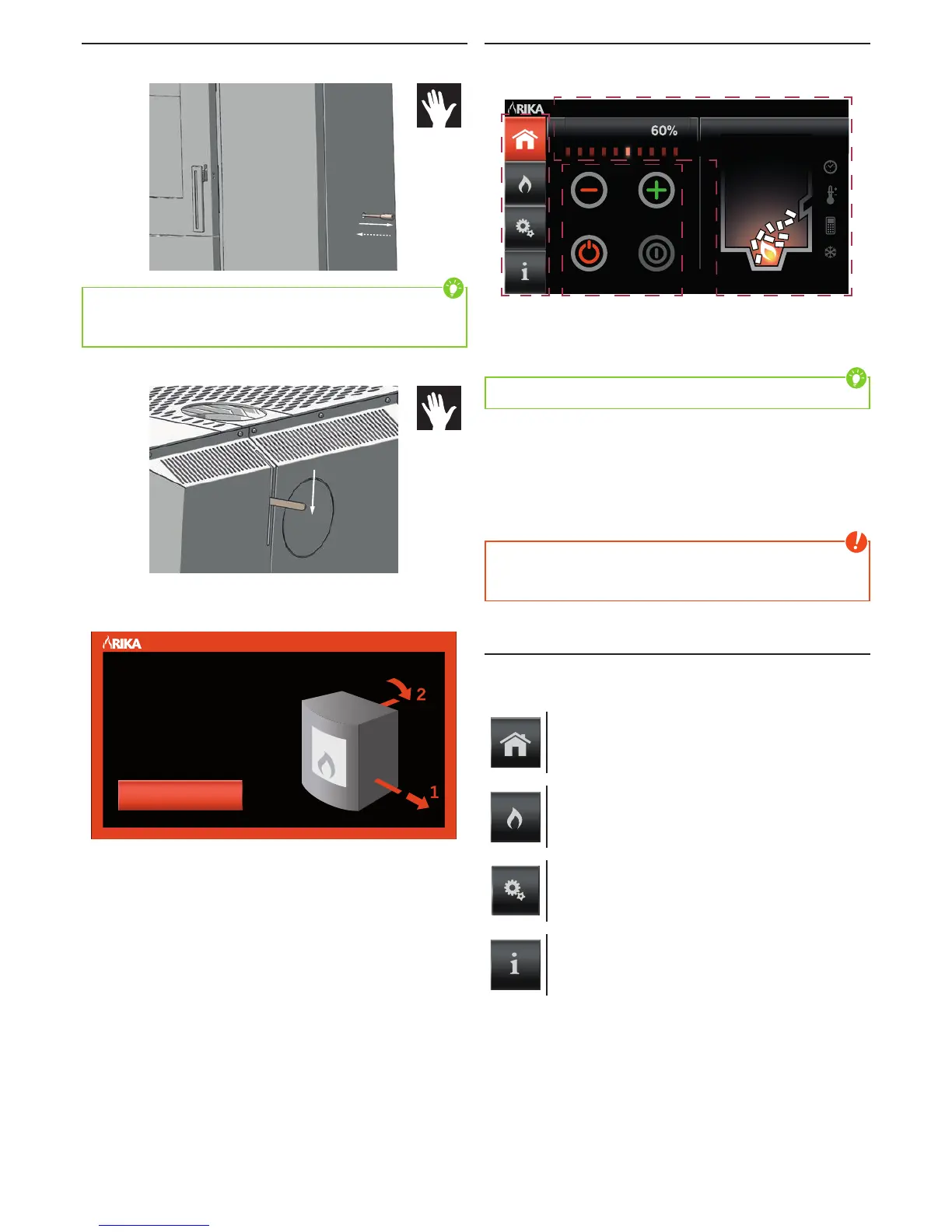
The burnback flap must be pulled out using the handle supplied (1) until it
remains open.
1
3
Tip
The burnback flap can be pushed back in without problem due to the special
mechanism (3), the black galvanised shaft is thus no longer visible from the
outside.
The flue gas flap lever must then be pressed down (2) until it engages.
2
A warning appears on the touch display and the stove cannot be taken into
operation as long as the burnback flap is not pulled out and the flue gas flap is
not pressed down.
Pull Down Lever
WARNING
BURNBACK AND
FLUE GAS FLAP
The warning is deleted as soon as the two flaps are activated and the Home
menu appears.
HOME - Main Menu
The HOME main menu is the starting point of the stove control system and is
divided into three sections.
Manual Mode Su 15.03.2015
15:55
Heating Power
Start
I II III
I NAVIGATION SECTION
Navigation among the individual main menu levels.
Tip
The current main menu is marked in colour to ease navigation.
II SETTINGS SECTION
Setting the heat output and the room temperature as well as ON and OFF switch
for stove.
III DISPLAY SECTION
Display of the current date and time, operating status and mode as well as
additional information symbols.
Note
If the stove is switched off during ignition or starting phase, it takes some
time until the display changes to “Burn-OFF” since the individual phases must
be performed first.
Main Menu Levels
The complete control system of the stove is divided into 4 main menu levels
HOME, MODE, SETUP und INFO; these levels are differentiated based on the
following functions:
HOME-status level
Stove start/stop, setting heat output, room set temperature,
current stove status display
MODE-operating mode level
Selection of the required operating mode (manual, automatic,
comfort)
SETUP-setting level
Setting of heating times, settings for various options, …
INFO-information level
Software version, pellet consumption, hours in operation,
information on the individual components,…


 To Next Page