18
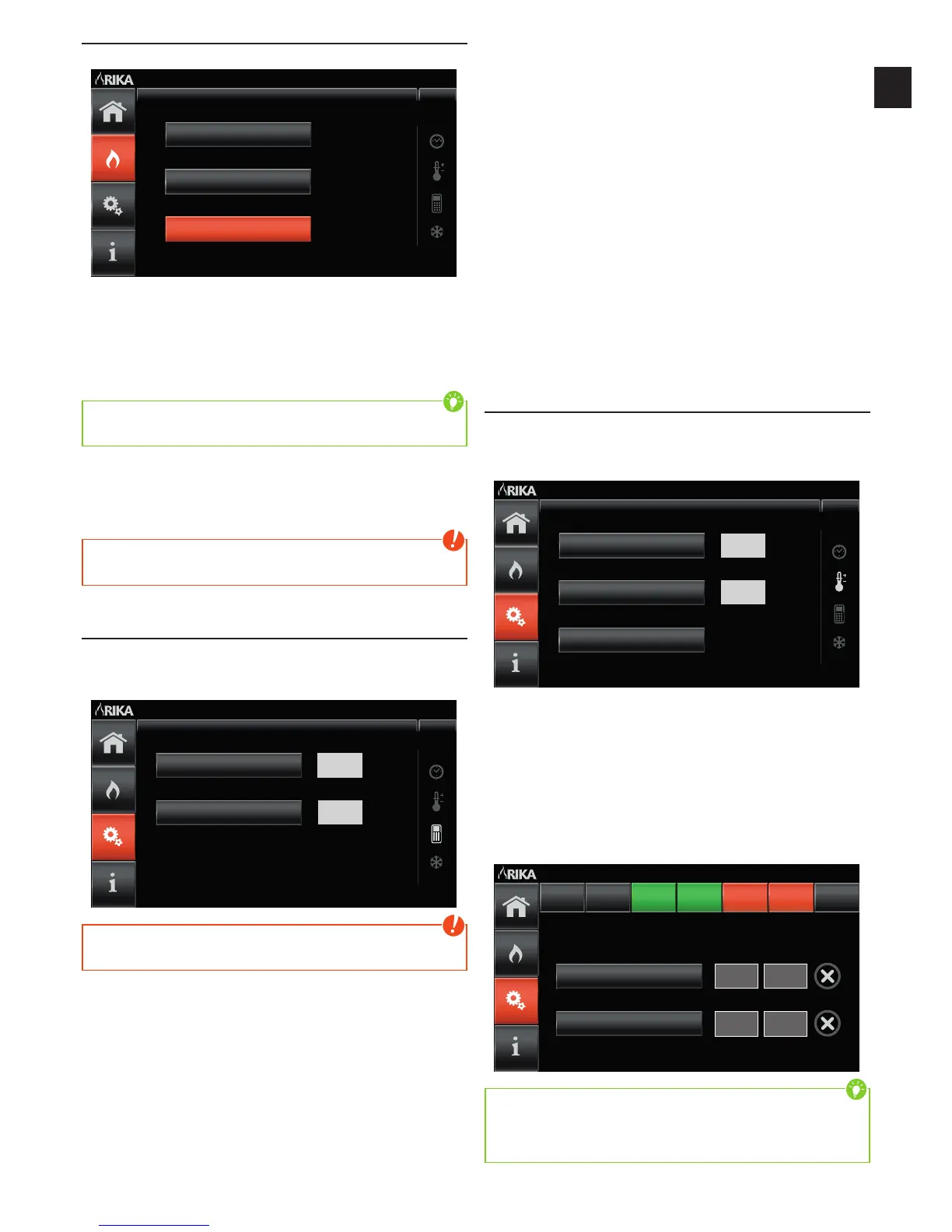
MODE - Mode Selection
The various heating modes are selected in this display.
Comfort Mode
Manual Mode
Automatic Mode
Mode Select Su 15.03.2015
15:55
Manual mode
The stove is operated at a pre-set heat output.
Automatic mode
The stove operates at a pre-set heat output to the specific heating times. The
heating time program regulates the change between STANDBY-status and
CONTROL MODE automatically.
Tip
If there are no heating times stored, the icon „heating times“ flashes and the
stove is in standby.
Comfort mode
Regulation to the pre-set room temperature is automatic in this selection.
Heating times may also be activated. A decreasing temperature can be set in
between the heating times.
Note
The comfort mode can only be selected if a functioning room sensor is
connected
SETUP – Settings
In the SETUP – Settings main menu, heating times can be programmed, options
activated or then date and time set etc.
The required submenu is selected by pressing the corresponding button
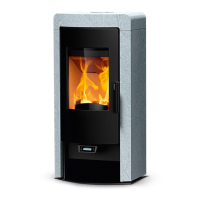
GSM
PIN-Code
GSM Su 15.03.2015
15:55
OFF
1234
Note
If functions are inactive due to lack of the respective module, they cannot be
selected.
SUBMENU ITEMS
Heating times
The heating times can be programmed in this submenu.
A decreasing temperature for the comfort mode can also be set.
Frost Protection
(only with connected roomsensor)
This function allows selection of a minimum temperature at which the stove
starts to heat. The frost protection function is independent of any external
requirements and any set room temperatures. The function has top priority.
Room Sensor Calib. (Calibration) (only with connected roomsensor)
Any deviation between the current displayed and actual room temperature can
be compensated for.
GSM
If a modem is connected, the stove GSM function can be activated and the
PinCode required entered numerically.
Screen saver
The waiting interval until the screen saver is activated is set in this submenu.
Child Lock
To prevent undesired operation, a code can be determined to be entered every
time the screen saver is left.
Date/Time
Date and time settings can be made.
Resets
This button is only available when the stove‘s temperature is below 80°C. After
finishing the service press the button „reset“ to reset the „Feed Rate Service”.
With “Enter” you reset the feed rate service to 700kg, quit with “X”. The button
“Factory Setting” will reset the complete stove settings, reset with „Enter“, quit
with „X“.
Service (not accessible to final customers)
Additional information for the specialist dealer or service.
Heating Time Programme
The heating time programme operates the stove time-controlled. As soon
as the heating time function has been activated (ON) the buttons decreasing
temperature (only with room sensor) and heating time programme can be
selected.
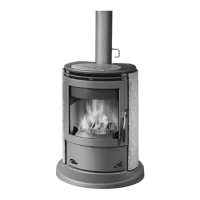
Set Heating Times
Heating Times
Set Back Temp
Heating Times Su 15.03.2015
15:55
ON
14
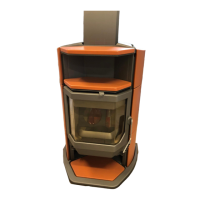
Individual or several days can be selected at the same time and programmed
individually in the heating time programme.
The week days selected are marked ORANGE.
By selecting the now active heating time buttons (heating time I and heating
time II), the required ON and OFF switching times can be entered numerically.
The week day buttons are shown GREEN after confirmation.
Repeat pressing of week day buttons already programmed permit viewing of
the defined heating times or these can be deleted again using the cancel button
(right next to the time displayed).
Heating Time II
Heating Time I
Heating Times Su 15.03.2015
15:55
ON OFF
##:## ##:##
Mo Tu We FrTh Sa Su
20:15 21:45
Tip
In the case of selected week days on which identical heating times have been
programmed, the respective settings of heating time I and/or heating time II
are shown. If week days with different heating times have been selected then
the hash symbol appears in the time display (##:##).
The stove only starts automatically in standby (Stove ON).


 To Next Page