15
3 Adjusting parameters:
Under MIG mode, you can adjust the voltage, inductance and wire feeding speed.
By default, you can adjust the wire feeding speed.
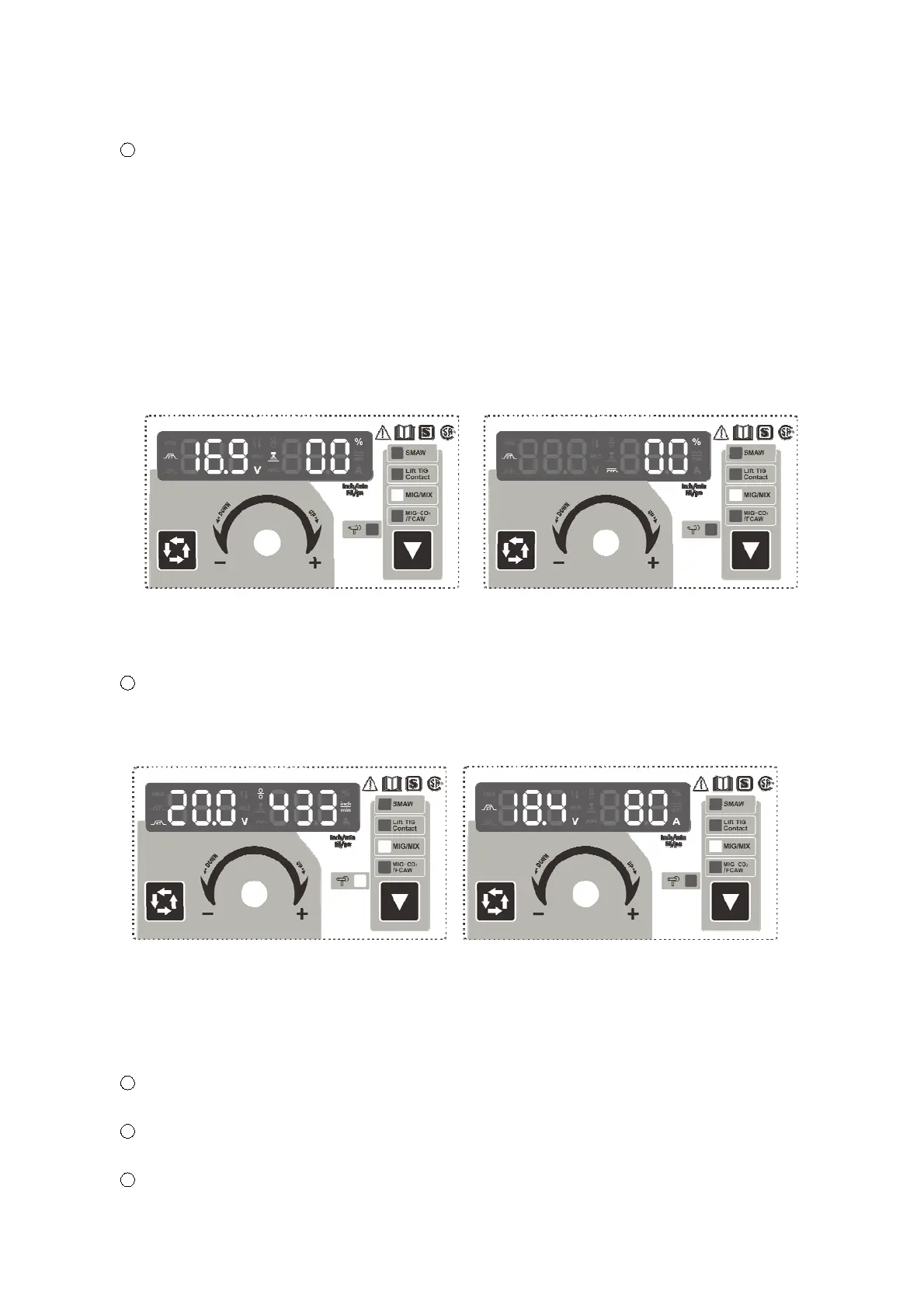
Press the Data Selection Key for the first time, the Multifunctional Data Display shows as
Fig.4, which means the welding voltage is adjustable, and the adjustment range ofpreset
voltage is ±20%.
Press the Data Selection Key for the second time, the Multifunctional Data Display shows
as Fig.5, which means the inductance is adjustable, and its adjustment range is ±10%.
Without any operation after 5s, the Multifunctional Data Display wouldturnbacktothe
default state. The settings will be retained when the machine closed, and displayed when the
machine restarts.
4 Spool welding mode:
The machine will go to the spool welding mode when connecting with spool torch, the Spool
Torch indicators light up (Fig.6).
Fig.6 Spool Welding Mode Fig.7 The Status of Perform Welding
NOTE:
While connecting with spool torch, the Function Switch Key is not adjustable, and the
wire feeding speed is adjusted by the spool torch.
5 The panel would display these data when restarting the machine next time if the parameters
keep unchanged.
6 The panel displays as Fig.7 when performing welding, the welding voltage is 18.4V, and the
current is 80A.
7 Releasing the torch switch and stopping welding, the panel displays as Fig.8. Moreover,
Fig.4 Fine Adjustment Display of
Voltage Presetting Range
Fig.5 Fine Adjustment Display of
Inductance Range


 To Next Page