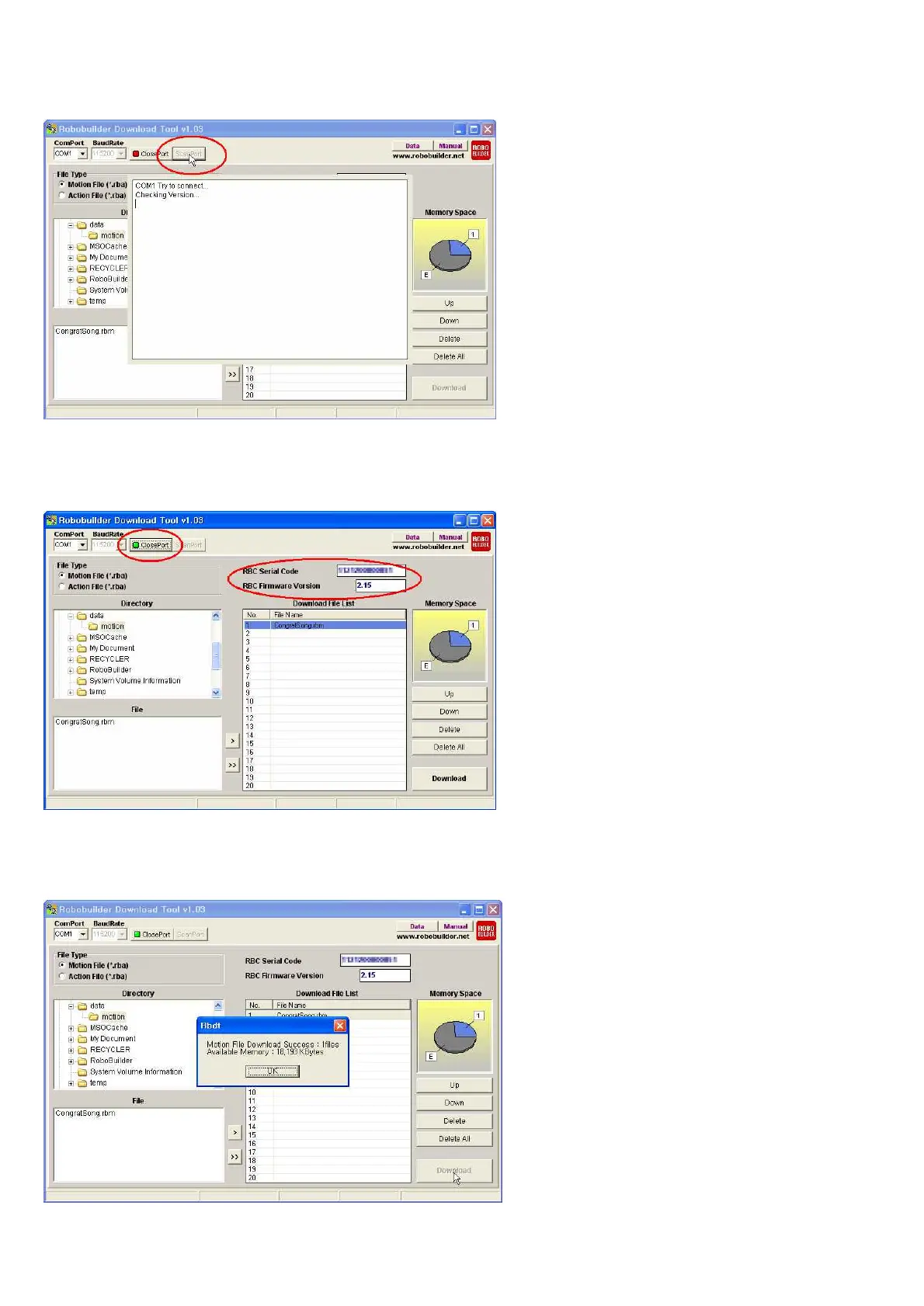
Click ‘ScanPort’ button in order to find available COM Port.
RBC serial code and Firmware Version will be shown if connected properly.
And “ClosePort” button will be shown as well.
Click ‘Download” button, in order to all files in the “Download File List”.
Then it starts downloading into RBC Box. Following message box will shown after downloaded completely.



 To Next Page