Robotiq Hand-E Gripper Instruction Manual
3
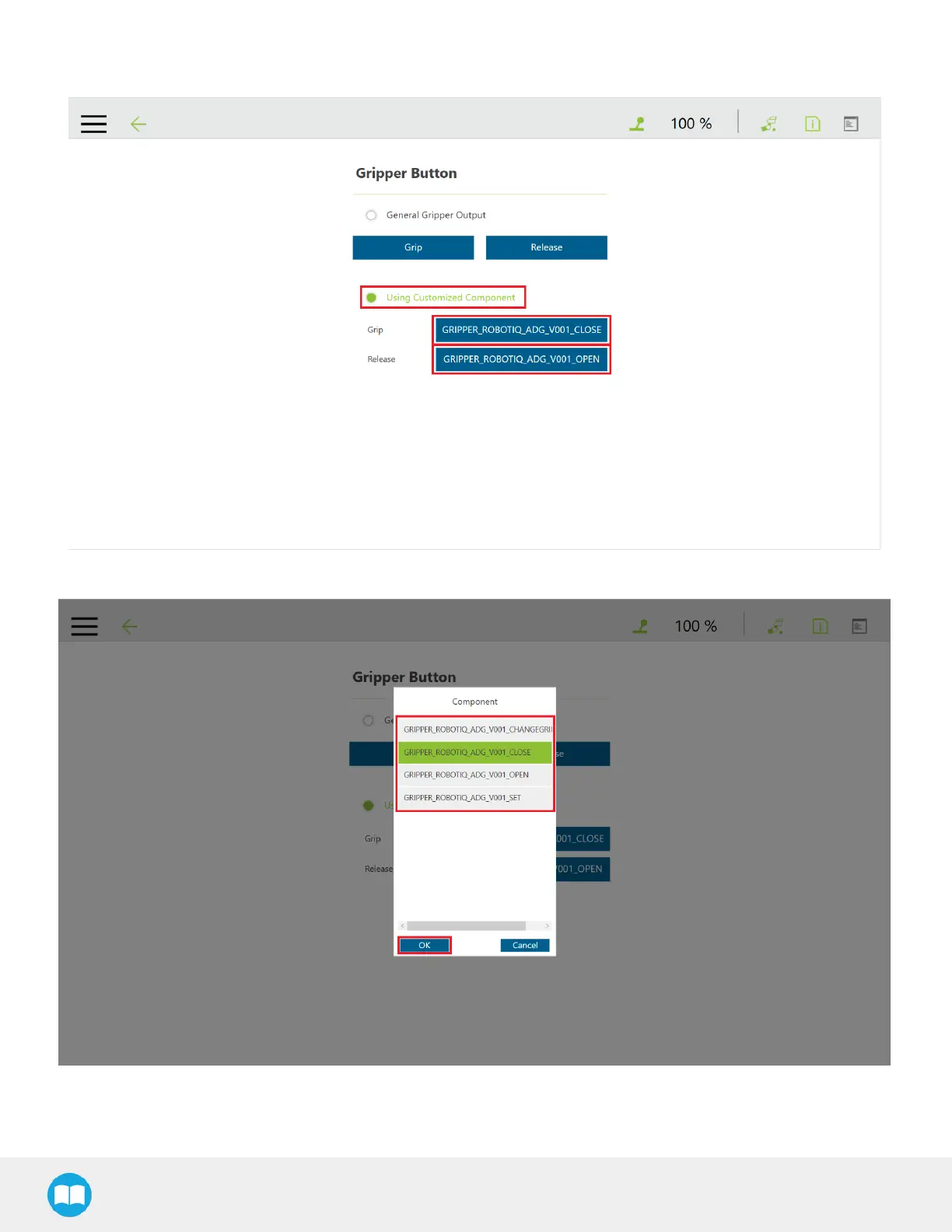
In the Gripper Button window, tick the Using Customized Component radio button and select the Component you want to
assign to either one of the gripper actions
4
In the popup window, select or change the Component you wish to assign to the Gripper action/button, and click OK
70



 To Next Page