Robustel GoRugged M1000 User Guide
RT_UG_M1000 Standard_v.2.0.0 20.12.2013 58 / 83
Confidential
Installing the Modem Driver
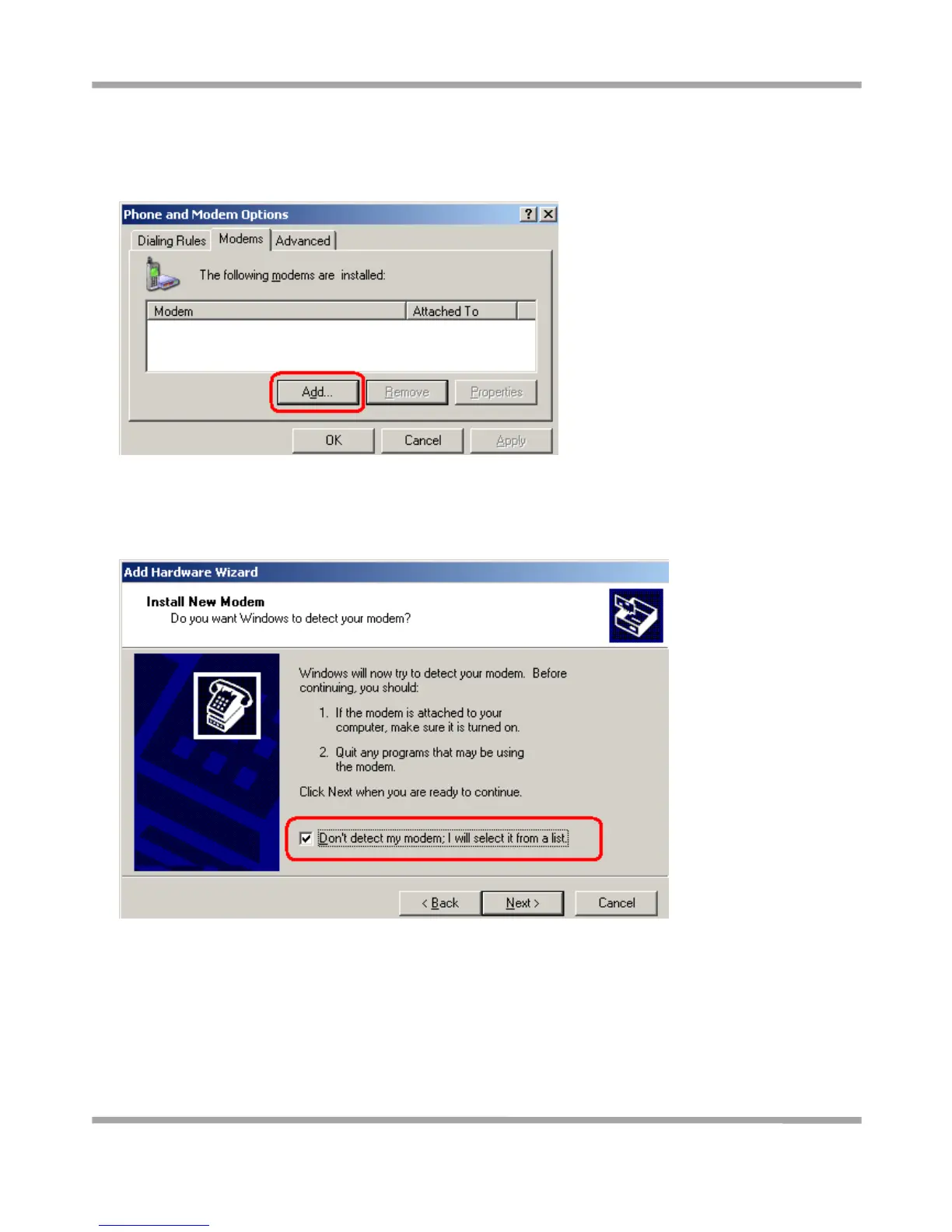
1. In the Control Panel, open “Phone and Modem Options” and click the “Modem” tab. Click Add to add a new
modem.
Note: The first time you access the Phone and Modem Options, Windows will ask you to input the area code.
Enter the area code to proceed.
2. When the Install Mode window opens, select Don’t detect my modem, I will select it from a list and then click
Next.
3. Next, click Standard Modem Types->Standard 19200 bps Modem, and then click Next.



 To Next Page