43
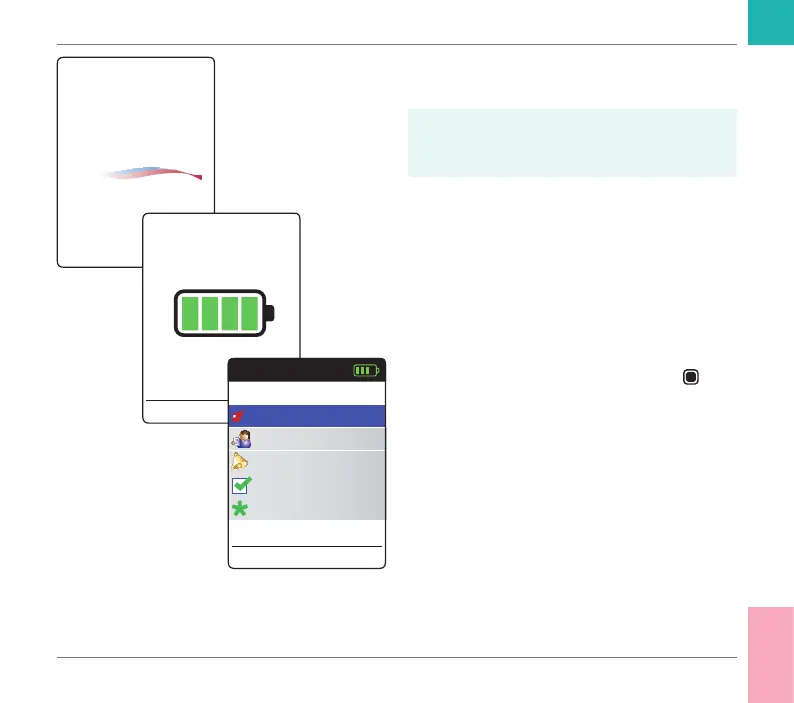
4 Check the battery level during startup (or
in the Main Menu afterwards).
If the meter displays a Battery Low
message, you can still perform up to 3 tests.
Replace the batteries as soon as possible.
5 Check that the time and date are correct.
If necessary, re-enter time and date (see
page 89).
If you have powered on the meter by inserting
a test strip, the meter will skip the following
steps 6 to 9 and proceed to the steps
described on page 45.
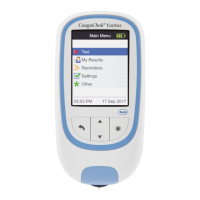
6 After startup, Test is preselected and
highlighted. Press the Enter button
to
start the test.
CoaguChek
®
05:03 PM 17 Sep 2018
Main Menu
Test
05:03 PM
Settings
Reminders
My Results
17 Sep 2018
Other
Testing a Capillary Blood Sample
CoaguChek Vantus User’s Manual, version 1.0


 To Next Page