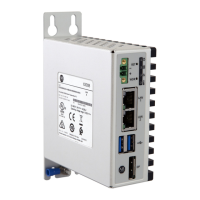
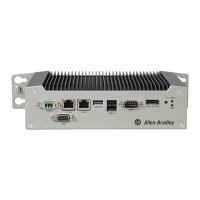
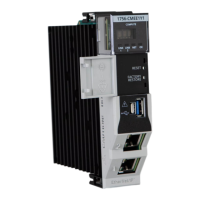
Rockwell Automation Publication 6300B-UM001A-EN-P - July 2020 5
Table of Contents
Safety Guidelines . . . . . . . . . . . . . . . . . . . . . . . . . . . . . . . . . . . . . . . . . . . . . . . . 3
Proper Disposal of the Computer . . . . . . . . . . . . . . . . . . . . . . . . . . . . . . . . . . 3
Preface . . . . . . . . . . . . . . . . . . . . . . . . . . . . . . . . . . . . . . . . . . . . . . . . . . . . . . . 7
Catalog Numbers . . . . . . . . . . . . . . . . . . . . . . . . . . . . . . . . . . . . . . . . . . . . . . . . 7
Additional Resources . . . . . . . . . . . . . . . . . . . . . . . . . . . . . . . . . . . . . . . . . . . . . 7
Chapter 1
About the Box PC and Box Thin
Client
Computer Dimensions . . . . . . . . . . . . . . . . . . . . . . . . . . . . . . . . . . . . . . . . . . 10
Computer Connections . . . . . . . . . . . . . . . . . . . . . . . . . . . . . . . . . . . . . . . . . . 10
Chapter 2
Install the Box PC or Box Thin
Client
Unpack the Computer . . . . . . . . . . . . . . . . . . . . . . . . . . . . . . . . . . . . . . . . . . . 11
Parts List . . . . . . . . . . . . . . . . . . . . . . . . . . . . . . . . . . . . . . . . . . . . . . . . . . . . . . . 11
Prepare for Installation . . . . . . . . . . . . . . . . . . . . . . . . . . . . . . . . . . . . . . . . . . 11
Environment and Enclosure Information . . . . . . . . . . . . . . . . . . . . . . 11
UL/cUL Mark Compliance . . . . . . . . . . . . . . . . . . . . . . . . . . . . . . . . . . . . 12
European Union Directive Compliance . . . . . . . . . . . . . . . . . . . . . . . . 12
Installation Guidelines . . . . . . . . . . . . . . . . . . . . . . . . . . . . . . . . . . . . . . . . . . 12
Mounting Requirements. . . . . . . . . . . . . . . . . . . . . . . . . . . . . . . . . . . . . . . . . 13
Required Tools and Hardware for Installation . . . . . . . . . . . . . . . . . . . . . 13
Install the Box PC or
Box Thin Client . . . . . . . . . . . . . . . . . . . . . . . . . . . . . . . . . . . . . . . . . . . . . . . . . 13
Connect Peripheral Cables . . . . . . . . . . . . . . . . . . . . . . . . . . . . . . . . . . . . . . . 14
Grounding and Bonding. . . . . . . . . . . . . . . . . . . . . . . . . . . . . . . . . . . . . . . . . 14
DC Power Supply Guidelines . . . . . . . . . . . . . . . . . . . . . . . . . . . . . . . . . . . . . 14
Connect DC Power . . . . . . . . . . . . . . . . . . . . . . . . . . . . . . . . . . . . . . . . . . . . . . 15
Install the Ground Wire . . . . . . . . . . . . . . . . . . . . . . . . . . . . . . . . . . . . . . 15
Install the Factory-supplied DC Power Connector Assembly . . . . . 16
Chapter 3
Operate the Box PC or Thin
Client
Operating Guidelines. . . . . . . . . . . . . . . . . . . . . . . . . . . . . . . . . . . . . . . . . . . . 17
Start the Box PC or Box Thin Client . . . . . . . . . . . . . . . . . . . . . . . . . . . . . . . 17
LED and Button Descriptions . . . . . . . . . . . . . . . . . . . . . . . . . . . . . . . . . . . . 17
Restart or Reset the VersaView 6300B Box PC. . . . . . . . . . . . . . . . . . . . . . 18
Restart the VersaView 6300B Box PC . . . . . . . . . . . . . . . . . . . . . . . . . . 18
Reset the VersaView 6300B Box PC . . . . . . . . . . . . . . . . . . . . . . . . . . . . 19
Shut Down the VersaView 6300B Box PC . . . . . . . . . . . . . . . . . . . . . . . . . . 19
Chapter 4
Configure the UEFI (BIOS)
Settings
Access the Set-up Utility . . . . . . . . . . . . . . . . . . . . . . . . . . . . . . . . . . . . . . . . . 21
Common Set-up Modifications. . . . . . . . . . . . . . . . . . . . . . . . . . . . . . . . . . . 22
Upgrade to a New UEFI. . . . . . . . . . . . . . . . . . . . . . . . . . . . . . . . . . . . . . . . . . 22


 To Next Page
 Loading...