RECEIVING A PROGRAM CHANGE
The 525/535 can be set to transmit and receive Program Change and/or SysEx for piston chan-
ges.
Registrations may be selected on the organ by sending a Program Change from another MIDI
device when the parameter PG/SysEx is set to PG or to PG+SysEx. The following is a list
of
Program Changes the 525/535 will respond to on any Master Channel (12, 13, 14):
Program Change
1
2
3
4
5
6
7
20
31
32
ea,
How
To
Set PG/SysEx:
Will Select
General piston 1
General piston 2
General piston 3
General piston 4
General piston 5
General piston 6
General piston 7
o(General Cancel)
Memory 1
Memory 2
PG
SYS-EXE
Memory
Lock07
11
Exp
CC
#
Piston Change
ON/OFF
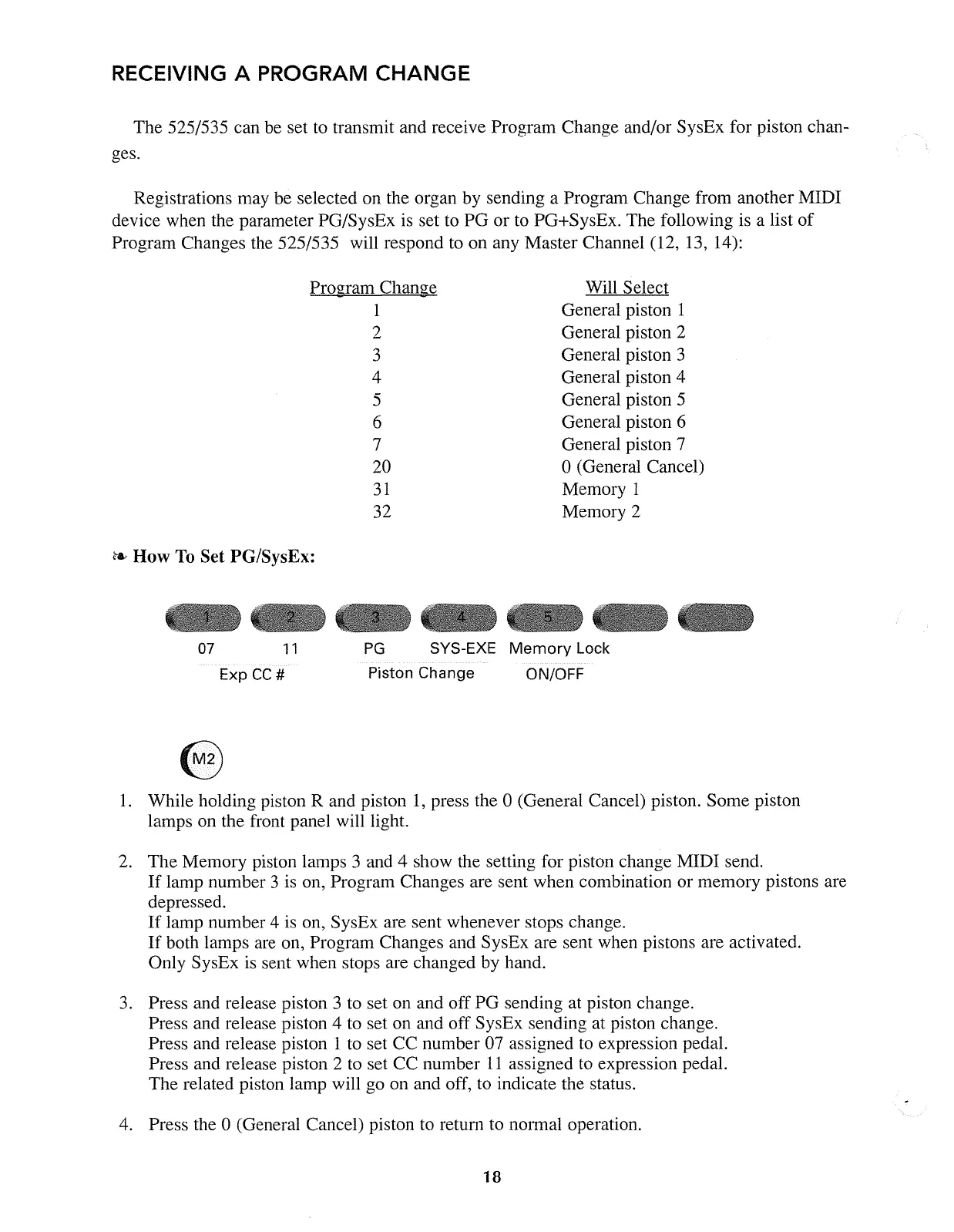
1.
While holding piston R and piston
1,
press the 0 (General Cancel) piston. Some piston
lamps on the front panel will light.
2. The Memory piston lamps 3 and 4 show the setting for piston change MIDI send.
If
lamp number 3 is on, Program Changes are sent when combination or memory pistons are
depressed.
If
lamp number 4
is
on, SysEx are sent whenever stops change.
If
both lamps are on, Program Changes and SysEx are sent when pistons are activated.
Only SysEx is sent when stops are changed by hand.
3.
Press and release piston 3 to set on and off PG sending at piston change.
Press and release piston 4 to set on and off SysEx sending at piston change.
Press and release piston 1 to set CC number 07 assigned to expression pedal.
Press and release piston 2 to set CC number
11
assigned to expression pedal.
The related piston lamp will go on and off, to indicate the status.
4. Press the 0 (General Cancel) piston to retum to nOlmal operation.
18



 To Next Page