EXPRESSION PEDAL ASSIGN
You
can assign the "Expression Pedal" to the "SWELL" Division or to
"i~Jl"
Divisions:
1.
2.
3.
While holding piston R and piston I, press the 0 (General Cancel) button. Some piston
lamps on the front panel will light.
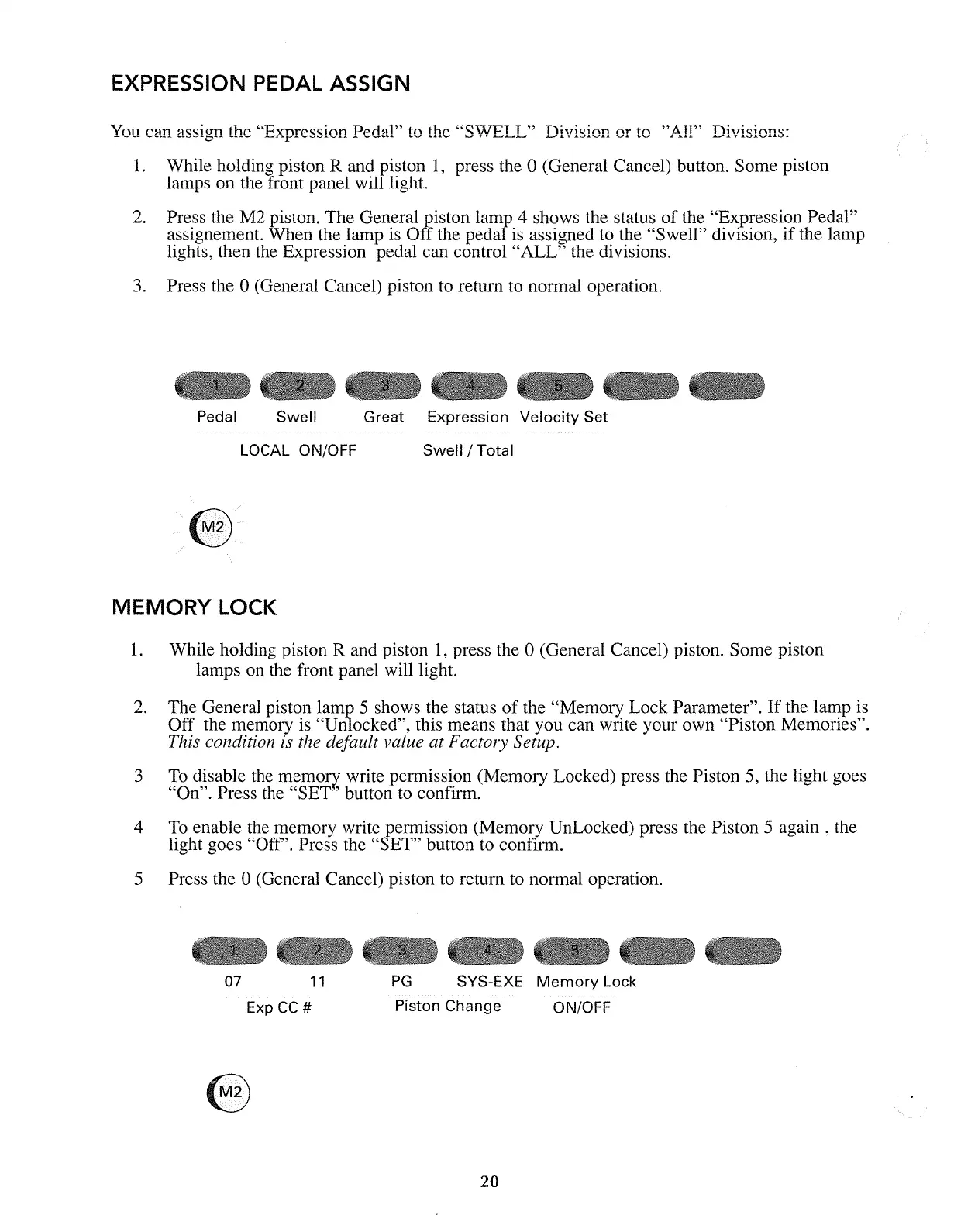
Press the M2 piston. The General piston lamp 4 shows the status of the "Expression Pedal"
assignement. When the lamp
is
Off the pedal
is
assigned
to
the "Swell" division,
if
the lamp
lights, then
the
Expression pedal can control "ALL" the divisions.
Press the 0 (General Cancel) piston to return
to
normal operation.
Pedal
Swell
LOCAL ON/OFF
Great Expression
Velocity
Set
Swell / Total
MEMORY
LOCK
1.
While holding piston R and piston
1,
press the 0 (General Cancel) piston. Some piston
lamps
on
the front panel will light.
2.
The General piston lamp 5 shows the status
of
the "Memory Lock Parameter".
If
the lamp is
Off the memory
is
"Unlocked", this means that you can write your own "Piston Memories".
This condition is the default value at Factory Setup.
3
To
disable
the
memory write permission (Memory Locked) press the Piston
5,
the light goes
"On". Press the "SET" button
to
confirm.
4
To
enable the memory write permission (Memory UnLocked) press the Piston 5
again,
the
light goes "Off". Press the "SET" button to confirm.
5 Press the 0 (General Cancel) piston
to
return
to
normal operation.
PG
SYS-EXE
Memory
Lock07
11
Exp
CC
#
Piston Change
20
ON/OFF



 To Next Page