SELECTING OR RETIRING A STOP
Press the
bottom
of
the desired tilt tab to
tum
it
on. It will light, indicating it is on. Press the top
of
the tilt tab
to
tum
off
the stop. The light will go off, indicating the stop is off.
CELESTE
STOP
The
"CELESTE"
tab can be used to play either the "String Celeste" or "Flute Celeste". Holding
"SET"
piston while pressing the bottom
of
the "CELESTE" tab, toggles between "Flute Celeste"
and "String
Celeste'.
The appropriate MIDI messages are sent when either, "Flute Celeste" or "
String
Celeste"
is selected.
COMBINATION
ACTION(Pistons)
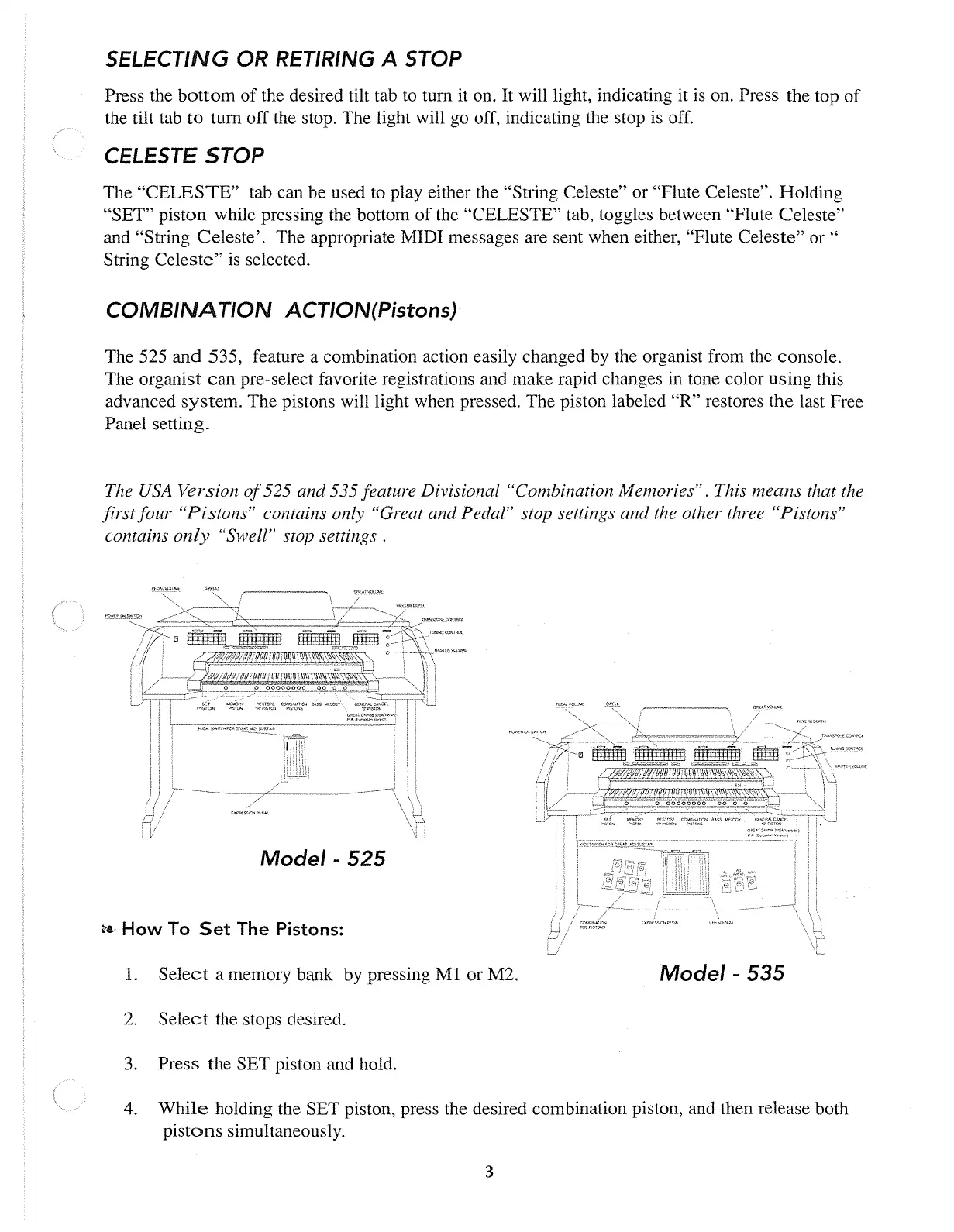
The 525
and
535, feature a combination action easily changed by the organist from the console.
The organist
can
pre-select favorite registrations and make rapid changes in tone color using this
advanced
system.
The pistons will light when pressed. The piston labeled
"R"
restores
the
last Free
Panel setting.
The
USA
Version
of
525 and 535 feature Divisional "Combination Memories". This means that the
first four "Pistons" contains only "Great and Pedal" stop settings and the other three "Pistons"
contains
only
"Swell" stop settings.
Model-
525
ea..
How
To
Set
The Pistons:
1.
Select
a memory bank by pressing
Ml
or M2.
2.
Select
the stops desired.
3. Press the
SET
piston and hold.
Model-
535
4.
While
holding the SET piston, press the desired combination piston, and then release both
pistons
simultaneously.
3



 To Next Page