The Rodgers 525/535 models feature velocity-sensing keyboards, and possess some
of
the most
advanced MIDI capabilities in the world. MIDI voices are activated via three MIDI coupler tilt
tabs. The MIDI channels these coupler tilt tabs control are:
Great Channel 1
* MIDI ON GREAT
Swell Channel 2 MIDI ON SWELL
Pedal Channel 3 MIDI ON PEDAL
*May be changed
to
any
of
the sixteen MIDI channels.
To
change this channel, see "Channel Reassignment."
SENDING A PROGRAM CHANGE
1.
Hold SET and press the bottom
of
a MIDI coupler tilt tab. The tilt tab will flash,
indicating the MIDI Set Mode
is
active. Release SET and the MIDI coupler.
2.
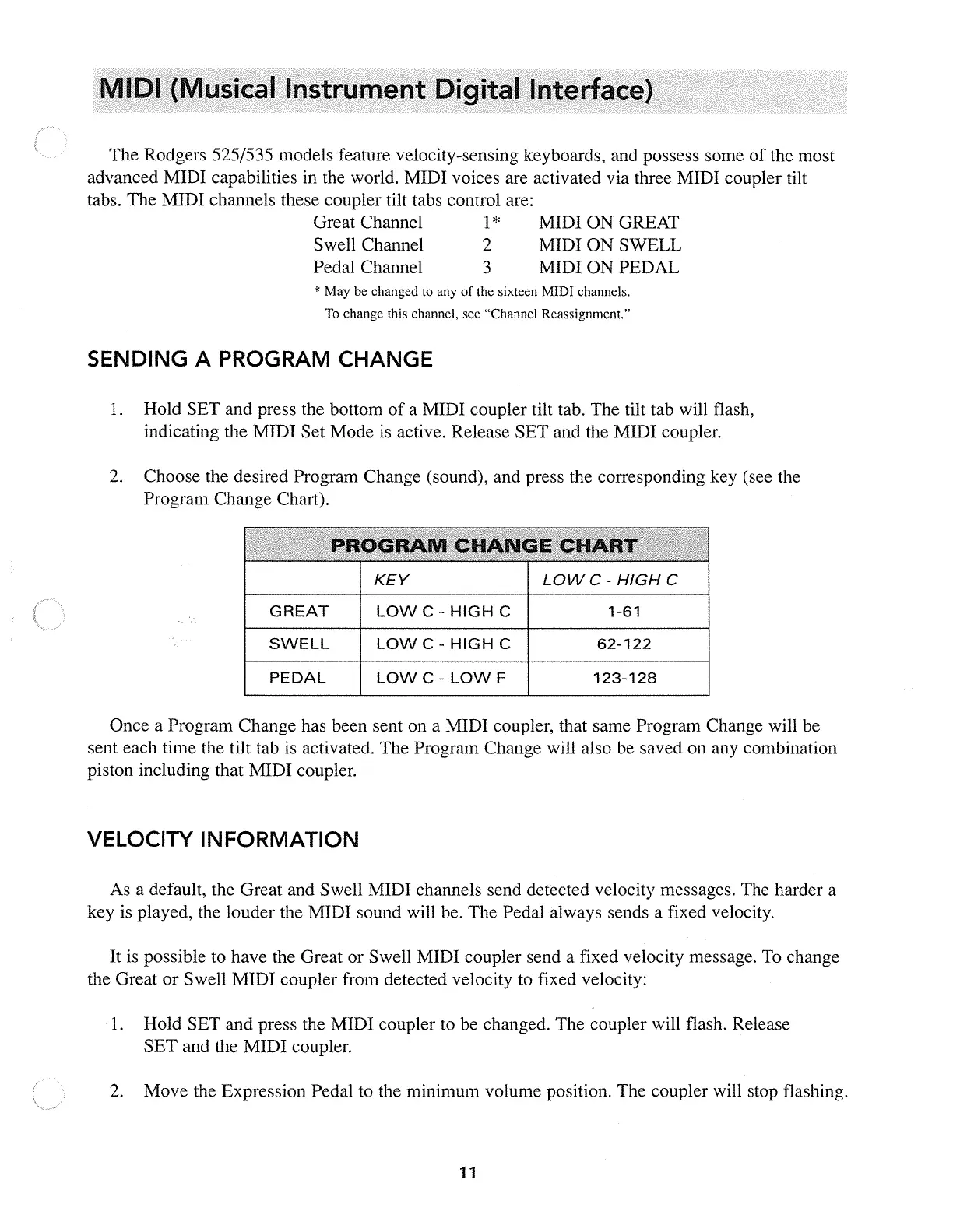
Choose the desired Program Change (sound), and press the corresponding key (see the
Program Change Chart).
GREAT
SWELL
PEDAL
KEY
LOW
C -
HIGH
C
LOWC-
HIGH
C
LOW
C -
LOW
F
LOWC-
HIGH
C
1-61
62-122
123-128
Once a Program Change has been sent on a MIDI coupler, that same Program Change will be
sent each time the tilt tab is activated. The Program Change will also be saved on any combination
piston including that MIDI coupler.
VELOCITY INFORMATION
As
a default, the Great and Swell MIDI channels send detected velocity messages. The harder a
key is played, the louder the MIDI sound will be. The Pedal always sends a fixed velocity.
It
is possible
to
have the Great or Swell MIDI coupler send a fixed velocity message.
To
change
the Great or Swell MIDI coupler from detected velocity to fixed velocity:
1.
Hold SET and press the MIDI coupler
to
be changed. The coupler will flash. Release
SET and the MIDI coupler.
2.
Move the Expression Pedal to the minimum volume position. The coupler will stop flashing.
11



 To Next Page