10 · Rointe efficient heating
7. MAIN SCREEN
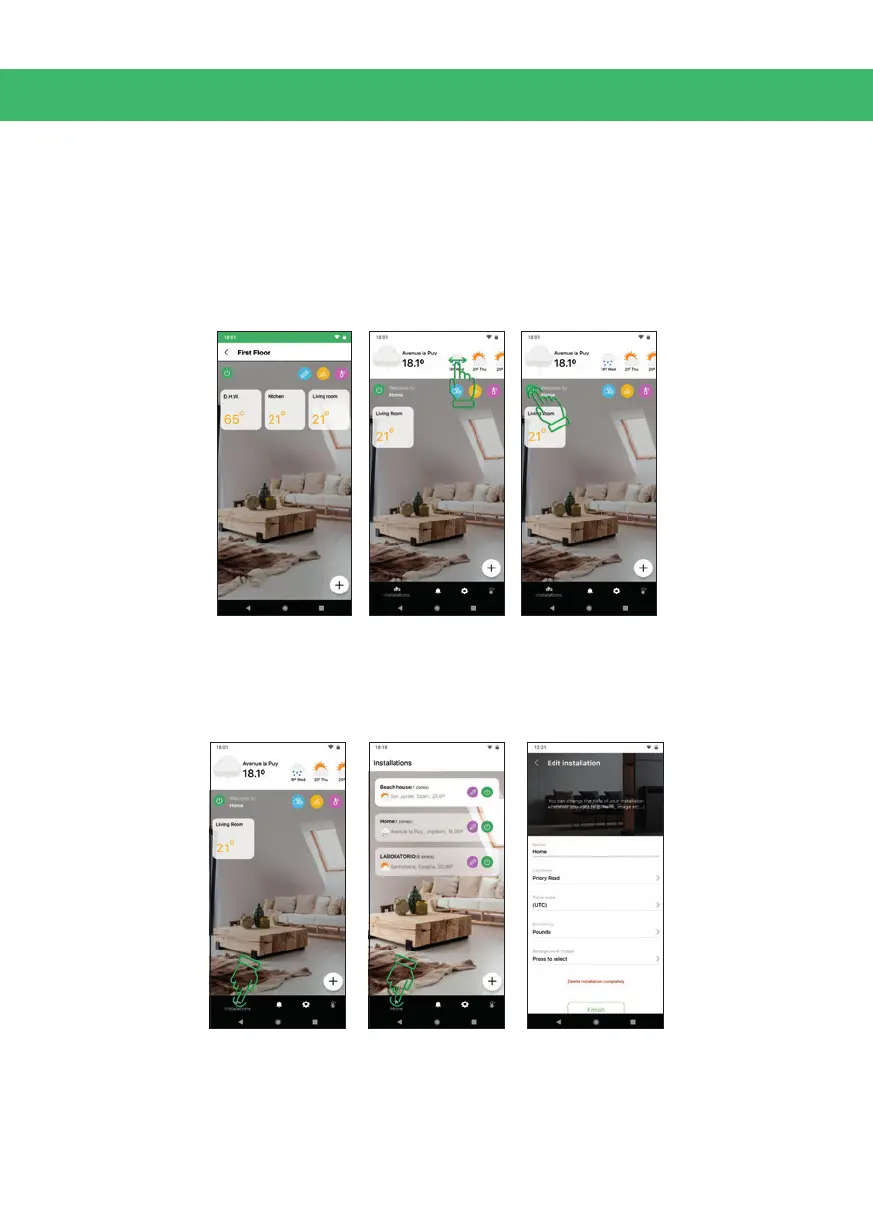
The main screen of the app shows the zones you have created. Simply press on a
zone to access.
In the upper part of the screen you can see the weather forecast of the location you
established for the installation. Slide with your nger to see more days.
Click on / o, to turn o or on the entire installation (does not aect water heaters).
7.1. Installations
Click on the installations tab at the bottom of the screen to access all installations,
turn them o / on, create a new one, or edit / delete.



 To Next Page