Rointe efficient heating · 15
Rointe Connect App user manual
program another product from the same zone, the rst product programming
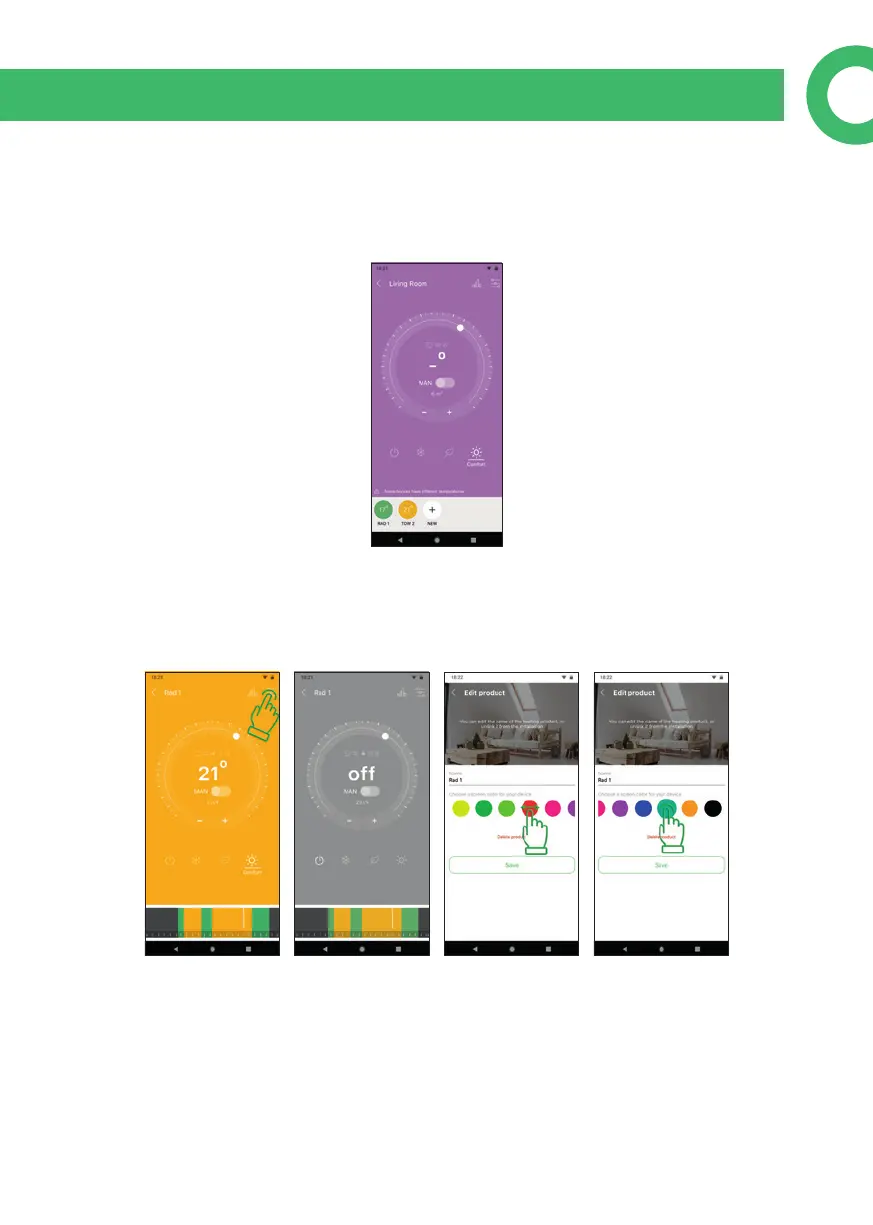
will be overwritten with the second. When you enter a zone and see a lilac colour
screen, it means that there is an alert because some products have dierent con-
gurations (temperature or advanced options) to the others in the same zone.
10.4. Edit product
By pressing the menu button you can: edit the product; change its name; delete it;
or change the colour of the product screen by clicking on the colour circle you want.
There are several colours available, slide with your nger to see them all.



 To Next Page