6 · Rointe efficient heating
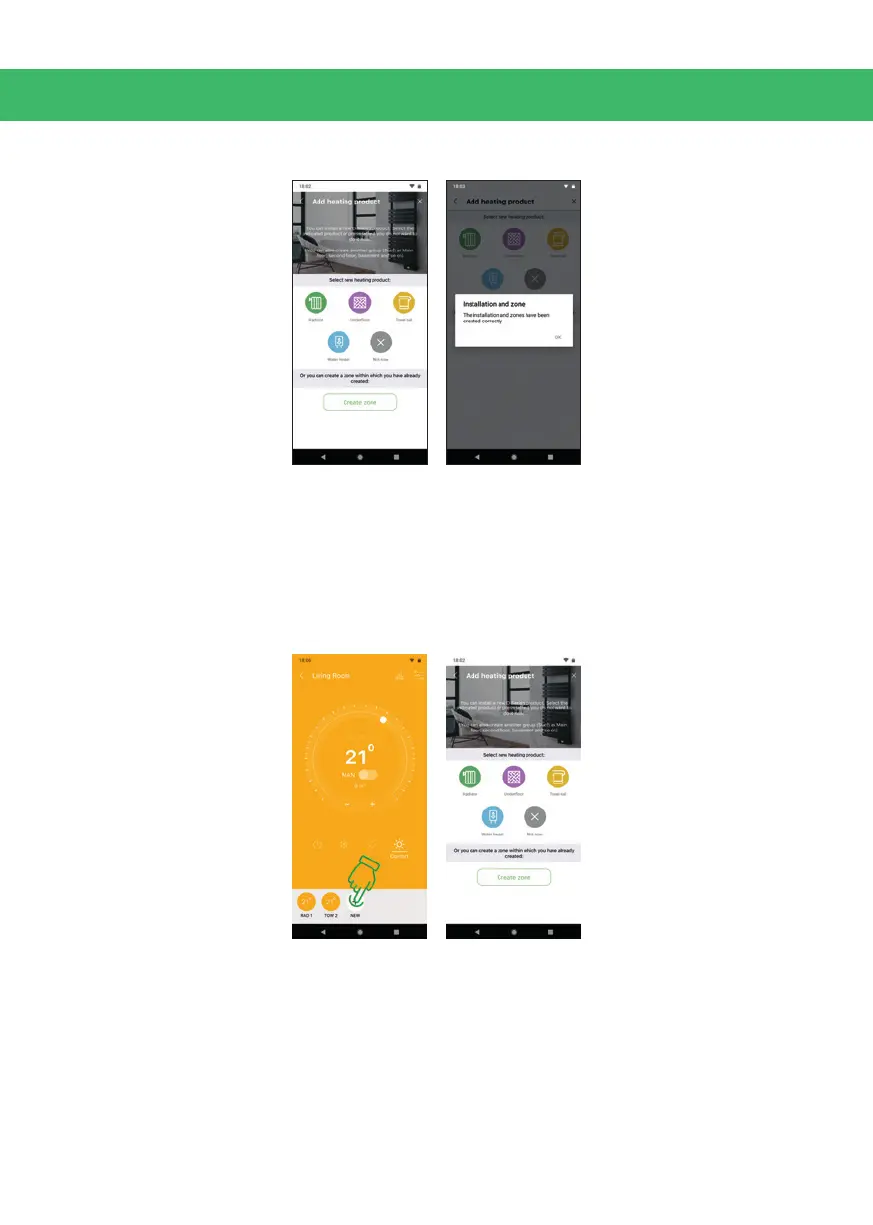
Click “Continue” to access the “Add device” or “Create sub-zone” wizard.
6. PAIRING ASSISTANT
6.1. Accessing the assistant
You can now pair a product in your zone. Access the Pairing wizard by going to your
zone/sub-zone and click on the "+" button to add a product. If you can’t see the “+”,
slide your nger to the left on the bottom of the screen. This happens when there
are already paired devices in the zone. Click on the product type you want to pair.
6.2. Choosing the appropriate Wi-Fi network
Please note that some of the wizard steps are dierent between iOS and Android
devices, so follow the steps depending on the device you use.
6.2.1. iOS Apple devices
Go to your Wi-Fi settings and choose the network you want to connect your Rointe
product to. It must be a 2.4GHz network.



 To Next Page