16 · Rointe efficient heating
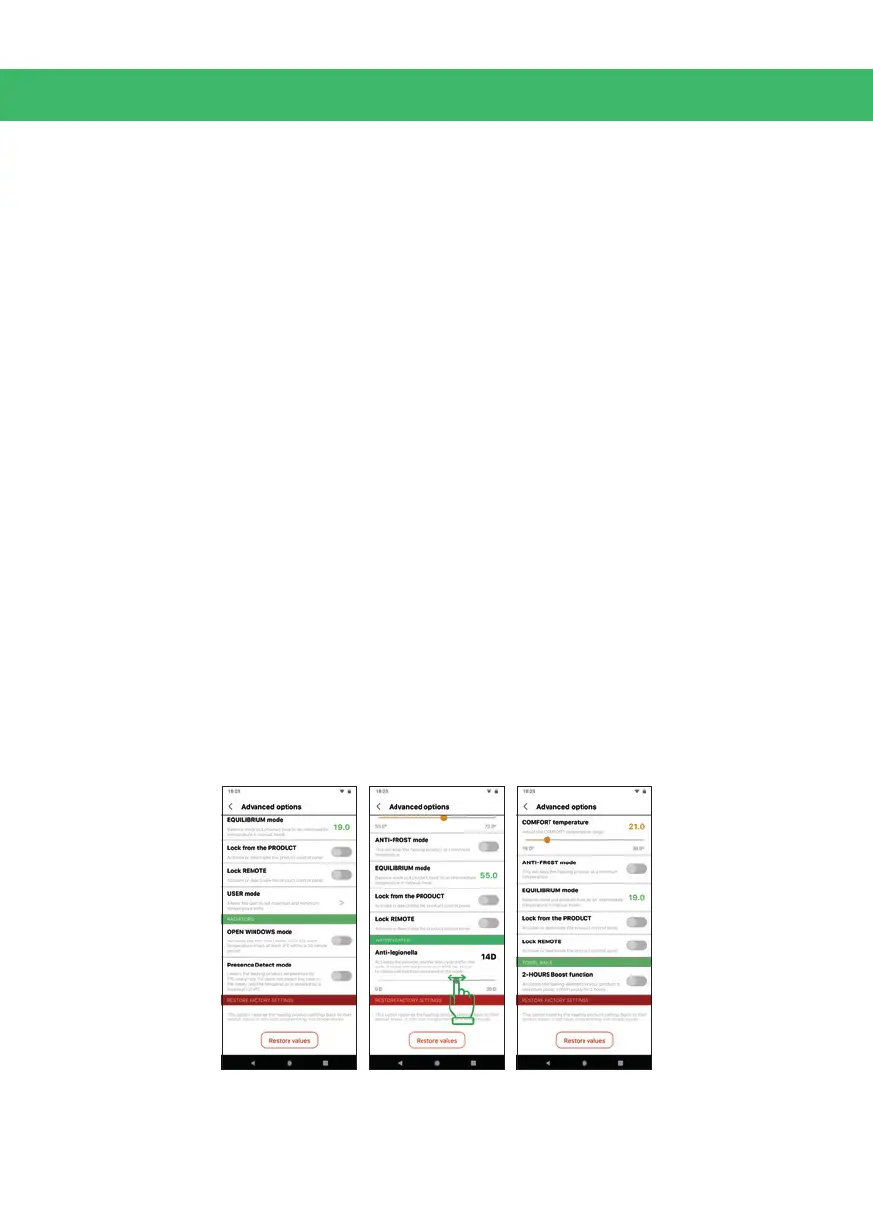
10.5. Advanced Product Options
From this screen, you can change the following options for the specic product:
• Activate / deactivate the Pilot Wire function (not available as standard, only
on request).
• Congure the Eco and Comfort mode temperatures.
• Activate / deactivate the Anti-frost mode (which maintains the radiators and
towel rails at 7ºC and water heaters at 45º) when the programming is not in
Eco or Comfort mode.
• Equilibrium or Balance function will reset your radiators and towel rails to 19º
in manual mode (55º if water heaters).
• Activate / deactivate the Open Windows function (radiators and towel rails).
• Activate / deactivate the Presence Detect function (not available as standard,
only on request for radiators).
• Activate / deactivate the 2H Boost function (towel rails only).
• Set the Anti-legionella function period (water heaters only).
• Activate / deactivate the control panel lock from the product (can be removed
by holding down the + and - keys on the product for 5 seconds).
• Activate / deactivate the remote control panel lock (can only be removed from
the Rointe Connect app or with a Rointe remote control).
• Reset to factory settings.
• Congure the User mode.



 To Next Page