8 · Rointe efficient heating
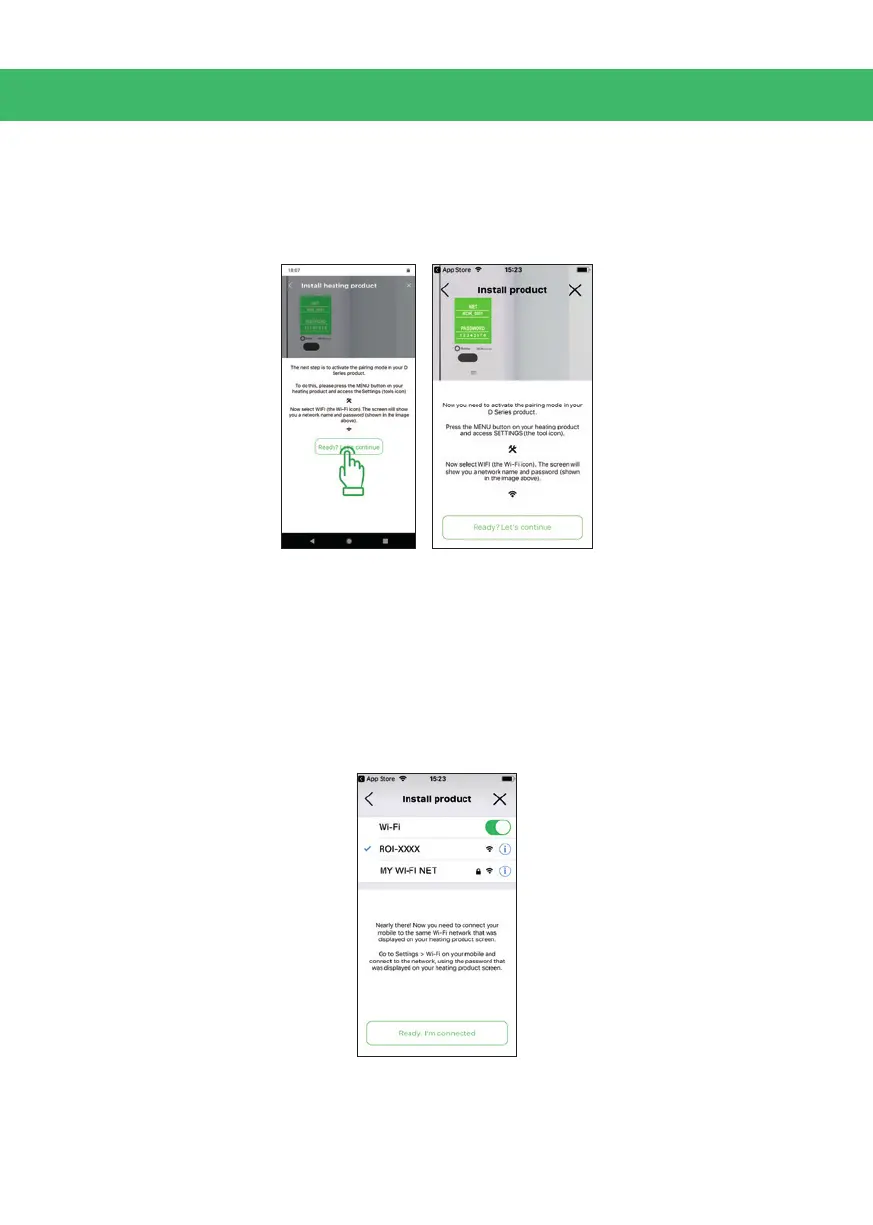
6.3. Activate Pairing mode
To activate the pairing mode in your Rointe product, press: Menu > Tools > Wi-Fi.
When the screen of the product shows the name of a Wi-Fi network and an 8 digit
password, go back to the Rointe Connect app and click on "Ready, let's continue".
6.4. Send the conguration to the device
6.4.1. iOS Apple devices
Now you need to return to the Wi-Fi settings of your smartphone or tablet and
connect to the Wi-Fi network generated by the Rointe product, (name begins with
ROI on the screen of your Rointe product, set up in step 6.3.) and enter the 8 digit
password (on the screen of your Rointe product, set up in step 6.3.). Return to the
Rointe Connect app and click on "Ready, I'm connected".



 To Next Page