Rointe efficient heating · 9
Rointe Connect App user manual
6.4.2. Android devices
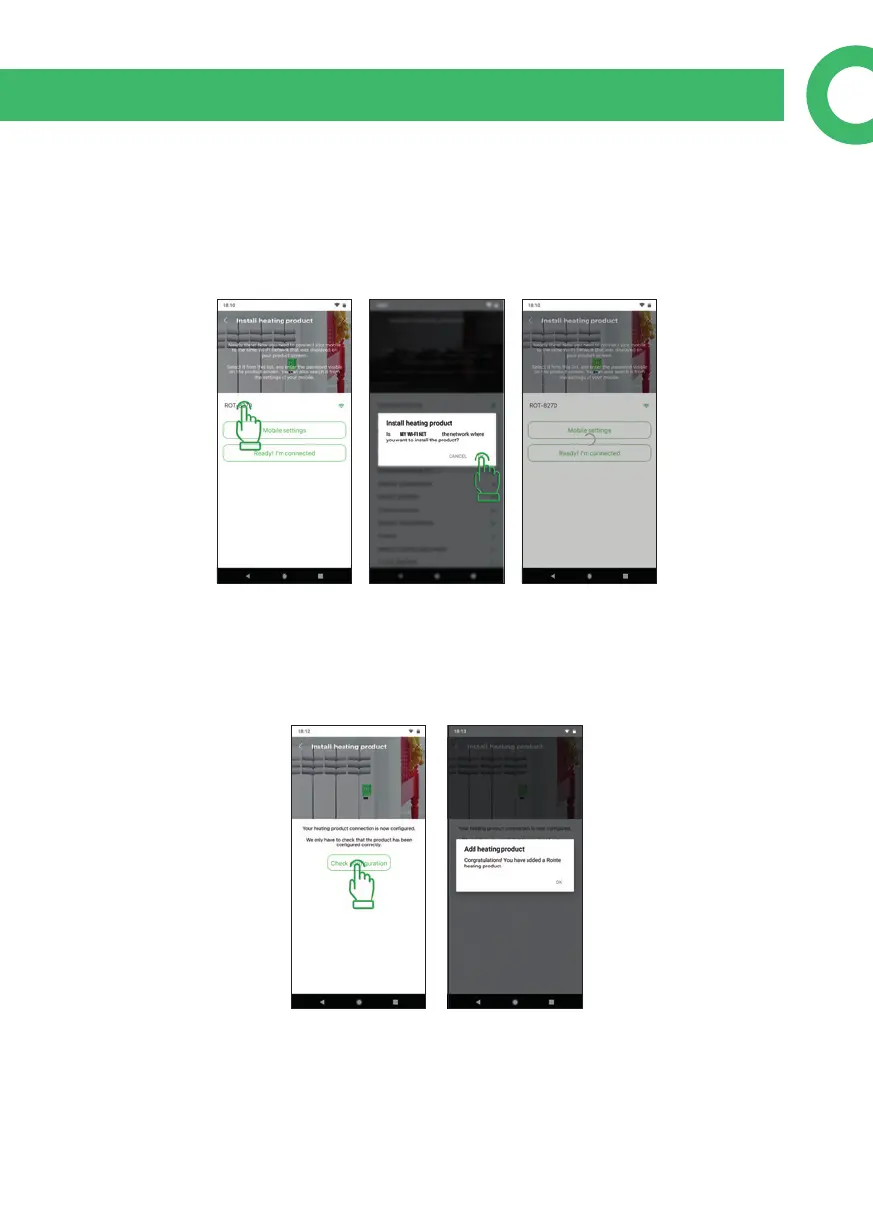
On this screen, you will see a list of networks generated by Rointe products. If none
appear, wait a few seconds or click on "Settings of your mobile". Check that the Wi-Fi
network of the Rointe product appears in the list and return to Rointe Connect app.
Click on the name of the Rointe product network and accept if it is correct.
6.5. Finish the Pairing wizard
Once the product has received the conguration, it will restart. You must wait for
the antenna icon to appear on the screen of the product. Once it appears, click on
"Check the conguration".



 To Next Page