Rointe efficient heating · 17
Rointe Connect App user manual
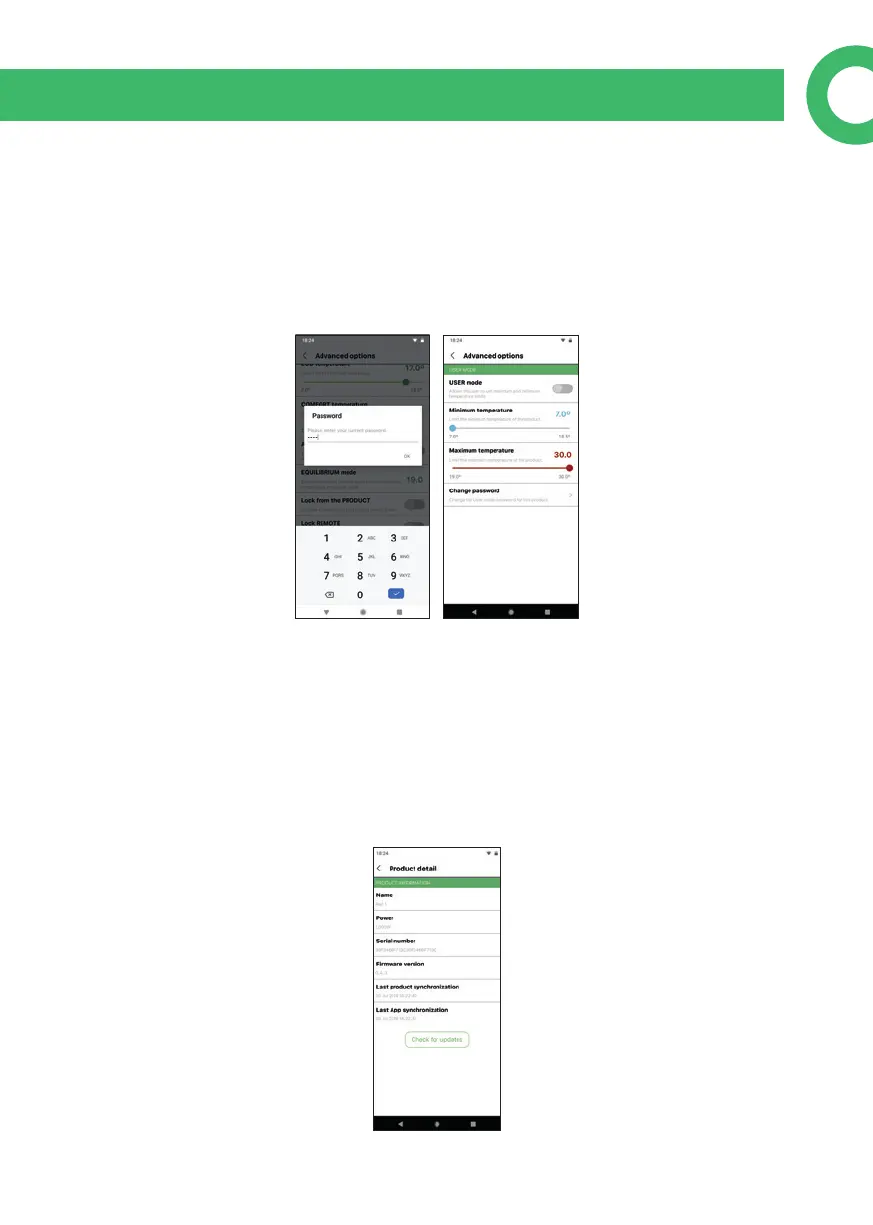
10.5.1. User mode
In Advanced Options you can access User mode, which limits the maximum and
minimum product temperature. You must enter the PIN (default is 0000) to access.
You can: adjust temperatures; change the PIN; or activate / deactivate the User
mode.
10.6. Product details
From this screen, you can see the product details: Name (which you can change in
the Edit Device menu); Power; Internal serial no. (not the same as serial number of
the product); rmware version; last synchronization of the product (date and time
last communicated with Rointe e-life servers); and last synchronization of the app
to the product (date and time of the last change made). There is also a button to
check for rmware updates, which forces the product to check for updates at that
time.


 To Next Page