EasyManua.ls Logo

Roland Atelier AT-90SL - User Manual

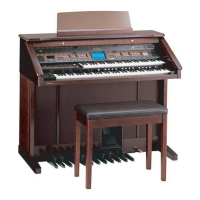
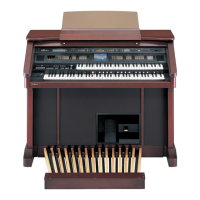
Roland Atelier AT-90SL
266 pages
Print Icon
To Next Page IconTo Next Page
Loading...
’04-9-3N03676678

Table of Contents

Questions and Answers

  • J
    Jacob ChaseSep 4, 2025
    Why is there no sound from the upper keyboard on my Roland Musical Instrument?
    • J
      John BarronSep 4, 2025
      If you're not hearing sound from the Upper keyboard on your Roland Musical Instrument, it might be because “Percussion Set 3” has been selected. Some keys may have no sound assigned to them. Select a voice other than “Percussion Set 3” for the upper keyboard.
  • K
    Krista MyersSep 18, 2025
    Why is there no sound from the rightmost keys on my Roland Musical Instrument?
    • C
      Christopher ChoiSep 18, 2025
      If there is no sound from the twelve keys at the right of the lower keyboard on your Roland Musical Instrument, the V-LINK function is set Mode 2. When V-LINK setting is Mode 2, the group of twelve keys starting at the very right of the lower keyboard are used for controlling video images. Turn the V-LINK function off, or select Mode 1 for the V-LINK function.
  • T
    trossSep 16, 2025
    Why is there a crackling noise when using the expression pedal on my Roland Atelier AT-90SL?
    • C
      Caroline GilbertSep 16, 2025
      If pressing the expression pedal while playing back Atelier performance data produces a crackling noise on your Roland Musical Instrument, the expression pedal function is set to “PEDAL+COMPOSER” during playback of Atelier performance data. Set the expression pedal function to “PEDAL” during playback.
  • R
    Randall JohnsonSep 14, 2025
    Why is the volume different between keyboards on my Roland Musical Instrument?
    • R
      Robin RamirezSep 14, 2025
      If, when playing the same sound in the Upper keyboard and Lower keyboard of your Roland Musical Instrument, the volume is different, it's likely that “Initial Touch” is turned ON on one of the keyboards. Set the initial touch settings of the Upper keyboard and the Lower keyboard to both On, or both Off.
  • T
    teresaknightSep 12, 2025
    Why did my recorded performance disappear on my Roland Atelier AT-90SL?
    • M
      Marilyn VaughanSep 13, 2025
      If the recorded performance has disappeared on your Roland Musical Instrument, it is because any performance that has been recorded is deleted when the power to the unit is turned off. A performance cannot be restored once it’s been deleted, so be sure to save it on a floppy disk before you turn off the power.
  • R
    Richard CardenasSep 12, 2025
    Why is bass playing when not using the bass pedalboard on my Roland Atelier AT-90SL Musical Instrument?
    • M
      Michelle WarnerSep 12, 2025
      If you are hearing bass even though you are not playing the Bass Pedalboard on your Roland Musical Instrument, the Pedal [To Lower] button or the [Bass Split] button is likely ON. In the Pedal part, press the Pedal [To Lower] button or [Bass Split] button to turn the button off (dark). When the Pedal [To Lower] button is ON, the Bass will be sounded by the Lower keyboard.
  • L
    Luke MasonSep 9, 2025
    Why doesn't the rhythm change when I press registration buttons on my Roland Atelier AT-90SL?
    • W
      William KaufmanSep 9, 2025
      If the Rhythm doesn't change when you press the Registration buttons on your Roland Musical Instrument, the settings at which Registrations are recalled (Registration Arranger Update) has likely been set to “DELAYED.” Set the timing at which the arranger settings are called up (Registration Arranger Update) to “INSTANT.”
  • J
    Jose MoranSep 7, 2025
    Why does my Roland Atelier AT-90SL Musical Instrument play multiple notes when I press one key?
    • N
      Nancy CurtisSep 7, 2025
      If even though you press only one key, a multiple number of notes sound on your Roland Musical Instrument, it means that Harmony Intelligence or Chord Intelligence is at ON. Turn “Harmony Intelligence” and “Chord Intelligence” off.
  • D
    derek12Sep 5, 2025
    Why do the notes continue sounding after releasing keys on my Roland Atelier AT-90SL Musical Instrument?
    • Q
      qwallaceSep 5, 2025
      If you release your fingers from keys in the Lower keyboard on your Roland Musical Instrument and the notes continue sounding, the Lower Voice [Hold] button is likely at ON. Press the Lower Voice [Hold] button to turn it off (dark).
  • S
    Stephen AndersonAug 20, 2025
    What to do if there is no sound from my Roland Atelier AT-90SL?
    • S
      Steven RodriguezAug 21, 2025
      If no sound comes from your Roland Musical Instrument, check these possible causes: * Ensure the [Master Volume] slider isn't set too low by turning it toward “Max.” * If headphones are connected, disconnect them to hear sound from the speakers. * If a plug is in the headphone jack, remove it. * Increase the volume using the Level [?] [?] buttons. * Advance the expression pedal if its volume is too low. * Select a voice by pressing a voice button.

Summary

Important Safety Instructions

Basic Safety Precautions

Essential safety measures for using electric products, covering warnings and precautions.

UK Mains Lead Colour Code

Specifies wire colors for UK mains plug connections for safety.

Using the Unit Safely

Safety Notices and Symbols

Explains warning symbols and notices for safe operation and potential hazards.

General Safety Precautions

Lists essential guidelines for safe usage, handling, and environmental considerations.

Important Notes

Power Supply and Placement Guidelines

Recommendations for safe power supply connection, unit placement, and ventilation.

Panel Descriptions

Control Panel Overview

Identifies and explains the function of each numbered control on the instrument's panel.

Before You Start Playing

Power and Connection Guidelines

Steps for connecting the power cord and safely powering the unit on and off.

Chapter 1 Selecting and Playing Sounds

Voice Selection Basics

Introduction to selecting sounds (Voices) and understanding keyboard parts.

Chapter 2 Using Rhythm Performance

Rhythm Selection and Usage

How to select rhythms, use user memory, and search for rhythms.

Rhythm Playback and Control

Methods for starting, stopping, and adding variety to rhythm performances.

Accompaniment and Tempo Settings

How to use Arranger, Chord Intelligence, Leading Bass, and Tempo settings.

Chapter 3 Using the Registration Buttons

Registration Basics and Storage

Overview of registration buttons and how to store panel settings.

Recalling and Managing Registrations

How to recall, change timing, name, save, load, and delete registrations.

Disk Formatting and Management

Procedure for formatting disks and saving/deleting registration sets.

Chapter 4 Using the Performance Functions

Key Transpose and Sound Brightness

How to transpose keys and adjust sound brightness using sliders.

Foot Switch and Expression Pedal Usage

How to use foot switches for various functions and adjust expression pedal depth.

Chapter 5 Applying Various Effects to the Sound

Harmony Intelligence and Rotary Effect

How to add harmony and apply rotary effects for richer sound.

Chorus, Sustain, and Reverb Effects

Applying chorus, sustain length, and various reverb types and depths.

Chapter 6 Using the Lower Keyboard Effectively

Lower Keyboard Applications

Overview of using the lower keyboard for solo voice, bass, and drum sounds.

Solo Voice and Split Point Settings

How to play solo voice on the lower keyboard and change split point settings.

Bass Voice and Split Point Configuration

How to play bass voice using the [Bass Split] button and change split points.

Chapter 7 Recording;Playing Back What You Play

Composer and Track Button Functions

Overview of composer buttons and track assignments for recording.

Performance Playback and Muting

How to play back songs, SMF files, and mute specific tracks.

Recording and Editing Performances

Procedure for recording, re-recording, erasing, and naming performance songs.

Saving and Loading Performance Data

How to save performance data to floppy disks and load songs into memory.

Chapter 8 Editing Your Musical Performance Data

Measure and Track Deletion

How to delete specific measures or entire tracks from recorded performance data.

Erase Event and Copy Measures

How to erase specific data events or copy measures within a song.

Chapter 9 Creating Original Accompaniment Rhythms

Chapter 10 Various Other Settings

Chapter 11 Connecting with External Device

Troubleshooting

Basic Operation and Sound Issues

Solutions for power, no sound, volume, and voice selection problems.

MIDI, Pedal, and Registration Problems

Troubleshooting for MIDI connections, pedal operations, and foot switch assignments.

Memory and System Error Resolution

Guidance on understanding and resolving various error messages.

Replacing the Illumination Bulbs

Main Specifications

Roland Atelier AT-90SL Specifications

General IconGeneral
Polyphony128 voices
TonesOver 900 tones
Pedalboard20 keys (C2 to G3)
Sound EngineSuperNATURAL Piano
EffectsReverb, Chorus
DisplayLCD display
ConnectivityMIDI In/Out

Related product manuals