Operation Guide
Personalizing Your Piano (Piano Designer)
You can adjust the FP-80’s grand piano sound elements to create your own personalized piano tones.
1. Press the [SONG] and [RHYTHM] buttons simultaneously.
2. Use the [ ] [ ] (SLOW/FAST) buttons to select “Piano Designer.”
3. Press the [METRONOME] button.
4. Press the [ ] [ ] (SLOW/FAST) buttons to select a parameter.
5. Press the [–] [+] buttons to adjust the value.
Page 31
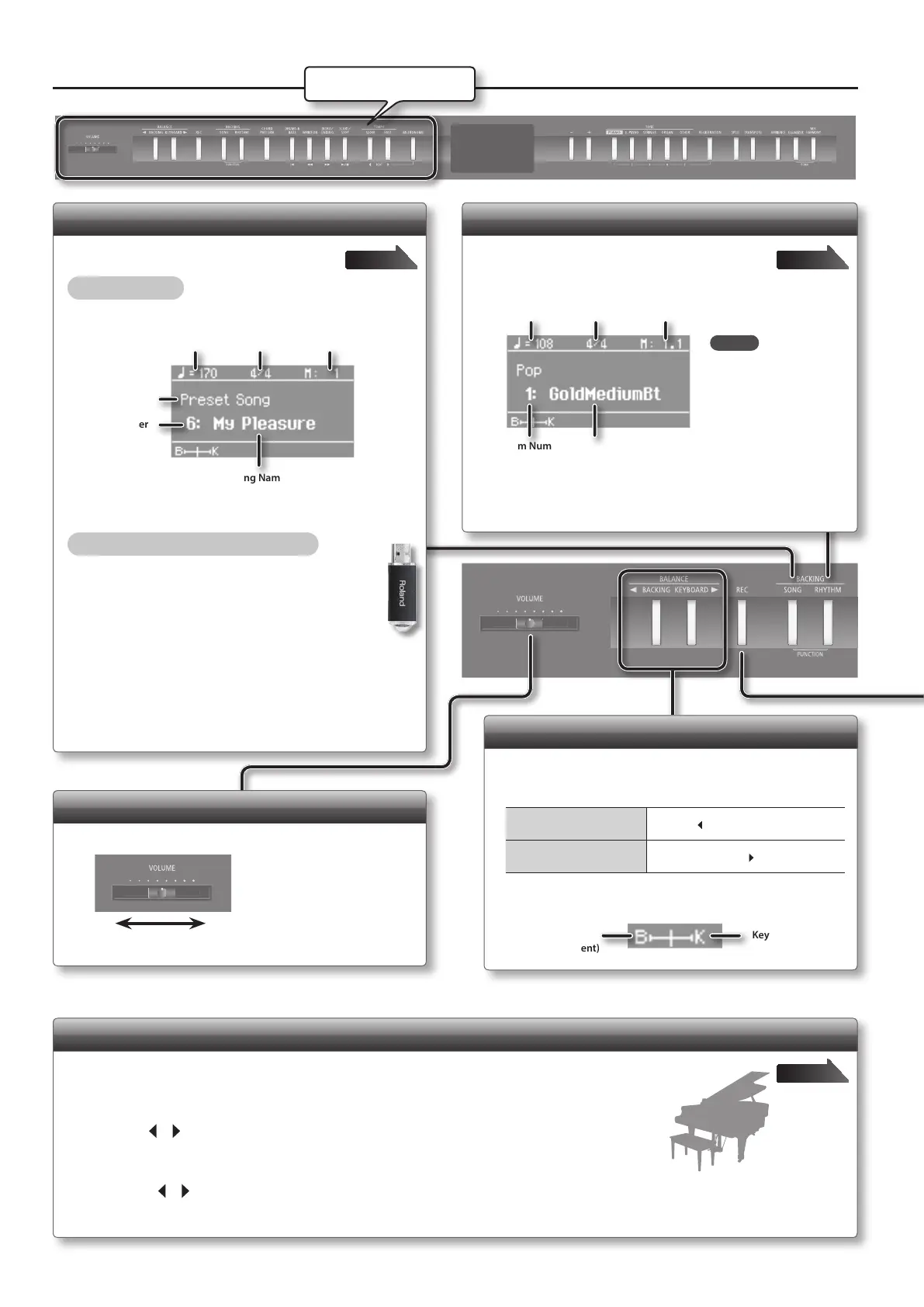
Selecting a Song
Access the song screen, and select a song.
Selecting a song
1. Press the [SONG] button to access the song screen.
Category
Tempo Time Signature
Measure
Song Name
Song Number
2. Press the [–] [+] buttons to select a song.
Selecting a song from a USB ash drive
1. Press the [SONG] button to access the song
screen.
2. Hold down the [SONG] button and press the
[–] button to select “USB Memory.”
3. Press [–] [+] buttons to select a song.
Page 23
Adjusting the Overall Volume
Adjust the sound’s volume.
MaxMin
Adjusting the Volume Balance
Balance the keyboard loudness with the loudness of the
accompanying rhythm and song.
To make the backing stand
out...
Press the [
BACKING] button.
To make the keyboard
dominate...
Press the [KEYBOARD
] button.
The current balance setting is indicated at the bottom left of the
display.
Backing
(Accompaniment)
Keyboard
Selecting a Rhythm
Access the rhythm screen, and select a rhythm.
1. Press the [RHYTHM] button to access the rhythm screen.
Tempo Time Signature
Measure
Rhythm NameRhythm Number
2. Press the [–] [+] buttons to select the desired rhythm.
Page 20
Describing this area
MEMO
You can display the
chord of the current
rhythm by pressing
the [RHYTHM] button
in the rhythm screen.
8


 To Next Page