15
Chapter 1 Quick Start
Chapter 1
Performing
Hit the pads
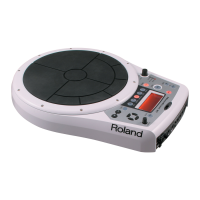
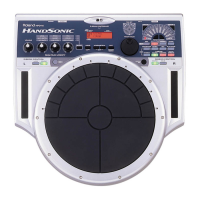
The pads of the HPD-15 will produce different volume or tones depending
on where or how strongly they are struck, and you can also vary the tone
and duration of the sounds by continuing to press the pad after striking it or
by pressing another pad.
The pads are divided into 15 sections, which are numbered as follows.
fig.1-05
Pad Set
The pads are in sets of five. Pads A1–A5 are referred to as pad set A, pads
B1–B5 as pad set B, and pads C1–C5 as pad set C.
Slide Your Finger on the Ribbons
By sliding your finger on the
ribbons
located at the left and right of the
HPD-15 you can produce sounds or modify the tone.
fig.1-06
A1
A2
A3
A4
A5
B1
B2
B3
B4
B5
C1
C2
C3
C4
C5
If Ribbon [SOUND] is not
lit, sliding your finger on
the ribbon will not produce
sound. Press [SOUND] to
make it light.
[HOLD] is used when you
control the tone by a
ribbon. Refer to “Turning
On/Off the Ribbons” (p.
69).


 To Next Page
 Loading...