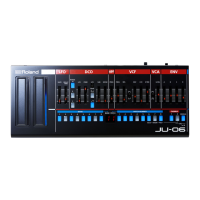
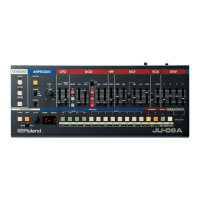
The JU-06A is a sound module that can be used
in conjunction with the K-25m keyboard unit (sold
separately). The sound can be heard through the
built-in speakers. !
The JU-06A can operate on batteries or on USB
bus power. If you are using batteries, insert four
AA batteries, making sure that the batteries are
oriented correctly. %
When turning the unit over, be careful so as to
protect the buttons and knobs from damage.
Also, handle the unit carefully; do not drop it. %
When the batteries run low, the display indicates
“bLo.” Please install fresh batteries. %
Using the JU-06A in conjunction with the DK-01
Boutique Dock (sold separately) %
For installation / removal / angle adjustment, refer
to the DK-01’s Owner’s Manual. %
Using the JU-06A with the K-25m keyboard unit
(sold separately) %
For installation / removal / angle adjustment,,
refer to the K-25m’s Owner’s Manual. %
Playing the JU-06A via MIDI or USB %
You can also play the JU-06A via MIDI or USB.
For details, refer to “Rear Panel (Connecting Your
Equipment).” %


 To Next Page