39
Chapter 1. Playing Back Songs
■ Adding Echo to the Mic Vocals (Mic Echo)
This adjusts the microphone echo when a microphone is connected to the
RG-3.
1.
Press the [Function] (Exit) button so the indicator is lit.
2.
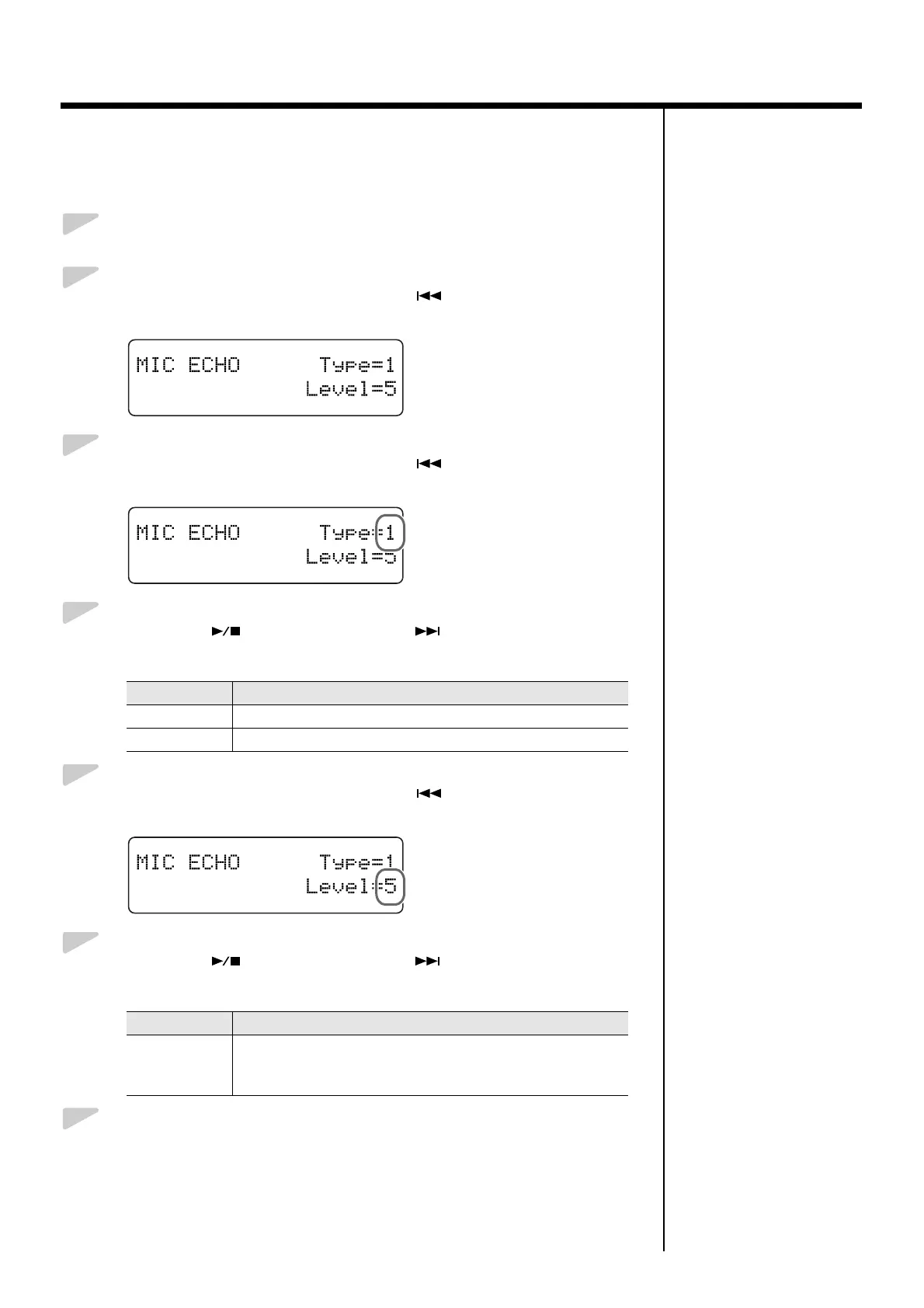
Press the [Song] (Select -) button or [ ] (Select +) button to
display the MIC ECHO screen.
fig.01-160d
3.
Press the [Song] (Select -) button or [ ] (Select +) button to get
the value for “Type” to flash.
fig.01-170d
4.
Press the [ ] (Value -) button or [ ] (Value +) button to
change the echo type.
5.
Press the [Song] (Select -) button or [ ] (Select +) button to get
the value for “Level” to flash.
fig.01-180d
6.
Press the [ ] (Value -) button or [ ] (Value +) button to
change the amount of echo applied to the sound.
7.
Press the [Function] (Exit) button so the indicator goes out.
Value Description
1 Adds basic reverberations.
2 Adds reverberations for a karaoke-type echo.
Value Description
0–9
More echo is applied as the value is increased.
No echo is applied to the microphone vocals when the value is
set at “0.”


 To Next Page