63
Chapter 3. Performance
Tuning to Other Instruments’ Pitches
(Master Tuning)
In situations such as when playing ensemble with other instruments, you
can tune the RG-3’s standard pitch to the pitch of another instrument.
The standard pitch generally refers to the pitch of the note that’s played
when you finger the middle A key.
This tuning of all the instruments to a standard pitch is called “tuning.”
1.
Press the [Function] (Exit) button, getting its indicator to light.
2.
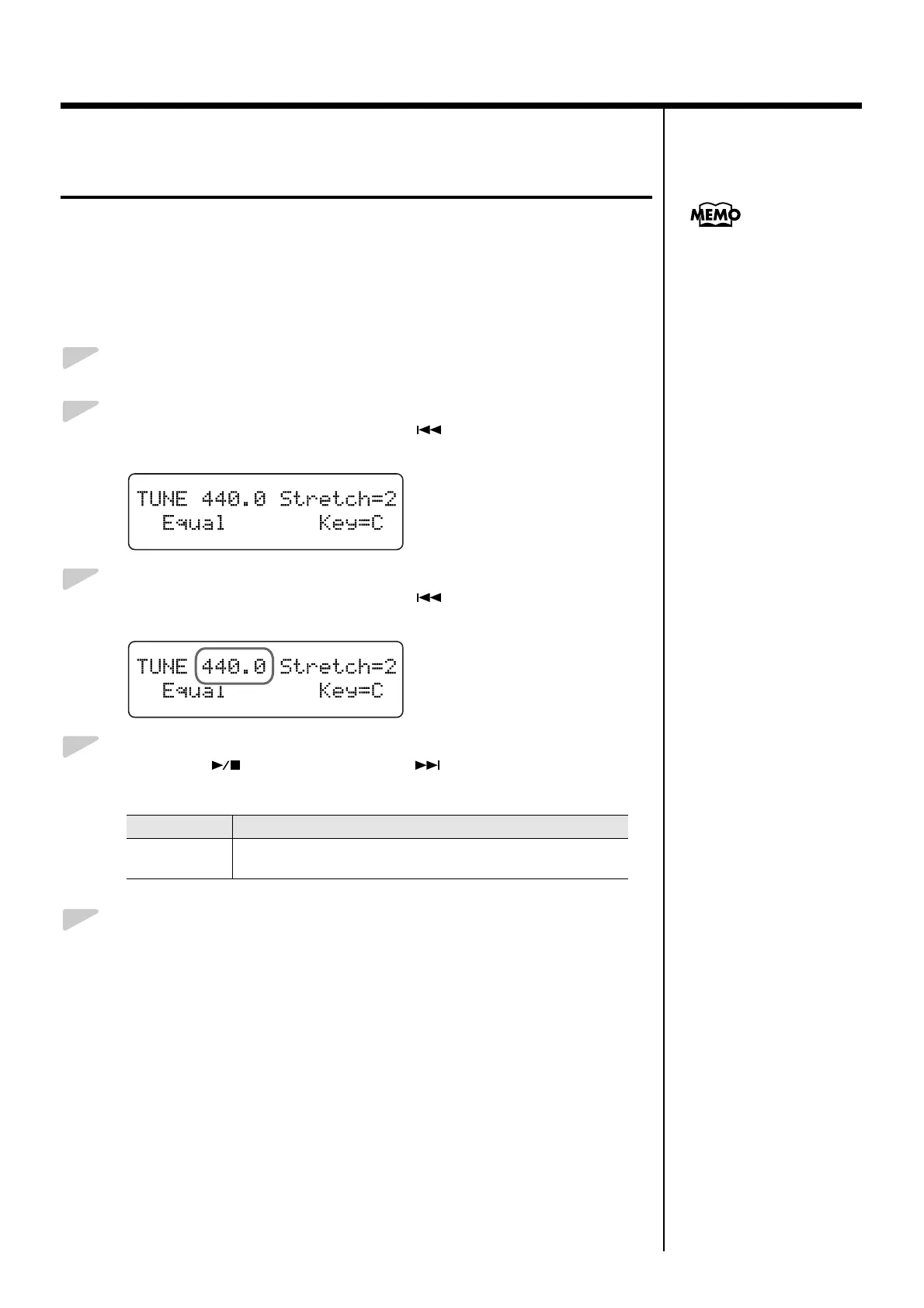
Press the [Song] (Select -) button or [ ] (Select +) button to
display the TUNE screen.
fig.03-200d
3.
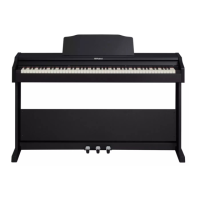
Press the [Song] (Select -) button or [ ] (Select +) button to get
the value for the Master Tuning setting to flash.
fig.03-210d
4.
Press the [ ] (Value -) button or [ ] (Value +) button to
change the standard pitch.
5.
Press the [Function] (Exit) button so the indicator goes out.
Value Description
415.3–440.0 –
466.2 (Hz)
This is set to “440.0” when the power to the RG-3 is switched
on.
You can save this setting in
the RG-3’s memory using the
Memory Backup function
(p. 73).


 To Next Page