100
Chapter 8 Other Functions
1.
Press [SYSTEM].
2.
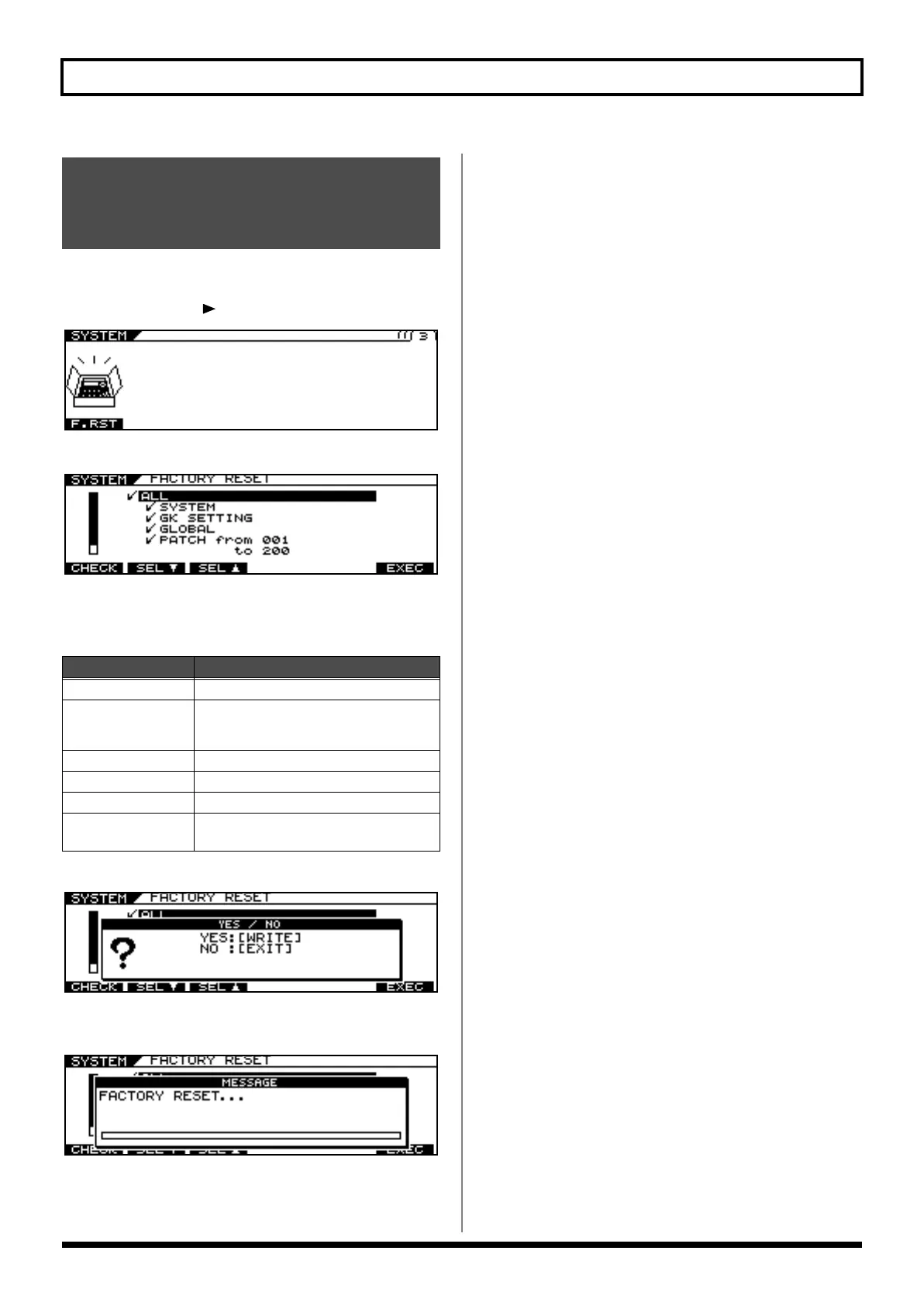
Press PAGE [ ] to display Page 3.
3.
Press [F1] (F.RST).
4.
Select the parameters you want to restore to
the original factory condition.
5.
Press [F6] (EXEC).
6.
To execute Factory Reset, press [WRITE].
* To cancel Factory Reset, press [EXIT].
When Factory Reset is completed, the Play screen returns to the
display.
Restoring the VG-99 to its
Original Factory Condition
(FACTORY RESET)
A
vailable Settings
Explanation
ALL
All data
SYSTEM
System Parameter, Harmonist Scale, Auto
Riff Phrase, Pre Amp/Speaker, Overdrive/
Distortion, Wah
GK SETTING
Content of GK settings
GLOBAL
Content of settings for GLOBAL function
PATCH
Content of settings for PATCH 001–200
FAVORITE
SETTING
Content of settings for FAVORITE SET-
TINGS 01–10 for all effects
VG-99_e.book 100 ページ 2007年7月5日 木曜日 午前9時22分



 To Next Page
 Loading...











