92
Chapter 8 Other Functions
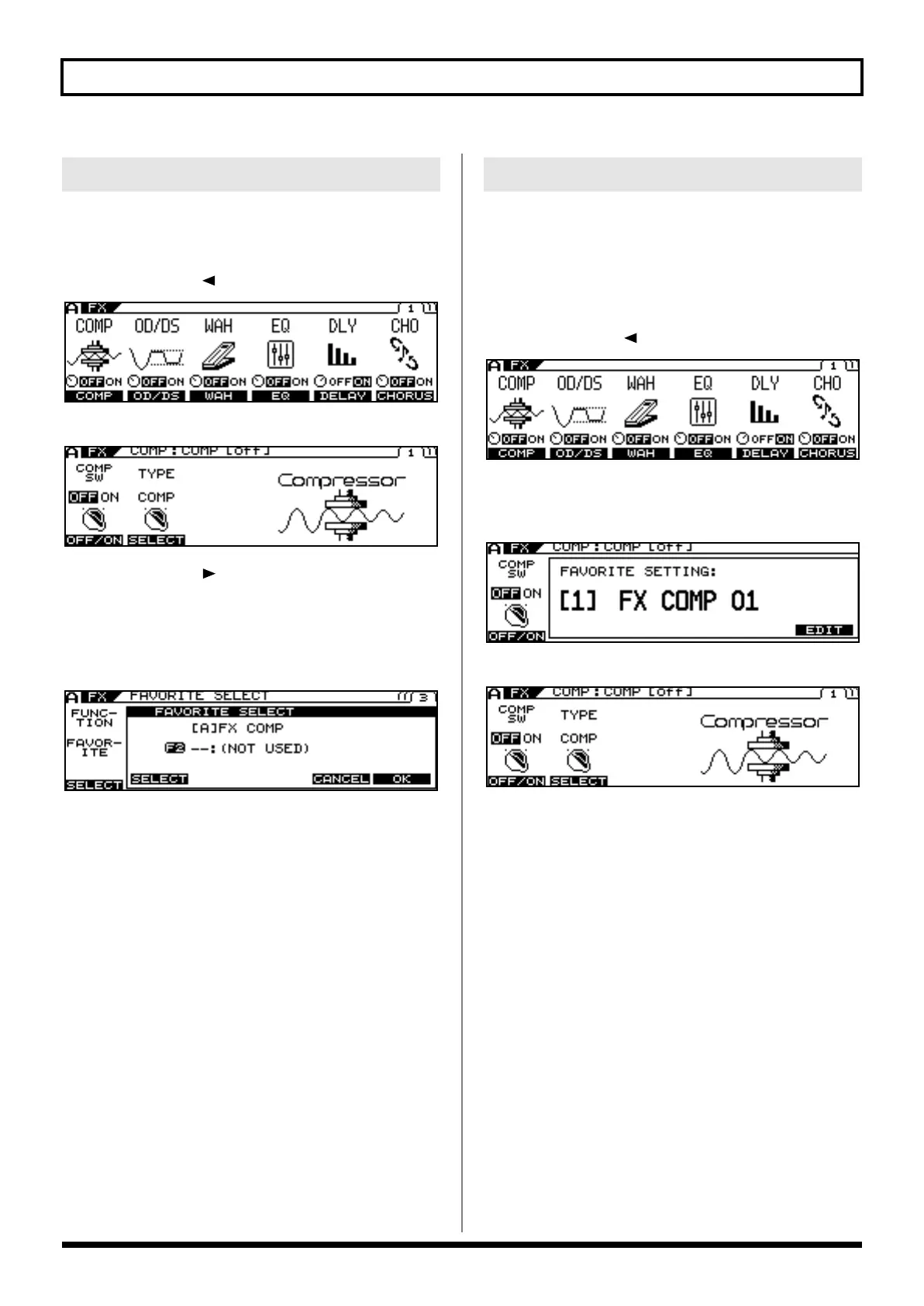
Here is an example using the compressor effect.
1.
Press [FX].
2.
Press PAGE [ ] to go to Page 1.
3.
Press [F1] (COMP).
4.
Press PAGE [ ] to display the last page (in
this case, Page 3).
5.
Use [F1] (SELECT) or the F1 knob to select
FAVORITE.
The Favorite Settings selection screen appears.
6.
Use [F2] (SELECT) or the F2 knob to select
your preferred setting.
7.
When you have made your choice, press [F6]
(OK); to cancel the procedure, press [F5]
(CANCEL) or press [EXIT] several times to
return to the Play screen.
8.
If you want to save the edited settings,
perform the Write procedure (p. 38).
* If you do not want to save, press [EXIT] to return to the Play screen.
This procedure changes the tones in patches using the Favorite
Settings. The method below can also be used to edit the Favorite
Settings themselves.
Here is an example using the compressor effect.
1.
Press [FX].
2.
Press PAGE [ ] to go to Page 1.
3.
Press [F1] (COMP).
The number and name of the currently selected Favorite
Settings are displayed.
4.
Press [F6] (EDIT).
5.
Use [F1]–[F4] or the F1–F4 knobs to adjust the
desired parameters on Pages 1 and 2.
6.
To store the content of the settings, carry out
the steps described below.
Calling Up Favorite Settings
Changing Tone Settings
VG-99_e.book 92 ページ 2007年7月5日 木曜日 午前9時22分



 To Next Page
 Loading...











