47
Chapter 4 Global Device Settings (SYSTEM)
Chapter 4
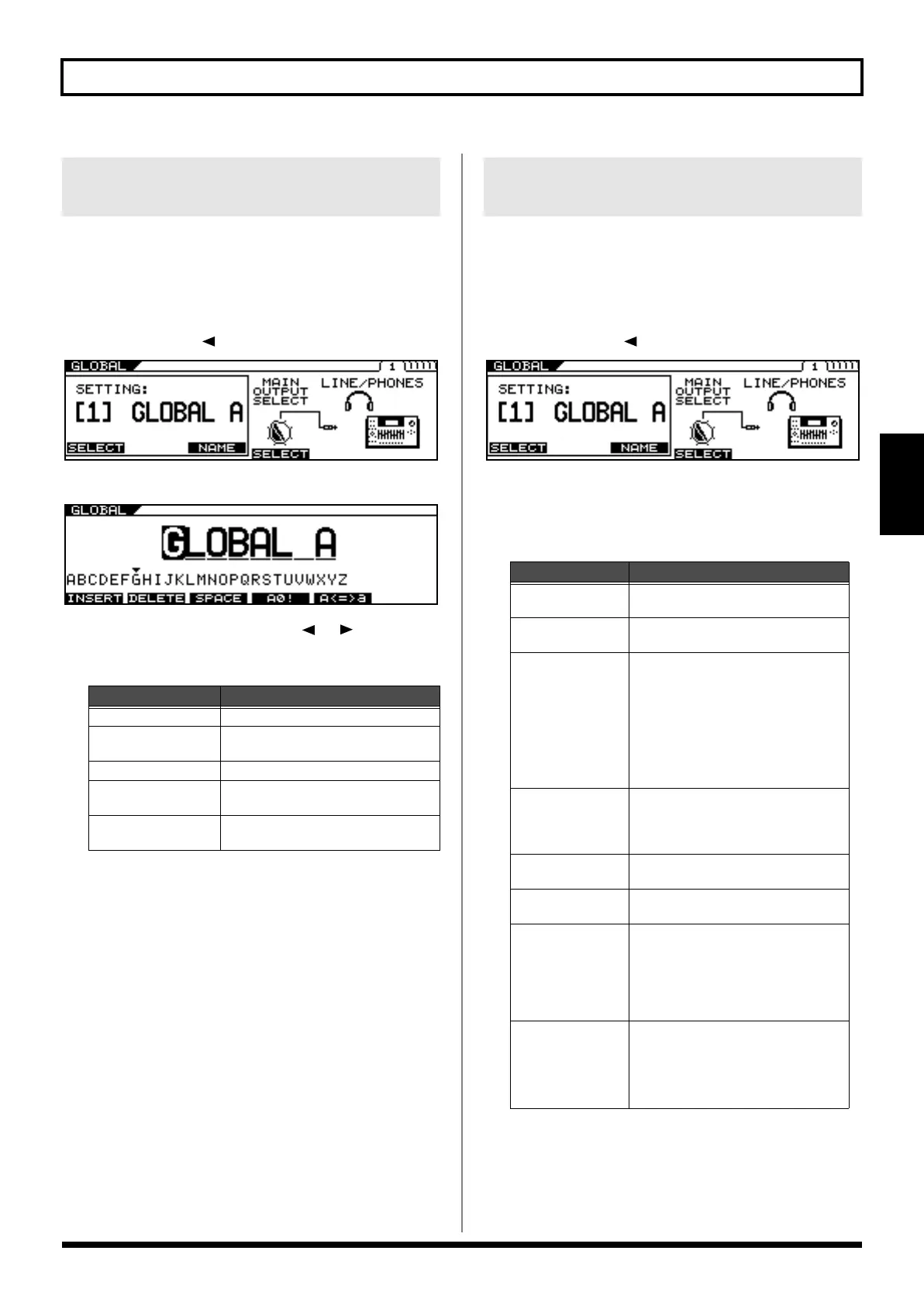
You can assign up to ten user names, each containing up to eight
characters. For example, you could create names that suggest the
gear used in a certain setting or a place where you perform.
1.
Press [GLOBAL].
2.
Press PAGE [ ] to display Page 1.
3.
Press [F3] (NAME).
4.
Set the name using PAGE [ ] [ ] and [F1]–
[F5].
You can match the VG-99’s output response to that of the connected
device. Making this setting helps keep differences in sound qualities
respective to the connected device to a minimum.
1.
Press [GLOBAL].
2.
Press PAGE [ ] to display Page 1.
3.
Use [F4] (OUTPUT SELECT) or the F4 knob to
set the type of device to be connected to the
MAIN OUT jacks.
Naming the Settings (GLOBAL
NAME)
Function Button
Explanation
[F1] (INSERT)
Insert a space at the cursor location.
[F2] (DELETE)
Delete a character. The characters that
follow get shifted to the left.
[F3] (SPACE) Input a space at the cursor location.
[F4] (A0!)
Switch between uppercase letters and
lowercase letters.
[F5] (A<=>a)
Switch between uppercase letters, low-
ercase letters, numbers, and characters.
Setting the Types of Connected
Devices (OUTPUT SELECT)
Value
Explanation
JC-120
Use this setting when connecting to Ro-
land’s JC-120 guitar amp.
SMALL AMP
Use this setting when connecting to a
small guitar amp.
COMBO AMP
Use this setting when connecting to the
guitar input of a combo amp other than
the JC-120 guitar amp (where the amp
and speaker or speakers are combined in
a single unit).
* Depending on your guitar amp, you
may be able to obtain good results with
the JC-120 setting.
STACK AMP
Use this setting when connecting to the
guitar input of a stack-type guitar amp
(where the amp and speaker or speak-
ers are separated).
JC-120 Return
Use this setting when connecting to the
RETURN of a JC-120.
COMBO Return
Use this setting when connecting to the
RETURN with a combo amp.
STACK Return
Use this setting when connecting to the
RETURN of a stack amp or the INPUT
of a rack mounted power amp.
Set to STACK Return also when using a
guitar power amp and speaker cabinet
combination.
LINE/PHONES
Use this setting when using head-
phones or when connecting to a multi-
track recorder for recording.
* When using COSM Speaker cabinets,
use the LINE/PHONES setting.
VG-99_e.book 47 ページ 2007年7月5日 木曜日 午前9時22分



 To Next Page
 Loading...











