53
Chapter 5 Using the VG-99 in Combination with an FC-300
Chapter 5
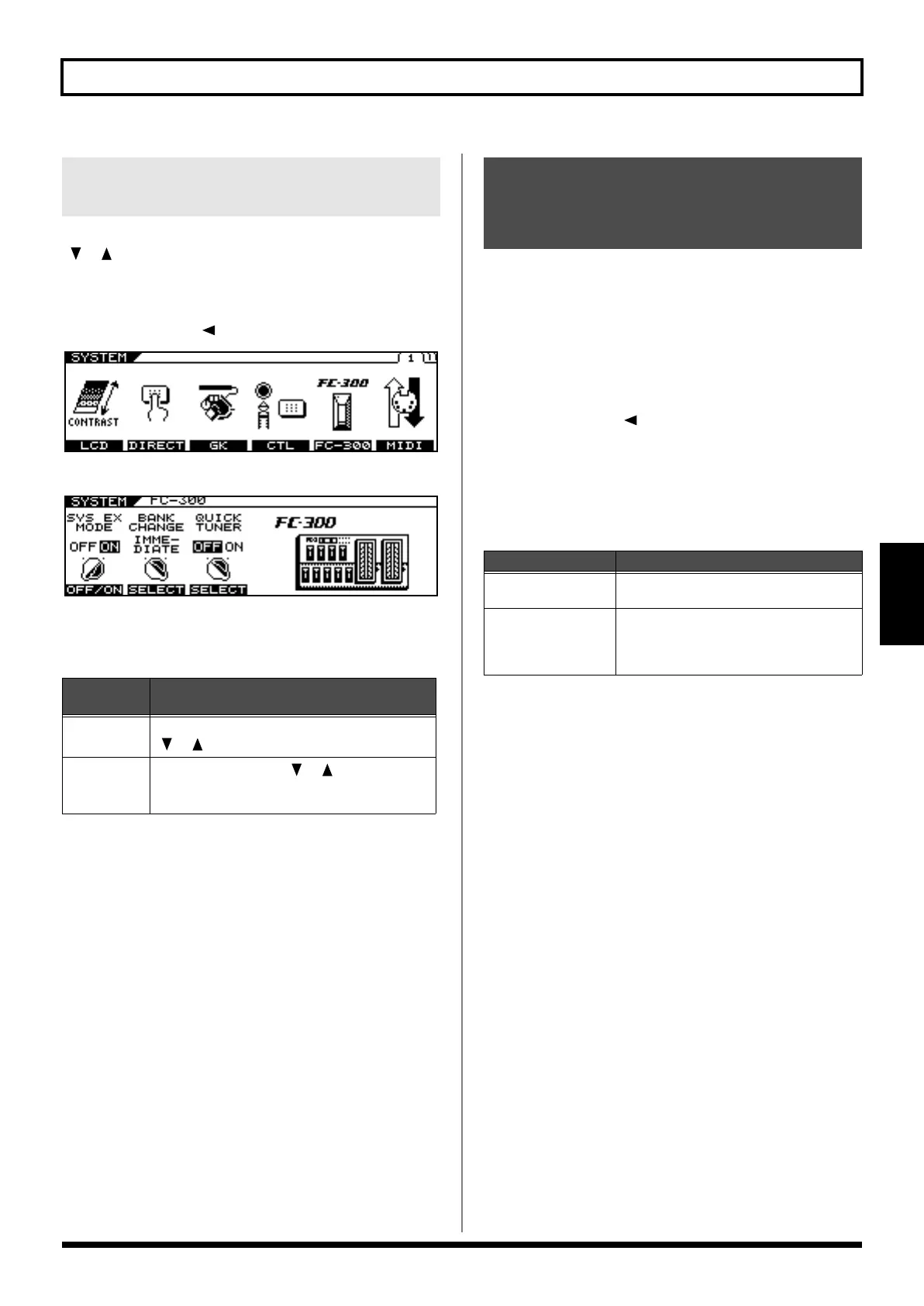
This sets the timing at which patches are switched when you press
[ ] [ ] pedals on the FC-300.
1.
Press [SYSTEM].
2.
Press PAGE [ ] to display Page 1.
3.
Press [F5] (FC-300).
4.
Set BANK CHANGE with [F2] (SELECT) or with
the F2 knob.
You can use the FC-300’s number pedals to switch the Tuner
function on and off.
* The Quick Tuner function is enabled only in the Play screen.
* The Quick Tuner function is enabled only when the FC-300’s
MODE is set to SYS EX.
1.
Press [SYSTEM].
2.
Press PAGE [ ] to display Page 1.
3.
Press [F5] (FC-300).
4.
Set QUICK TUNER with [F3] (SELECT) or with
the F3 knob.
Setting the Operation When
Patches Are Switched
Available
Settings
Description
IMMEDIATE
The patch changes immediately when the FC-300’s
[ ] [ ] pedals are pressed.
WAIT NUM
Even after the FC-300’s [ ] [ ] pedals are
pressed, the patch does not change until the NUM-
BER is set.
Activating the VG-99’s
Tuner from the FC-300
(QUICK TUNER)
Available Settings
Description
OFF
The QUICK TUNER function is not opera-
tional.
ON The QUICK TUNER function is operational.
The TUNER function is alternately switched
on and off each time the currently selected
number pedal is pressed.
VG-99_e.book 53 ページ 2007年7月5日 木曜日 午前9時22分



 To Next Page
 Loading...











